















For couples who want the essentials
Wedding photo sharing via QR code, no app for guests
Guests scan a QR code and upload from their phone browser. Start free with 20 guest uploads, then one payment from $44 unlocks unlimited photos and videos at original quality.

FROM A GUEST
Wedding photo sharing collects every guest's photos and videos in one private album. With Pix Wedding, guests scan a QR code at the venue and upload from their phone browser, no app or account. The first 20 uploads are free, then one payment from $44 covers unlimited guests, and the album stays online 6 to 24 months by plan.
Why guest photo sharing works, in three numbers
The case for collecting guest photos is not a hunch. It comes down to three numbers, each from a named public source you can open and check.
Nearly every guest at your wedding is already carrying a camera and a browser, which is exactly what QR photo sharing runs on.
Source: Pew Research Center, 2025That is 117 phones in the room capturing angles from 117 vantage points, versus one hired photographer who can only be in one place at a time.
Source: The Knot 2026 Real Weddings StudyAfter spending that much on the day, letting every candid guest photo disappear into scattered camera rolls is the cheapest thing to fix.
Source: The Knot 2026 Real Weddings StudyScan. Upload.
Every guest photo in one album.
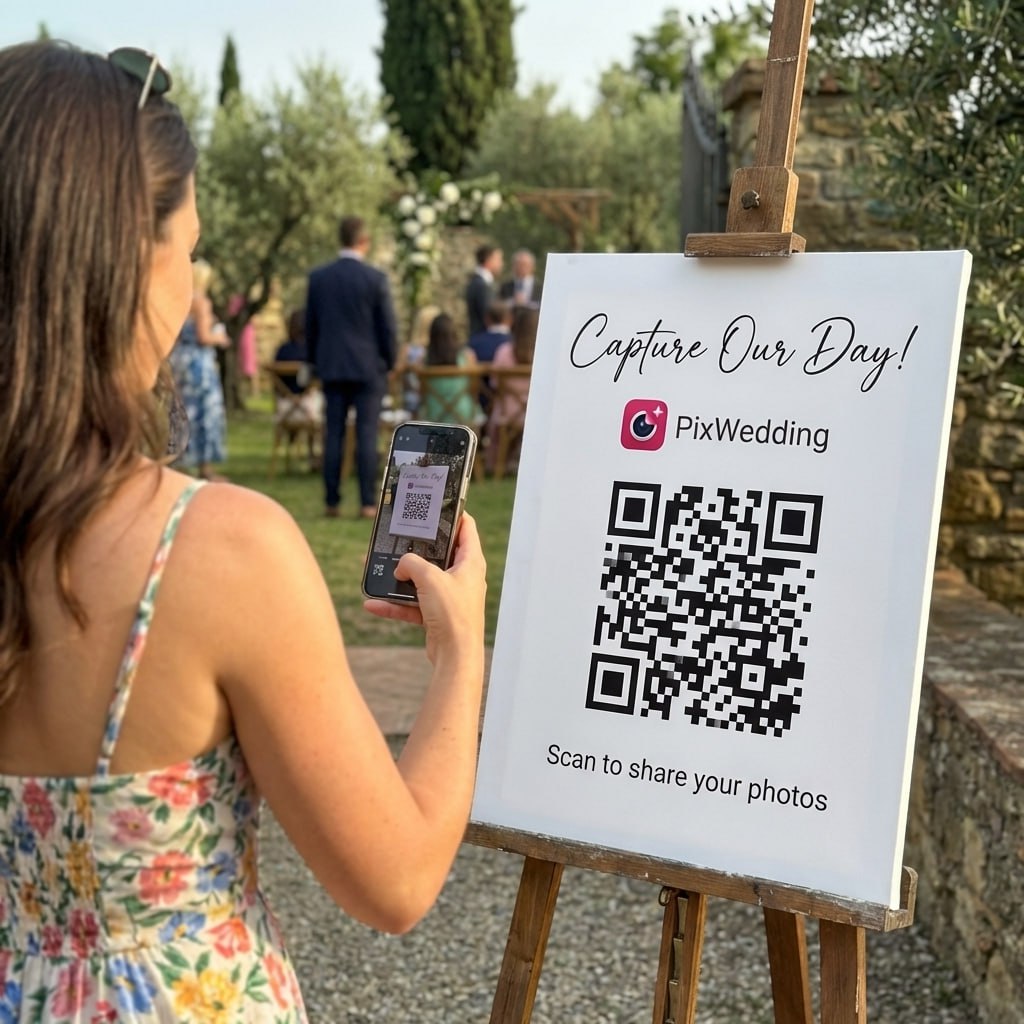
One QR code on the tables and the welcome sign. Guests scan it, upload photos and videos in the browser, and everything lands in one shared album. No app, no account.
SHARED GALLERY
Emma & James
Example album


Three steps, and the last one is the guests’ job
You do the first two once, days or weeks before the wedding. The third happens on its own while you are busy getting married.
Create your album
Sign up free and create your wedding album. No credit card needed.
Print the QR code
Download your unique QR code and print it on table cards or a welcome sign.
Guests scan and upload
Guests scan with their phone camera and upload in their browser, at original quality, no app needed.
Every upload lands at original quality, with no compression. When the wedding is over, you download the whole album as a ZIP from your dashboard and keep it wherever you keep the rest of your files.
The photos nobody was paid to take


Guests catch the angles a photographer physically cannot be in: the table that was laughing, the cousin who cried, the dance floor at 1am.
What the couple does vs what guests do
Photo sharing has two flows that almost never overlap. The couple sets everything up once, ahead of the day. Guests do their part in a few taps, in the moment, with nothing to install.
Host side: what the couple does
One-time setup, done days or weeks before the wedding.
- 01Create a free album (no card needed).
- 02Get the code printed: place cards, a welcome sign, stickers, whatever fits the venue.
- 03Place the code in a few spots at the venue and ask the MC to announce it once.
- 04Watch uploads come into the dashboard, then download everything as one ZIP.
Guest side: what guests do
No app, no account, no hashtag to remember, done in the moment.
- 01Point the phone camera at the QR code, the same way you would read a restaurant menu.
- 02Tap the link that pops up. It opens the upload page in the browser already on the phone.
- 03Select photos and videos from the camera roll, or shoot new ones, and upload.
- 04Come back and add more any time during the event. Nothing to sign into.
The split is the whole point: the couple carries all the setup so guests carry none of the friction. That is why uploads come in from relatives who would never install a wedding app, which is where most of the candid photos live.
One code, one private album, one download
Wedding photo sharing means collecting every candid photo your guests take into one private album. Your photographer captures the key moments. Your guests capture much of everything else: table laughs, late-night dancing, grandma crying during the vows.
One QR code
Guests scan a code at the table with the phone camera. No app to download and no account to create.
Straight to one album
Every photo and video goes into the same album, with no chasing group chats. On Standard and Pro, a live slideshow plays them at the venue, and guests can add a voice note to their upload instead of queuing at an audio guest book phone.
Download everything
After the wedding, download the full album as a ZIP at original quality, no compression. The ZIP is yours to keep forever.
One payment. Yours to keep.
Start free with 20 guest uploads. Upgrade before or during the wedding; nothing renews.
Most couples pick this
One-time payment, no subscription
For a longer window and more control
One payment. Yours to keep. No subscription. No renewals. No surprise charges.
Secure checkout. Polar, Apple Pay, Google Pay.
Money-back guarantee: if your guests never upload a single photo, you get 100% back. See how it works
One payment. No subscription. No renewals.
QR code photo sharing vs the traditional ways
A QR code removes the two biggest sources of guest friction: app downloads and account sign-ups. Here is how the four common approaches compare on the things that decide how many photos you end up with.
One QR code and a browser upload, with no app and no account. Paid plans keep original quality and give you a ZIP download you keep forever.
| Method | Photo quality | Guest friction | What it costs |
|---|---|---|---|
QR code (Pix Wedding)How Pix works | Original quality, no compression, on paid plans | None: scan and upload in the phone browser | Free for 20 guest uploads, then $44 to $84 once |
| Wedding hashtag | Whatever the social app keeps, not the original file | Guests must post publicly on Instagram or TikTok | Free |
| Guest app download | Depends on the app | An install, plus an account or album code in many apps | Varies by vendor |
| Disposable cameras | Film, with a fixed number of shots per camera | Film has to be collected and developed after the wedding | Cameras plus developing fees |
Swipe to compare
Checked September 2026. Hashtag, app and disposable camera rows describe how each method works in general, not one vendor.
Pix Wedding next to the alternatives
Every figure below came off each vendor’s own live pages in September 2026.
Original-quality albums, a ZIP download you keep forever, live slideshow and audio guestbook
| App | App download for guests | Guest sign-up | Free option | Video uploads | Paid pricing |
|---|---|---|---|---|---|
Pix WeddingOur pick | No, browser via QR | None | 20 guest uploads, no card | Yes, unlimited on paid plans | $44 to $84, one-time |
| WedShoots | Yes, the WedShoots app on iOS or Android | Guests enter the album code in the app | Free app | Yes | Free |
| POV | No full app: an App Clip on iPhone, the web on Android | Joins from a QR code or link | Up to 10 guests | Not stated on its pricing page | Priced by guest count above 10 |
Swipe to compare
WedShoots details from its Google Play listing and POV details from its own pricing page, checked September 2026.
Three more worth a look: GuestPix, Once and Eventoly
- Guests scan a QR code or tap a private link and upload in their browser, no app download
- One-time payment per package, from Small up to X-Large, with no auto-renewal
- Photo and video uploads, guestbook messages and a live slideshow
- Hosted for 12 months from the event date; uploads stay open 3 months on Small and Medium, 12 months on Large and X-Large
vs Pix Wedding: Closest to Pix Wedding in concept. Pix starts free with 20 guest uploads and no card, then one payment of $44 to $84.
Check GuestPix pricing- A shared digital film roll, guests join from a QR code with no download
- Customizable film rolls and your own development schedule for the reveal
- Free for up to 5 participants, bigger events are priced by guest count
- Unlimited shots is a $9.99 add-on
vs Pix Wedding: A fun pick if you want the film-roll suspense. Pix has the same idea as an option: film roll mode on the paid plans hides photos until the reveal, with an optional shot limit per guest.
Check Once pricing- QR code sharing for weddings, parties, and birthdays alike
- No app and no guest login, unlimited uploads at original quality
- Free trial with no credit card, then one-time plans from $49 per event
- Hosted storage from 6 months on the entry plan up to 2 years on top plans
vs Pix Wedding: A solid general-purpose option. Pix is built for weddings specifically, with a QR sticker designer and a full set of free wedding planning tools around the album.
Check Eventoly pricingFeatures checked against each vendor's own live pages in September 2026. Vendors change these without notice, so confirm on the vendor's site before you decide.

Reception
Everyone uploaded!
Every guest photo. One album. One payment.
Guests scan a QR at each table. Every photo lands in one shared album, instantly.

From the maid of honor
Scan to join the album
No app, no account
UPLOADING
Saving your moment
THE ALBUM
Emma & Jack
June 21, 2026
647 photos · 95 guests


SCAN TO TRY
pix.wedding/
your-wedding
When Pix Wedding is not the right choice
Naming who this does not fit is more useful than pretending it works for everyone. Four cases where you should pick something else.
You want a native app for guests
Pix Wedding is a QR-to-browser product by design. If you specifically want guests to install an app rather than scan and upload in their browser, look elsewhere.
You need more than 20 uploads without paying
The free tier covers 20 guest uploads with no card. If you expect more than that and do not plan to upgrade, a one-time payment from $44 removes the cap; without it, the free tier will not fit a full wedding guest list.
You want hosted storage past 3 years without a ZIP
Hosted storage tops out at 2 years on the Pro plan, or 3 years with the optional $9 extra-year add-on from your dashboard. The ZIP download is yours to keep forever, but if you want the live hosted gallery itself to stay up beyond that window without taking your own backup, that is not how the plans work.
You want a full wedding-website suite with RSVP
Pix Wedding focuses on photo and video collection, not RSVP management or a wedding website. If you want RSVP tracking and a wedding site in the same tool, a suite like Joy fits that need better.
Already have an album? Start here
The six things couples write in about most once the album is live and the QR codes are printed.
How do guests upload a photo?
A guest scans your QR code with their phone camera, the upload page opens in their browser, they pick photos or a video from their camera roll, and tap upload. No app, no account.
How do I download everything after the wedding?
Open your dashboard and export everything in one archive, original files, nothing compressed. Included on any paid plan.
What if a guest's upload fails?
Uploads happen directly in the browser, so there is no app to update. Ask the guest to check their connection and retry the upload.
How long does the album stay online?
6 months on Starter, 1 year on Standard, or 2 years on Pro, depending on your plan. An optional add-on from your dashboard keeps it online one extra year on any paid plan for $9 one-time. The ZIP download you take from your dashboard is yours to keep for good.
Does one album work for a multi-day wedding?
Yes. One album and one QR code cover every day, from the welcome drinks to the brunch. Standard and Pro let you split the gallery into sub-albums (up to 6 on Standard, up to 20 on Pro), like ceremony and reception, all under that one code.
What about guests from abroad?
Nothing changes for them. The upload page opens in the browser in their phone language when it is English, German, Spanish, French, Italian, Dutch or Turkish, with no app to find in a local store, and checkout shows your plan in your local currency where Pix Wedding prices one.
How to collect wedding photos from every guest
More QR code placements and one clear announcement tend to bring in more guest uploads. Here is the playbook couples run on the night.
Place QR codes in 3+ locations
Reception tables, welcome sign, bar area, and bathroom mirror. Each additional placement tends to increase upload volume.
Have the MC announce it once
A single "Scan the QR code on your table to share your photos tonight" reminds guests who forgot earlier in the night.
Brief 2-3 wedding party members
Ask outgoing bridesmaids or groomsmen to help anyone who looks confused. Most guests just need a 10-second demo.
Test before the wedding
Scan your own QR code on your phone 1-2 weeks before. Confirm photos land in your album correctly before the big day.
This video builds a QR code that opens a shared photo folder, at no cost. It works, with one catch on the guest side: a folder link can ask guests for an app or a sign-in, and that is the step where uploads stall.
Either way, test the printed code on two phones before you order cards. Our free QR sticker designer makes print-ready table cards.
Video: "How To Create a QR Code To Share Wedding Photos (Step By Step)", KnowledgeBase on YouTube.
The photo sharing timeline, month by month
Five checkpoints from the first vendor call to the ZIP on your own drive, so nothing falls through the cracks.
A slideshow that fills up while the party runs
Project it on any screen at the reception
Guest photos appear on the wall the moment they upload. It entertains the room and nudges the people who have not scanned yet to pull out their phones. Every photo still lands in the same private album you download later as one ZIP, at original quality, with no accounts.
Included on the Standard and Pro plans.Three reasons couples keep choosing it
Guest photos add angles your photographer cannot
Your photographer delivers a curated set of shots. Guests capture what happens at other tables, in other corners of the room, at the same time, moments a single photographer physically cannot be in two places for.
Setup takes minutes, not hours
Create an album, download the QR code, and get it in front of guests: place cards, a welcome sign, the back of the menu. Most couples have everything ready well before the rehearsal dinner.
Works for guests of every age
Because there is no app to download and no account to create, older relatives and less tech-savvy guests can participate just as easily as anyone else, scan the code and upload from the browser they already know.
Your photos, your privacy, your ownership
Pix Wedding treats your wedding photos the way they deserve to be treated: as private, precious memories that belong to you.
Reached through your QR code
Guests get to the upload page by scanning your QR code or opening your album link, not through a public hashtag or a social feed.
Hidden until the reveal
Film roll mode on the paid plans keeps uploads hidden until the reveal, so nobody sees the album before you decide.
No guest accounts
Guests do not create accounts or passwords to upload. On Pro, AI selfie search keeps face data private to the event and deletes it with the event.
Full export on any paid plan
Your dashboard exports the whole album in a single archive, original files, on any paid plan.
The same QR code works for any room full of phones
Pix Wedding is built for weddings, but the flow is the same wherever guests are taking photos. Create an album for any occasion, free with no card.
Guides, tools and comparisons
Compare Pix Wedding to the alternatives
Still researching? Here is how Pix Wedding stacks up against the other major wedding photo sharing platforms.
Wedding photo sharing by city and state
Local editions with venue notes, costs and tips for collecting photos where you are getting married.
Explore more free wedding tools
Everything you need to make your wedding day stress-free and unforgettable.
QR Sticker Designer
Design custom print-ready stickers.
Hashtag Generator
Create unique wedding hashtags.
How to Collect Guest Photos
5 methods ranked by participation rate and ease.
Best Way to Share Wedding Photos
Eight ways to send the photos to guests and family, compared.
Best Way to Get Guest Photos
The single method with the highest participation rate.
How to Make a Shared Wedding Album
Step-by-step setup for every platform.
Alternative to Disposable Cameras
Better, cheaper options than disposable cameras.
Alternative to Wedding Photo Booth
5 cheaper alternatives to a $1,000+ photo booth rental.
What Is Wedding Photo Sharing and Why Does It Matter?
Wedding photo sharing is the process of collecting every candid photograph taken by your guests into one central album. Your professional photographer captures a curated set of shots. Your guests collectively take far more: first looks from family members, table conversations your photographer was not at, moments from the kids' table, the bartender's perspective of the first dance. Wedding photo sharing captures more of it.
In 2026, the simplest setup is a QR code. Guests point their phone camera at a code on the table, tap a link, and upload directly to a private album in their browser. No app to install, no account to create, no hashtag to remember.
- Captures candid moments your photographer misses
- Original quality photos, not compressed social media versions
- All photos land in one private album automatically
- Works for every guest regardless of social media presence
- Free to start with Pix Wedding, no credit card required
Sharing Wedding Photos with Guests: Both Directions
Wedding photo sharing works in two directions. The first is collecting photos FROM guests, which Pix Wedding handles automatically via QR code. The second is sharing professional photos and favorite guest shots BACK TO guests after the wedding.
Most couples send guests a view-only link to the album once the professional photos are ready. This lets every guest see the full gallery including their own uploads alongside the professional shots. It is a meaningful gift and ensures guests feel part of the story.
Wedding photo sharing, answered
The questions couples send us most often about collecting wedding photos from guests, with the prices and limits checked in October 2026.
Wedding photo sharing is the practice of collecting photos taken by your guests at your wedding into a single album. With Pix Wedding, guests scan a QR code on their phone and upload photos directly to your private album. No app download, no account, no friction. The free tier includes 20 guest uploads with no card required.
You create an album on Pix Wedding for free. The platform generates a unique QR code linked to your album. You print that QR code on table cards, welcome signs, or stickers at your venue. Guests scan the code with their phone camera, tap the link, and upload photos directly through their browser. All photos land in your private album instantly.
No. Pix Wedding is a browser-based platform. Guests scan a QR code and upload photos through their phone browser, Safari, Chrome, or any other browser they already have. There is nothing to download and no account to create.
Yes. Pix Wedding is free to start, no credit card required, with 20 guest uploads on the free tier. A one-time payment from $44 unlocks unlimited photos and videos from unlimited guests, at original quality. There is no subscription and nothing renews.
Create a Pix Wedding album (free, no card), put the code where guests sit and where they arrive, and have your MC announce it once during the reception. Placing the QR code in more than one location typically brings in more uploads than a single placement.
For weddings and events, a QR-to-browser app removes the biggest source of friction: guests do not need to download anything. Pix Wedding is free to start (20 guest uploads, no card), with a one-time payment from $44 to unlock unlimited uploads on your event.
Yes. On Pix Wedding paid plans, guests can upload video clips through the same QR code interface. They select a video from their camera roll just as they would a photo, capturing toasts, first dances, and moments still photos cannot.
It depends on your plan: 6 months of storage plus ZIP download on Starter ($44), 1 year on Standard ($54), and 2 years on Pro ($84). Any paid plan can add one extra year of storage for $9 one-time from the dashboard after purchase, no subscription. The ZIP download you take from your dashboard is yours to keep for good, regardless of the plan's storage window.
Guests reach the upload page through your QR code or album link, not a public hashtag or social feed. On the paid plans, film roll mode keeps photos hidden until the reveal, and on Pro the AI selfie search keeps face data private to the event and deletes it with the event.
Wedding hashtags rely on guests posting publicly on Instagram or TikTok, and many guests never do, while the platform decides what quality it keeps. Pix Wedding collects photos privately at original quality, with no social media account required and no app for guests.
Rated 4.9 by couples who used Pix Wedding
Did exactly what it said. Setup was quick, guests used it without asking questions, album looks great. No notes
Valentine's Day wedding in Rome. 200 guests and over 1,100 photos by the end. The QR cards on each table were elegant and matched our stationery perfectly. The album design is clean and modern, not like those cluttered apps we tried before
Type A bride here, i researched every single photo sharing app that exists. Pix won on three things: album design, no app download, one time payment. All three held up perfectly on our actual wedding day and that is the only test that matters