























Fraud Blocker
pixPix Wedding
Comparison, checked November 4, 2026

PartyCam app vs Pix Wedding: which QR camera fits your guest list?

Pick Pix Wedding for a guest list over about 100, video from every phone with no app and a live screen, all for one price. Pick the PartyCam app for a small party: free up to 10 guests and $34.99 or less up to 100. Here is what each costs at your guest count.

Groomsmen dancing in a line across the reception floor, a guest's flash photo
PartyCam: priced per guestPix Wedding: one price
The short answer

The PartyCam app is free for events of up to 10 guests. Bigger events pay once by guest count, no subscription: $34.99 for 100 guests, $64.99 for 175. So it costs less for small parties. Past about 100 guests, Pix Wedding Starter at $44 costs less, and every plan covers any guest count with unlimited photos and videos.

Sources: partycam.app pricing and FAQ and the Pix Wedding plan list, checked November 4, 2026.

THE PIX WEDDING GUEST FLOW

No roll to run out of,
no app for video.

Guests scan the QR code, then upload photos and videos straight from the phone browser. Each one lands in the album seconds later, whatever the guest count. Names below are an example.

Lena & MarcoScan to share your photos
9:41

SHARED GALLERY

Lena & Marco

AllCeremonyMine
First dance
Toast
Cake smash
Table selfie
Bouquet toss
Grandmas dancing
Confetti exit
Getting ready
Sparkler exit
Upload your photosNo app needed
01Why pick Pix Wedding

Why couples pick Pix Wedding over PartyCam

Four differences that show up on the wedding day, from the Pix Wedding plan list and PartyCam's own pages, checked November 4, 2026.

Bride and groom running through a long tunnel of wedding guests holding sparklers at night
Any guest count, one price
Shots per guest

Unlimited photos and videos

PartyCam gives each guest a roll of 25 or more, or 100 with the $14.99 bundle. Pix Wedding keeps every shot, and film roll mode adds a limit only if you want one.

Guest video

Video straight from the browser

Pix Wedding Photos Videos
PartyCam Photos Video in the app

Pix Wedding guests upload photos and videos with no install. PartyCam browser guests shoot photos, and its wedding page lists video among what the optional app adds.

Price at your guest count

One price at any guest count

  1. 175 guests
    $64.99
    $44
  2. 250 guests
    $89.99
    $44
  3. 500 guests
    $149.99
    $44

PartyCam climbs a tier as the guest list grows. Pix Wedding Starter stays $44 once, with no guest cap. Gold is PartyCam, rose is Pix Wedding.

175 guests with a live screen

Slideshow, guestbook and names for $54

PartyCam web event
175-guest tier$64.99
TV mode, paid web event$9.99
Total$74.98
Pix Wedding Standard$54
Live slideshow Audio guestbook Guest names

Standard covers all three at any guest count. On PartyCam, browser guests stay anonymous, and names need the app.

02PartyCam vs Pix Wedding

Seven rows, side by side

Price, free start, shots, video, the live screen, guest names and storage, from each company's own pages, checked November 4, 2026. Rose cells flag the weaker side of a row.

Bride and bridesmaids laughing barefoot on the lawn at night
Couple laughing under a clear umbrella during a rainy exit
Guests grabbing late night fries and sliders at the reception
Wedding guests on the dance floor under string lights at night
Our pickPix Wedding

One price for any guest count, video from the browser and guest names on Standard. PartyCam wins on small guest lists and albums with no end date.

AppPriceFree startShots per guestVideo from guestsLive screenGuest namesHow long photos stay
Pix WeddingOur pick
$44, $54 or $84 once, any guest count20 guest uploads, no cardUnlimited, or a film roll with a shot limit if you want onePhotos and videos from the browser, no appLive slideshow on Standard ($54)Guest names on Standard6, 12 or 24 months by plan, ZIP download
PartyCam$14.99 (50 guests) to $149.99 (500 guests) onceEvents of up to 10 guestsA roll of 25 or more per guestThrough the optional appTV mode, $9.99 on paid web eventsAnonymous in the browser, names need the appNo expiry, full-resolution download

Prices in USD, checked November 4, 2026. Sources: partycam.app, PartyCam weddings page. Pix Wedding: plan list and refund policy.

A wedding guest scanning a QR code sign on an easel with her phone at an outdoor reception
03How much does PartyCam cost?

What the PartyCam app costs at your guest count

PartyCam sells guest spots: the more guests join, the higher the tier, paid once per event. Pix Wedding has no guest cap, so one plan price covers 50 guests or 500. The two cross at about 100 guests.

One-time price by guest count
PartyCamPix Wedding Starter
  1. 50 guests
    $14.99
    $44
  2. 100 guests
    $34.99
    $44
  3. 175 guests
    $64.99
    $44
  4. 250 guests
    $89.99
    $44
  5. 500 guests
    $149.99
    $44

Events of up to 10 guests are free on PartyCam; the Pix Wedding free plan covers 20 guest uploads. PartyCam prices in USD plus sales tax, checked November 4, 2026.

GuestsPartyCamPer guestPix WeddingPer guestNote
Up to 10Free$0Free plan$020 guest uploads, no card
15$1.9913¢$44 Starter$2.93PartyCam price is an in-app purchase on the App Store listing
25$4.9920¢$44 Starter$1.76PartyCam price is an in-app purchase on the App Store listing
50$14.9930¢$44 Starter88¢Unlimited guests and uploads
100$34.9935¢$44 Starter44¢Unlimited guests and uploads
175$64.9937¢$44 Starter25¢PartyCam calls its 175 tier its pick for weddings
250$89.9936¢$44 Starter18¢Unlimited guests and uploads
500$149.9930¢$44 Starter9¢Unlimited guests and uploads
PartyCam add-ons on paid web events
TV mode
$9.99On a paid event made on the website. Included on free events and on events made in the app.
Block NSFW photos
$4.99Removes photos that look sexually explicit. Photos only: videos are not screened.
Bundle
$14.99TV mode, the NSFW filter and 100 shots per guest together.

At a 175-guest wedding with a live screen, a paid PartyCam web event is $64.99 plus $9.99 for TV mode, $74.98 in total. Pix Wedding Standard is $54 with the live slideshow, an audio guestbook and guest names.

Sources: partycam.app pricing and FAQ and the App Store in-app purchase list, checked November 4, 2026. The 15 and 25 guest rows are in-app purchases shown on the App Store listing, not tiers on the partycam.app price list. Per-guest figures are the tier price divided by its guest count, rounded.

One price for the whole guest list, however long it gets.

Start free with 20 guest uploads and no card. Paid plans cover unlimited guests, photos and videos for $44, $54 or $84 once.

From table nine

From table nine

Point your camera

Scan to join the album

No app, no account

9:41

UPLOADING

Saving your moment

9:41

THE ALBUM

Emma & Jack

June 21, 2026

647 photos · 95 guests

AllMomentsMine
Guest photo 1
★
Guest photo 2
Guest photo 4
Guest photo 5
Guest photo 6
Guest photo 7
Guest photo 8
Guest photo 9
Guest photo 10
Add photosShare your moments

SCAN TO TRY

pix.wedding/
your-wedding

Pix Wedding pricing

One price for any guest count, paid once

20 guest uploads free with no card. Every paid plan covers unlimited guests, photos and videos, paid once.

Starter
$74$44one-time

For collecting every original

Any guest count, one price
Unlimited photos, videos & guests

Original quality (no compression)
No app for guests, QR + browser upload
Film roll mode with shot limit & revealNEW
QR code template designs

3 months upload from event date
6 months storage + ZIP download
Multiple admins
Priority support
Pay with Apple Pay, Google Pay or card.Money back if your guests never upload.

Chosen by most couples
Standard
$89$54one-time

Most couples pick this

Costs less than PartyCam at 175 guests with TV mode ($74.98)
Everything in Starter
Live slideshow at the reception
Audio guestbook & guest names
Photo missions, photo bingo + leaderboardNEW
Up to 6 sub-albums (ceremony, reception)
Private upload link for your photographerNEW
Custom script and serif fonts
6 months upload, 1 year storage
Pay with Apple Pay, Google Pay or card.Money back if your guests never upload.
One-time payment, no subscription

Pro
$133$84one-time

For big guest lists

Everything in Standard
AI selfie search for guestsNEW
Custom domain for your album
1 year upload, 2 years storage
Approve guest photos before they show
No Pix Wedding branding on guest pages
PIN lock for the album
Up to 20 sub-albums
Pay with Apple Pay, Google Pay or card.Money back if your guests never upload.

One payment. Yours to keep. No subscription. No renewals. No surprise charges.

Secure checkout. Polar, Apple Pay, Google Pay.

Money-back guarantee: if your guests never upload a single photo, you get 100% back. See how it works

04Before you pick a tier

PartyCam counts joins, not people

PartyCam says so in its own FAQ: a guest who shoots in the browser and then switches to the app joins twice and uses two spots. The same happens with a second phone or cleared browser data, and spots cannot be freed once used.

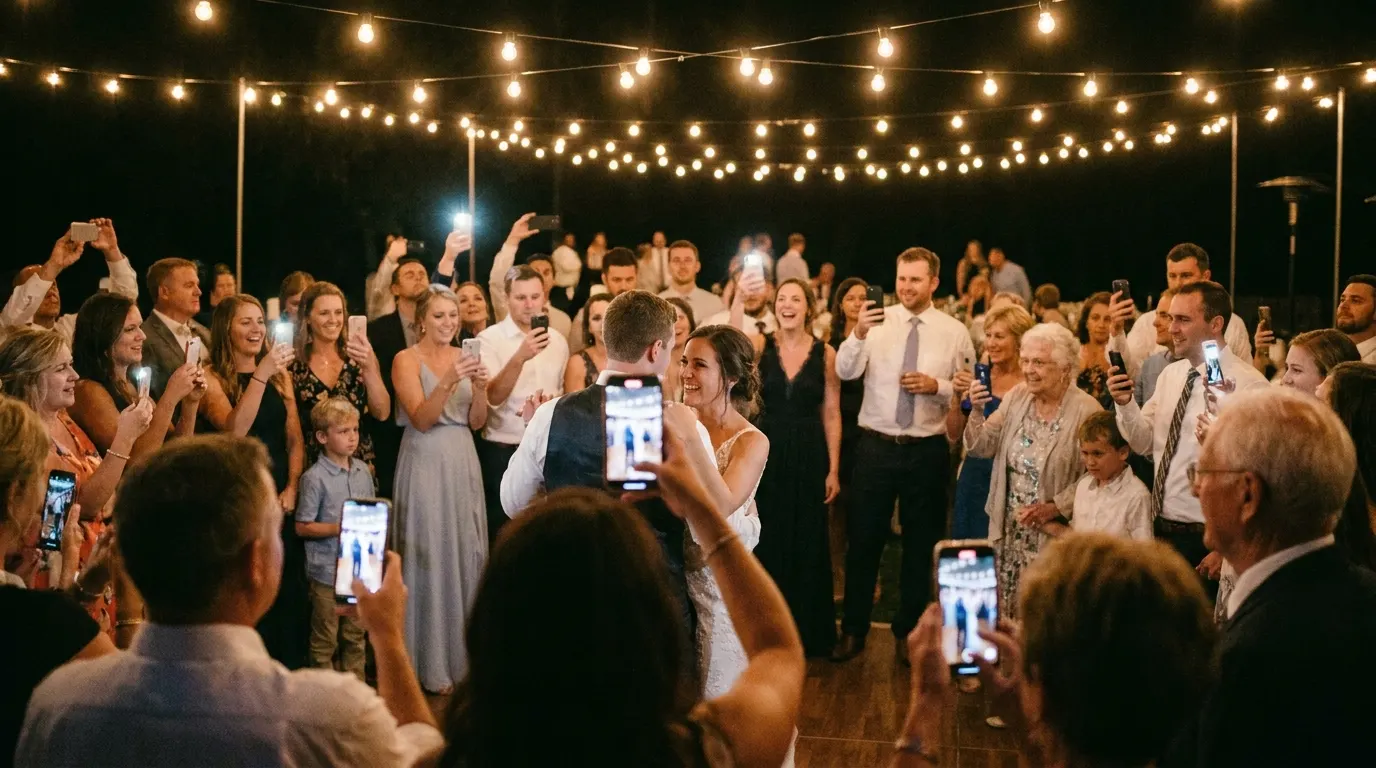
A crowd of wedding guests holding up their phones around the couple on the dance floor
Example: a 50-guest tier50 of 50 spots used by 40 people
  • 40 guests join in the browser
  • 8 of them switch to the app and join again
  • 2 come back from a second phone

Illustrative numbers, not a real event. The rule comes from the PartyCam FAQ, checked November 4, 2026.

What PartyCam advises

Round your guest count up and tell guests to pick one, browser or app. One App Store review from March 2026 also says the guest count could not be changed afterwards.

On Pix Wedding

Paid plans have unlimited guests, so a second phone or a cleared browser costs nothing. The free plan is capped by uploads (20), not by guests.

05Shot limits and video

A roll of 25, or no limit at all

PartyCam builds the limit in: every guest gets a set roll, like a disposable camera. Pix Wedding takes unlimited photos and videos by default, and has a film roll mode with a shot limit and a reveal for couples who want the disposable feel.

PartyCam, from its own pages

A set roll per guest

Each guest gets a roll of photos and videos, 25 or more depending on the event. The $14.99 bundle raises it to 100 shots per guest on paid web events.

Video through the app

Browser guests shoot photos. PartyCam's wedding page lists video as one of the things the optional app adds.

Live or held for a reveal

Photos can show as they are taken, or stay hidden until after the event for one big reveal.

Keep the tab open

Guests need signal when they scan. Browser photos queue on a weak connection, but closing or reloading the tab loses anything not yet sent.

Pix Wedding, two ways to run it
Film roll modeShot limit and a reveal, from Starter
Unlimited albumPhotos up to 30 MB, videos up to 100 MB each
Example screens, names are an example.

Sources: partycam.app features and FAQ and its weddings page, checked November 4, 2026.

06Photos on the big screen

TV mode vs the live slideshow

Both put guest photos on a screen in the room as they come in. The difference is mostly price and what comes in the same plan.

Photos as they come in QR code on the screen Any screen with a browser
Example screen
PartyCam TV modePix Wedding slideshow
What showsNew photos jump to the front; between arrivals the wall cycles back through the nightGuest photos and videos appear on the screen as they come in
Joining from the screenThe QR code sits beside every photo all nightGuests join with the QR code from the tables or the screen
PriceIncluded on free and app events; $9.99 on paid web eventsIncluded in Standard ($54) and Pro ($84)
HookupAirPlay, Chromecast, HDMI or a smart TV browserAny screen with a browser
Extras on the wallLast call message 45 minutes before the album closesPhoto missions with a live leaderboard (Standard)

Source: PartyCam TV mode section and FAQ, checked November 4, 2026. More on the Pix Wedding screen: live wedding slideshow.

Party camera photos

What a guest QR code brings in

Wedding guests eating pizza on the curb late at night
Groomsmen fixing their bow ties before the ceremony
Couple sneaking a bite in the venue kitchen
Groom lifted on a chair by wedding guests
Bridesmaids taking a mirror selfie at the wedding
Wedding guests singing on the shuttle bus
Wedding guest filming the couple's kiss on a phone
Golden retriever in a wedding veil at the reception table
Wedding guests eating pizza on the curb late at night
Groomsmen fixing their bow ties before the ceremony
Couple sneaking a bite in the venue kitchen
Groom lifted on a chair by wedding guests
Bridesmaids taking a mirror selfie at the wedding
Wedding guests singing on the shuttle bus
Wedding guest filming the couple's kiss on a phone
Golden retriever in a wedding veil at the reception table

Either app collects frames like these from the guests' own phones. A 25-shot roll keeps fewer of them; an unlimited album keeps them all. Example frames.

07PartyCam, in fairness

What PartyCam is, and where it beats Pix Wedding

PartyCam is the stronger pick for small parties and for couples who want the album online with no end date. First what it is, then where it wins.

What is PartyCam?

A disposable camera that opens in the browser

PartyCam (partycam.app) is a QR code party camera for weddings, birthdays, showers and corporate events. The host shares one code, guests shoot a set roll each, and every shot lands in one shared album.

10Guests free on one event
$64.99175 guests, its wedding pick
25+Shots per guest roll
4.8App Store rating, 68 ratings
Who makes it

ASAP Visuals, Inc.

The company behind partycam.app and the Party Cam: Disposable Camera app on iOS and Android.

How guests shoot

A camera in the browser

Guests scan the QR code and the PartyCam camera opens in the phone browser, iPhone or Android, with no install and no sign-in.

The optional app

Video, names, a nudge

Its wedding page says the app adds video, your name on your photos and a nudge when the album is ready. Hosts can set up on the web or in the app.

On the big screen

TV mode

A live photo wall with the QR code beside every photo. It switches to Last call 45 minutes before the album closes.

Which PartyCam is this?

This page compares the guest photo app at partycam.app. Other businesses use the name too: party CAM is a Philadelphia photo booth rental company, and partycam.de, a German site, showed a maintenance page when checked.

The PartyCam on Product Hunt is a different app too, a 2018 iOS app for sharing photo collections with friends. None of them is covered here.

Sources: partycam.app, its weddings page, the App Store listing and the Google Play listing, checked November 4, 2026.

PartyCam pros and reviews

Where PartyCam beats Pix Wedding

Cheaper for small guest lists

Up to 100 guests costs $34.99 or less, under the $44 Pix Wedding Starter. Up to 10 guests is free with TV mode included.

Albums that do not expire

PartyCam says it does not auto-delete albums or put them on a timer, and hosts can bulk-download every photo at original resolution with no watermark. Pix Wedding albums stay online 6, 12 or 24 months by plan.

The disposable camera feel by default

A set roll per guest and a camera that opens in the browser keep the album short and picked over. On Pix Wedding the film roll is a mode you switch on.

An automatic NSFW filter

For $4.99, photos that look explicit are removed on the spot. Hosts can also delete any photo in a tap or pause uploads mid-event, and any guest can report a photo to hide it at once. Pix Wedding has photo approval on Pro instead.

PartyCam reviews

4.8iOS, 68 ratings
4.2Android, 240 reviews
Ratings read November 4, 2026.
  1. Sep 2026, Google PlayGuests could not find the QR code or a link to the album after the event.
  2. Jul 2026, Google PlayThe no-download promise did not hold on Android. The developer replied that Google ended Android Instant Apps and guests now shoot in the browser.
  3. Mar 2026, App StoreThe charge timing was unclear and the guest count could not be changed afterwards (section 04).
  4. Other App Store reviewsThe other visible reviews praise how easy joining is, at a birthday, a wedding and a night with friends.
Video walkthrough, 3:52

How a disposable camera event app runs

No PartyCam walkthrough longer than two minutes was on YouTube when checked, so this one shows POV, the disposable camera app PartyCam compares itself against first. POV runs on the same idea: a host makes the event, guests join from a QR code and each gets a set roll of shots.

Video by How to use apps? on YouTube, uploaded April 21, 2024. More on POV: POV vs Pix Wedding.

Sources: App Store, Google Play and partycam.app, checked November 4, 2026. PartyCam does not state a refund policy on its home or wedding pages.

08Is PartyCam worth it?

Pick by guest count and what you want back

Bride and groom laughing together on a stone balcony at night

Choose PartyCam if

  • Your guest list is under about 100 and you want the lowest price.
  • You like a set roll per guest, like a disposable camera.
  • You want the album to stay online with no end date.
  • Photos matter more than guest videos, or guests will use the app.
Wedding party eating croissants at a sunny breakfast table the morning after

Choose Pix Wedding if

  • You have well over 100 guests and want one price for all of them.
  • You want photos and videos from the browser with no app.
  • You want guest names, an audio guestbook or a live slideshow in one plan.
  • You want the money back if no guest uploads anything.
Keep comparing

Other party cameras couples weigh

Compare Pix Wedding to other apps

Still researching? Here is how Pix Wedding stacks up against the other major wedding photo sharing platforms.

Couple reviews

Rated 4.9 by couples who used Pix Wedding

4.9
out of 5 · Based on 395 reviews

Three events, engagement party on Friday, ceremony Saturday, beach barbie Sunday. One album for the lot. The live slideshow running during the Saturday dinner had everyone buzzing, people were racing to upload just to see their photo on the big screen. My best man reckons it was the highlight of the whole weekend and honestly I don't disagree

Jono H. · Fremantle, AUVerified couple · March 2026

The AI selfie search is so cool it doesnt even make sense. My grandpa took a selfie and boom, every photo hes in from the entire night appeared. He was so impressed he showed everyone at his table how to do it. 78 year old man teaching tech, iconic 😂

Haley R. · Greenville, SCVerified couple · April 2026

Barn wedding, middle of nowhere, Wi-Fi was nonexistent. Put it on the table cards anyway and people just uploaded when they got home or back to the hotel. Still ended up with 500+ photos. The no app thing is key, nobody's downloading something for one afternoon

George A. · Norfolk, UKVerified couple · August 2025
Read all reviews

How PartyCam was checked

Every PartyCam price and limit on this page comes from partycam.app, its weddings page and its own FAQ, read on November 4, 2026, plus the App Store and Google Play listings for the Party Cam: Disposable Camera app. Where PartyCam does not state something, such as a refund policy, this page says so instead of guessing.

Pix Wedding facts come from its plan list and refund policy. The page carries no affiliate links.

PartyCam in one paragraph

PartyCam is a QR code party camera from ASAP Visuals, Inc. Guests scan a code and shoot a roll of 25 or more photos in the phone browser, with an optional iOS and Android app for video and names. Events of up to 10 guests are free; bigger ones are a one-time payment by guest count, from $14.99 for 50 guests to $149.99 for 500, and albums do not expire.

Other PartyCam alternatives

PartyCam publishes its own pages against POV, Guestpix, GuestCam, Kululu, Wedibox, PixelParty, Lense and others. Couples weighing those can read the POV vs Pix Wedding and Guestpix vs Pix Wedding comparisons, the party photo sharing app roundup and the wedding photo app pricing page, which lists every plan with the date it was checked.

Common questions before you pick

PartyCam vs Pix Wedding FAQ

Straight answers to the questions people ask most about this topic.

PartyCam is free for events of up to 10 guests, and TV mode is included on free events. The iOS app is a free download with in-app purchases. Bigger events are a one-time payment by guest count, from $14.99 for 50 guests. Pix Wedding is free for 20 guest uploads with no guest cap and no card, QR code included. Checked November 4, 2026.

PartyCam is not a subscription: it charges once per event and nothing auto-renews, in USD plus sales tax: 50 guests $14.99, 100 guests $34.99, 175 guests $64.99, 250 guests $89.99 and 500 guests $149.99. On paid events made on the website, TV mode is $9.99 and the NSFW filter $4.99, or $14.99 together with 100 shots per guest. The App Store listing also shows in-app purchases for 15 guests at $1.99 and 25 guests at $4.99. Pix Wedding costs $44, $54 or $84 once for any guest count.

The host creates an event on partycam.app or in the app and shares one QR code. Guests scan it and the PartyCam camera opens in the phone browser on iPhone or Android, with no install and no sign-in. Their shots land in the shared album. Guests need signal when they scan, and browser guests should keep the tab open until their photos send.

No. Guests can shoot in the phone browser. The app is optional: PartyCam says it adds video, names on photos and a nudge when the album is ready. Browser photos show under a random label such as Guest-7K4M2. A guest who joins in the browser and then in the app uses two guest spots, so pick one for everybody.

It has a wedding page and calls its 175-guest tier ($64.99) its pick for weddings. It suits couples who want a disposable camera feel, a set roll per guest and an album with no end date. For bigger weddings, guest videos from the browser or guest names on every photo, a flat-price album like Pix Wedding ($44 for any guest count) usually fits better.

Checked November 4, 2026: the iOS app, Party Cam: Disposable Camera, showed 4.8 from 68 ratings and the Android app 4.2 from 240 Google Play reviews. A September 2026 Play review said guests could not find the QR code or an album link after the event. A July 2026 Play review said the no-download promise did not hold on Android, and the developer replied that guests now shoot in the browser. A March 2026 App Store review said the charge timing was unclear and the guest count could not be changed afterwards. Other App Store reviews praise how easy joining is.

Before the wedding

Try both on a small test first

PartyCam is free for events of up to 10 guests and Pix Wedding is free for 20 guest uploads with no card, so a few friends can try each one over dinner. After that, Pix Wedding is $44, $54 or $84 once for any guest count.

Children hiding under a reception table eating fruit
Flower girl asleep across two chairs at the end of the night