















































Fraud Blocker
pixPix Weddingwedding
Pix Wedding feature

Create a Seamless Wedding Photo Guestbook - No App Download Required

Pix Wedding allows your guests to upload photos to your wedding guestbook using a simple QR code, no app download needed, just internet access!

From $44 one-time. No app and no account for guests.

Setup in just 3 steps20 free photos to uploadNo app download needed for guests
No app download needed preview
One-timefrom $44
01Overview

What No App Download Means for Your Guests

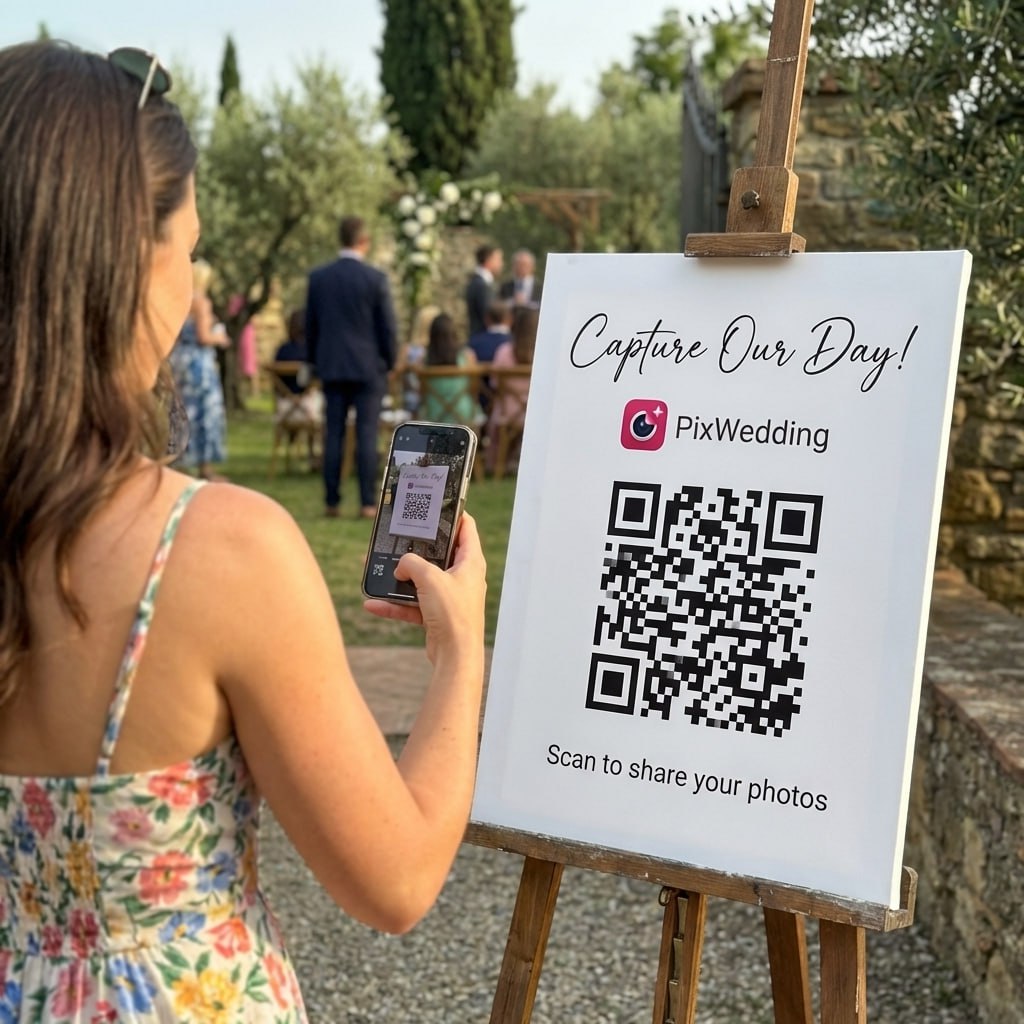
Guests never install anything to use Pix Wedding. They scan your QR code, their phone's browser opens straight to your upload page, and they start adding photos and videos right there. No App Store, no Play Store, no waiting for a download bar to finish during your first dance.

It works because the entire upload experience runs on the mobile web, not a native app. The browser page is built to work on any phone, so a guest on an iPhone and a guest on an Android both get the same simple upload screen with nothing to install first.

Weddings are full of guests who aren't going to install a new app for a few hours of use. Grandparents who barely use their phone camera, guests who are careful about storage space, people who simply don't want another icon on their home screen, all of them can still participate because there's nothing to install in the first place.

What you get back

Every angle of the day, not just the ones the photographer caught

Wedding photo uploaded by a guest

Guests shoot the moments nobody is paid to watch. All of it lands in one album, in original quality.

02How it works

How Browser-Based Uploading Works

01

Guest Scans the QR Code

Any phone camera can scan the code, no scanner app required on most modern phones.

02

Browser Opens Automatically

The scan opens a link directly in the guest's default browser, whether that's Safari, Chrome, or anything else.

03

Upload Page Loads Immediately

The upload page is ready to use the moment it loads, with a simple button to select photos and videos from the camera roll or take a new one.

04

Photos Go Straight to Your Gallery

Once the guest taps upload, the photo or video lands in your shared gallery in original quality, no app install step in between.

See it in action

Scan. Upload. Done in seconds.

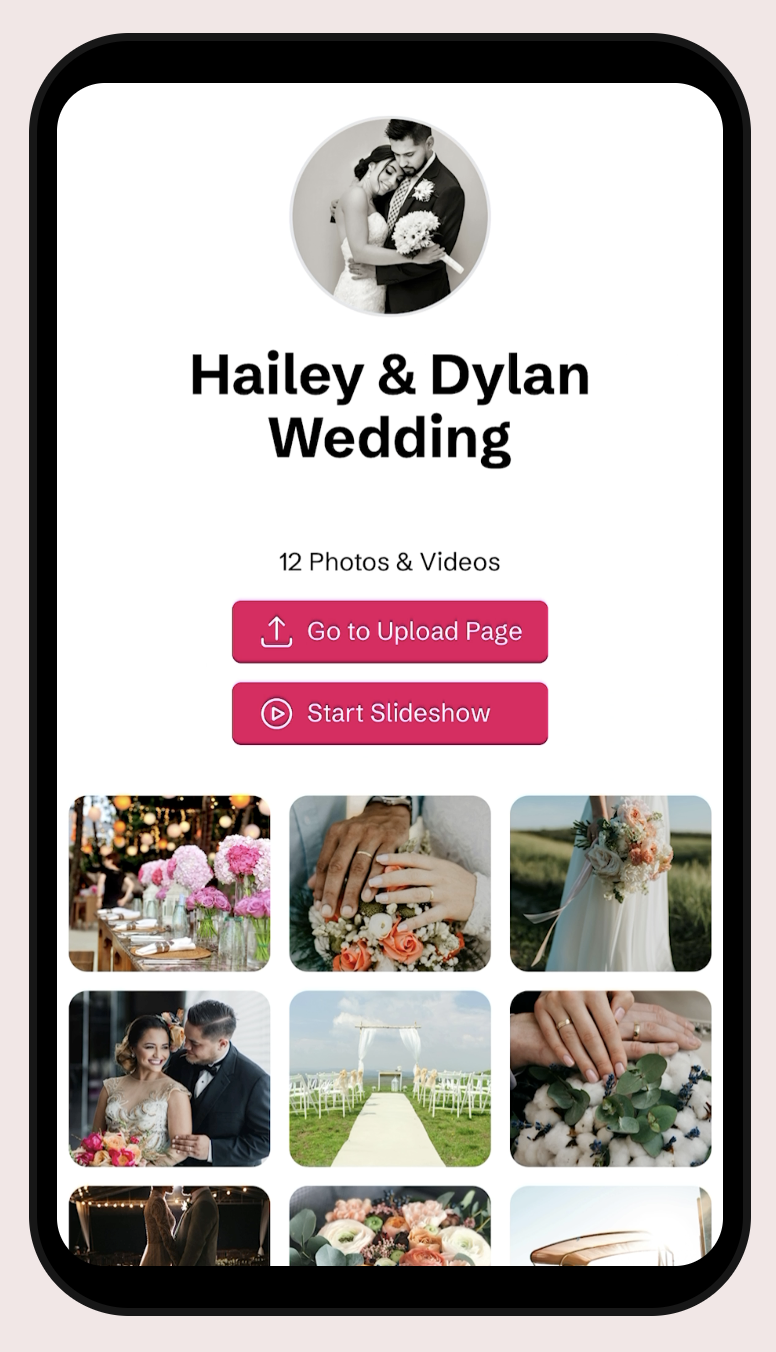
This is the real guest flow: one scan, the upload page opens in the phone browser, photos land in your album. No app, no account, no waiting.

Works on any phone, iPhone or AndroidPhotos arrive in original qualityGuests never create an account
Scan to try itPoint your camera here
Open the live demo album
03Where it fits

Guests Who Benefit Most from Skipping the App

Grandparents and Less Tech-Comfortable Guests

Say a guest has never downloaded an app from an app store before. Scanning a code and tapping a button on a webpage is a much shorter ask than walking them through an app install mid-reception.

Guests Protective of Their Phone Storage

Some guests decline to download anything new because their phone is already full. A browser upload page doesn't compete with their storage space at all.

International Guests on Limited Data or Roaming

A guest visiting from out of the country might avoid downloading anything new over roaming data. A lightweight browser page is a much smaller ask than a full app download.

The Guest Who Just Doesn't Want to Commit

Plenty of people are simply reluctant to add a new app for a one-time use. Removing that friction is often the difference between someone uploading their photos and someone not bothering at all.

04Side by side

Browser Upload vs App-Based Photo Sharing

Some wedding photo sharing tools require guests to download a dedicated app before they can upload anything. Here's what that difference looks like in practice.

What Guests Deal WithPix WeddingApp-Based Services
Getting startedScan the QR code and upload right awayFind the app, download it, then create an account
Phone storage usedNothing installed, no storage used by an appApp takes up storage space on the guest's phone
Guests without app store access or older phonesWorks the same for everyone with a browserCan be blocked entirely if the app won't install
What happens after the weddingNothing left behind on the guest's phoneAn app sits on their phone until they remember to delete it

Specific app requirements vary by provider. This reflects the general pattern of app-based photo sharing tools rather than one named competitor.

Let Every Guest Join In, No App Needed

Scan, upload, done. No download, no account, no friction between your guests and your photo gallery.

From Mom

From Mom

Point your camera

Scan to join the album

No app, no account

9:41

UPLOADING

Saving your moment

9:41

THE ALBUM

Emma & Jack

June 21, 2026

647 photos · 95 guests

AllMomentsMine
Guest photo 1
★
Guest photo 2
Guest photo 4
Guest photo 5
Guest photo 6
Guest photo 7
Guest photo 8
Guest photo 9
Guest photo 10
Add photosShare your moments

SCAN TO TRY

pix.wedding/
your-wedding

No credit card, no app, no login

05Avoid this

Assumptions That Trip Up Setup

Telling Guests to Search an App Store

Since there's nothing to install, instructions that mention searching for an app or downloading anything will confuse guests. The instruction should simply be scan and upload.

Assuming Older Phones Can't Participate

Because the upload page runs in a standard mobile browser, it works on older phones too, not just the newest models that support the latest app downloads.

Worrying Guests Need Wifi to Use an App First

There's no app to update or connect over wifi beforehand. As long as a guest has any internet connection when they scan, the browser page loads and works.

Assuming No App Means Lower Quality Uploads

Photos and videos still upload in original quality through the browser. Skipping the app doesn't mean guests get a lower quality upload experience.

Signs and table cards

48 QR designs, included with every plan

Pick a design, drop in your names and date, and download a print-ready sign. No designer, no extra fee.

Design 1 QR template
Design 1Table card · A6
Design 2 QR template
Design 2Table card · A6
Minimal QR template
MinimalTable card · A6
Romantic QR template
RomanticTable card · A6
Design 5 QR template
Design 5Table card · A6
Design 6 QR template
Design 6Table card · A6
Design 7 QR template
Design 7Table card · A6
Design 8 QR template
Design 8Table card · A6
Design 9 QR template
Design 9Table card · A6
Design 10 QR template
Design 10Table card · A6
Design 11 QR template
Design 11Table card · A6
Design 12 QR template
Design 12Table card · A6
Design 13 QR template
Design 13Table card · A6
Design 14 QR template
Design 14Table card · A6
Design 15 QR template
Design 15Table card · A6
Autumn QR template
AutumnTable card · A6
Design 17 QR template
Design 17Table card · A6
Design 18 QR template
Design 18Table card · A6
Design 19 QR template
Design 19Table card · A6
Design 20 QR template
Design 20Table card · A6
Design 21 QR template
Design 21Table card · A6
Design 22 QR template
Design 22Table card · A6
Design 23 QR template
Design 23Table card · A6
Design 24 QR template
Design 24Table card · A6
Design 25 QR template
Design 25Table card · A6
Golden Sprig QR template
Golden SprigTable card · A6
Design 27 QR template
Design 27Table card · A6
Design 28 QR template
Design 28Table card · A6
Design 29 QR template
Design 29Table card · A6
Design 30 QR template
Design 30Table card · A6
Design 31 QR template
Design 31Table card · A6
Design 32 QR template
Design 32Table card · A6
Design 33 QR template
Design 33Table card · A6
Design 34 QR template
Design 34Table card · A6
Design 35 QR template
Design 35Table card · A6
Design 36 QR template
Design 36Table card · A6
Midnight Gold QR template
Midnight GoldTable card · A6
Design 38 QR template
Design 38Table card · A6
Design 1 QR template
Design 1Table card · A6
Design 2 QR template
Design 2Table card · A6
Minimal QR template
MinimalTable card · A6
Romantic QR template
RomanticTable card · A6
Design 5 QR template
Design 5Table card · A6
Design 6 QR template
Design 6Table card · A6
Design 7 QR template
Design 7Table card · A6
Design 8 QR template
Design 8Table card · A6
Design 9 QR template
Design 9Table card · A6
Design 10 QR template
Design 10Table card · A6
Design 11 QR template
Design 11Table card · A6
Design 12 QR template
Design 12Table card · A6
Design 13 QR template
Design 13Table card · A6
Design 14 QR template
Design 14Table card · A6
Design 15 QR template
Design 15Table card · A6
Autumn QR template
AutumnTable card · A6
Design 17 QR template
Design 17Table card · A6
Design 18 QR template
Design 18Table card · A6
Design 19 QR template
Design 19Table card · A6
Design 20 QR template
Design 20Table card · A6
Design 21 QR template
Design 21Table card · A6
Design 22 QR template
Design 22Table card · A6
Design 23 QR template
Design 23Table card · A6
Design 24 QR template
Design 24Table card · A6
Design 25 QR template
Design 25Table card · A6
Golden Sprig QR template
Golden SprigTable card · A6
Design 27 QR template
Design 27Table card · A6
Design 28 QR template
Design 28Table card · A6
Design 29 QR template
Design 29Table card · A6
Design 30 QR template
Design 30Table card · A6
Design 31 QR template
Design 31Table card · A6
Design 32 QR template
Design 32Table card · A6
Design 33 QR template
Design 33Table card · A6
Design 34 QR template
Design 34Table card · A6
Design 35 QR template
Design 35Table card · A6
Design 36 QR template
Design 36Table card · A6
Midnight Gold QR template
Midnight GoldTable card · A6
Design 38 QR template
Design 38Table card · A6
Design your QR sign free

Free tool, no account needed to try it.

06What it costs

No App, No Login, On Every Plan

Browser-based, app-free uploading isn't a Starter-only shortcut that disappears on higher plans. It's how every Pix Wedding event works, no matter which plan you pick.

Starter

Guests upload from their phone browser with no app and no login, plus unlimited photos and videos and a 3-month upload window.

Standard

Same app-free uploading, plus a live slideshow so those browser uploads show up on a screen at the venue as they come in. Most couples pick Standard.

Most couples pick this

Pro

Same app-free uploading, plus a custom domain so the link guests tap still opens straight in their browser, just under your own branded web address.

PRICING

One payment. Then the album is yours.

Three plans, one price per wedding. No subscription, no per-guest fee, no card needed to look around first.

Starter
$74$44one-time

For collecting every original

Unlimited photos, videos & guests
Original quality (no compression)
No app for guests, QR + browser upload
Film roll mode with shot limit & revealNEW
QR code template designs

3 months upload from event date
6 months storage + ZIP download
Multiple admins
Priority support
Pay with Apple Pay, Google Pay or card.Money back if your guests never upload.
Chosen by most couples
Standard
$89$54one-time

Most couples pick this

Everything in Starter
Live slideshow at the reception
Audio guestbook & guest names
Photo missions, photo bingo + leaderboardNEW
Up to 6 sub-albums (ceremony, reception)
Private upload link for your photographerNEW
Custom script and serif fonts
6 months upload, 1 year storage
Pay with Apple Pay, Google Pay or card.Money back if your guests never upload.

One-time payment, no subscription

Pro
$133$84one-time

For big guest lists

Everything in Standard
AI selfie search for guestsNEW
Custom domain for your album
1 year upload, 2 years storage
Pay with Apple Pay, Google Pay or card.Money back if your guests never upload.

One payment. Yours to keep. No subscription. No renewals. No surprise charges.

Secure checkout. Polar, Apple Pay, Google Pay.

Money-back guarantee: if your guests never upload a single photo, you get 100% back. See how it works

One payment per wedding. No subscription. No renewals.

Questions

No App Download Questions

What guests and couples usually ask about the app-free setup.

No, there's nothing to download. Guests scan the QR code and their phone's browser opens the upload page directly.

Yes, since uploading happens through the phone's regular browser rather than a native app, it works the same way on iPhone and Android.

Most phones from the last several years scan QR codes directly through the camera app with no separate scanner needed. If a guest's phone genuinely can't, you can also share the gallery link directly for them to type or tap into a browser.

No, photos and videos upload in their original quality through the browser, the same as they would through a dedicated app.

Yes, guests need an internet connection (wifi or mobile data) to load the page and upload, the same as they'd need to open any app.

No, there's no account or password. Guests can scan the same QR code again anytime during the upload window and upload more without logging in.

Everything included

Explore the rest of the album

Every Pix Wedding event is one QR code. These are the pieces you can switch on around it.

QR Code Templates

Built-in QR code templates you can customize and download right from your dashboard, no design tool needed.

Read more

Unlimited Photos & Videos

No limit on the number or size of photos & videos

Read more

Long-term Album Storage

Your shared album stays stored for 6 months to 2 years depending on plan, with a ZIP download of all your memories

Read more

Unlimited Guests

No need to worry about guest count. Unlimited uploads

Read more

No Guest Login Required

Guests don't have to log in to upload. They can simply Scan and Upload

Read more

Private QR Code for Wedding

Unique and private QR Code for Wedding. Privacy settings to disallow guest view/download

Read more

Film Roll Mode

A digital disposable camera: photos stay hidden until the reveal moment you set, with an optional shot limit per guest

Read more

Audio Guestbook

Guests record voice messages with their photos, with guest name tracking so you know who sent what

Read more

Photo Missions

Fun photo challenges for guests with a live leaderboard on the venue slideshow

Read more

AI Selfie Search

Guests take one selfie and instantly see every photo they appear in. Face data stays private to your event

Read more

Live Slideshow

Guest uploads appear on a TV or projector at the venue in real time, right from the browser

Read more

Photographer Upload Link

A private link for your pro photographer, their shots land in a separate album inside the same gallery

Read more

Sub-Albums

Split your gallery into up to 6 sub-albums like ceremony and reception, all under one QR code

Read more