One Party
$74$49one-time
For a single celebration
Unlimited photos, videos & guests

Original quality (no compression)
Film roll mode with shot limit & revealNEW
QR code template designs




3 months upload from party date
6 months storage + ZIP download
 wedding
Short answer: for most parties, use Pix Wedding. Guests scan one QR code, shoot photos and videos in the browser with no app, and the roll opens when you say so. For a group under ten that wants a film look, Scene's free tier is enough.
Below: free guest limits, one-time prices, video, live slideshow and shot limits for all seven, then the pick for each kind of party.
Four picks, one line each. The full table follows.
Browser upload with no guest app or account, photos and videos on every paid plan, film roll mode, and a live slideshow on Big Party ($59). 20 guest uploads free to test it.
Five guests free, three Kodak-inspired film styles, offline capture and a timed reveal. Video clips are a $9.99 add-on and there is no live slideshow.
Ten guests free, then 25 guests for $3.99. Events can run up to 15 days, but photos stay online for 60 days after the event ends.
Seven guests free with a live slideshow on every plan. Default cap of 25 captures per guest, and video capture is a paid add-on.
Guest step is what a guest has to do to take part. Free tier is how far you get before paying. Every paid price here is one-time, not a subscription.
Guests scan one QR code and upload photos and videos in the browser, no app or account. 20 guest uploads free with no card, then $49 once for unlimited guests. Film roll mode on every paid plan, live slideshow from $59.
| App | Guest step | Free tier | Paid (one-time) | Video | Live slideshow | Shot limit and reveal | Best party fit |
|---|---|---|---|---|---|---|---|
Pix WeddingOur pick | Scan QR, browser upload, no app or account | 20 guest uploads, no card | $49, $59 or $89, unlimited guests | Photos and videos on every paid plan | Big Party ($59) and Party Series ($89) | Film roll mode: shot limit, hidden until the reveal | Birthdays, bachelorettes, bigger parties |
| Scene | Scan QR, shoot in the browser | Up to 5 guests | $2.99 (10 guests) to $99.99 (unlimited) | $9.99 add-on | No live slideshow | Roll limit, timed reveal, 3 film styles, offline capture | Small friend groups who want a film look |
| Lense | Scan QR, no app download | Up to 7 guests | Guest-count packages up to $99.99 for 500 guests, shown in local currency | Paid add-on | Included on every plan | 25 captures per guest by default, unlimited as an add-on | House parties and friend hangouts |
| POV Camera | Scan QR; test the guest flow on iPhone and Android | Up to 10 guests | Price calculator on pov.camera | Not stated on the pricing page | In the Business Essentials package | Timed reveal set by the host | Branded and corporate parties |
| Once Film | Scan QR to join | Up to 5 guests | Guest-count tiers from 10 to 200; unlimited shots add-on $9.99 | Not stated on the pricing page | Not stated on the pricing page | Custom film rolls and your own development schedule | Groups who want a delayed reveal |
| JoinMyMoment | Scan QR, no app download | Up to 10 guests | $3.99 (25 guests) to $39.99 (250 guests) | 15-second clips, paid upgrade in beta | Not stated on the pricing page | Events up to 15 days, photos kept 60 days after | Multi-day trips and weekend parties |
| Kululu | Scan QR, no app download | Free plan, plus Plus and Pro | Prices shown in the pricing widget on kululu.com | Photos and videos | Live photo wall on every plan | Not a film-roll style app | Casual events that want a photo wall |
Swipe to compare
Checked September 25, 2026 on each vendor's own pricing page. Pix Wedding prices in USD from our plans. Where a vendor loads prices in a calculator or widget, we link to it instead of guessing.
Sources: Scene pricing, Scene slideshow note, Lense pricing, POV pricing, Once pricing, JoinMyMoment pricing, Kululu pricing. Want prices at 25, 50, 100 and 250 guests for eight apps? See the digital disposable camera app price ladder.
The host creates an event and gets a QR code. Guests scan it and land on a camera or upload page in their phone browser. Every photo goes into one shared album.
The "disposable" part is optional settings on top: a shot limit per guest, a film filter, and a reveal time that keeps the roll hidden until you open it. That wait is the whole fun of a film camera, without buying, collecting and developing cameras.
Guests join with the phone camera. The best apps need no download and no account.
Each guest gets a set number of shots, like a 27-exposure roll, so every photo counts.
Photos stay hidden until the time you pick, usually the next morning.
Some apps put uploads on a TV during the party. Film-first apps often skip this.
The mrhackio channel sets up an event in POV, one of the apps in the table, and shows how guests join and how the reveal works. The steps are close to what every app on this list asks you to do, so it is a good ten-minute preview before you choose.
Guests scan one code and upload photos and videos straight from the phone browser, with no app and no account. Every paid plan includes film roll mode (a shot limit and photos hidden until the reveal), original quality, unlimited guests and a ZIP download you keep. Big Party ($59) adds the live slideshow, an audio guestbook and photo missions with a leaderboard; Party Series ($89) adds AI selfie search and multiple admins.
The upload window stays open for 3, 6 or 12 months depending on the plan, so guests who had no signal at midnight can still add their photos the next day.
Scene leans hardest into the disposable camera feel: three Kodak-inspired styles (Original, Vintage, Black and White), a roll limit, offline capture and a timed reveal. Five guests are free; after that you pay once by guest count, from $2.99 for 10 guests to $99.99 for unlimited. Video clips and unlimited shots are $9.99 add-ons each, and Scene says it does not offer a live slideshow.
Lense lets guests join by QR without downloading anything and includes a live slideshow on every plan, which is rare at the cheap end. Its FAQ puts pricing between free for 7 guests and $99.99 for 500 guests; the live page shows prices in your local currency. Guests get 25 captures each by default, and video capture is a paid add-on.
POV lists 10 guests free and prices larger events through a calculator, so there is no fixed price to quote. The live slideshow sits in a Business Essentials package with custom branding and support. POV has native iPhone and Android apps, so run the guest QR flow on both before you print the code.
Once gives five people free access, custom film rolls and a development schedule you set. Paid tiers go by guest count from 10 up to 200, and an unlimited shots add-on costs $9.99. The pricing page does not describe video or a live slideshow, so check those before you rely on them.
JoinMyMoment has the gentlest paid ladder we found: 10 guests free, 25 for $3.99, 50 for $12.99, 100 for $19.99, 150 for $29.99 and 250 for $39.99. Events can last up to 15 days, which suits a trip or a long weekend. Photos stay online for 60 days after the event, and video is a 15-second clip feature sold as a paid beta upgrade. Voice messages are free.
Kululu is less of a disposable camera and more of a live photo wall: guests upload photos and videos without an app, and every plan (Free, Plus, Pro) includes the live wall. Prices load inside a widget on its pricing page, so check the current numbers there.
Watch how a guest scans the party QR code, adds photos and a video in the phone browser, and how it all lands in one album. No app, no account, under 30 seconds.
PARTY ROLL
Example album
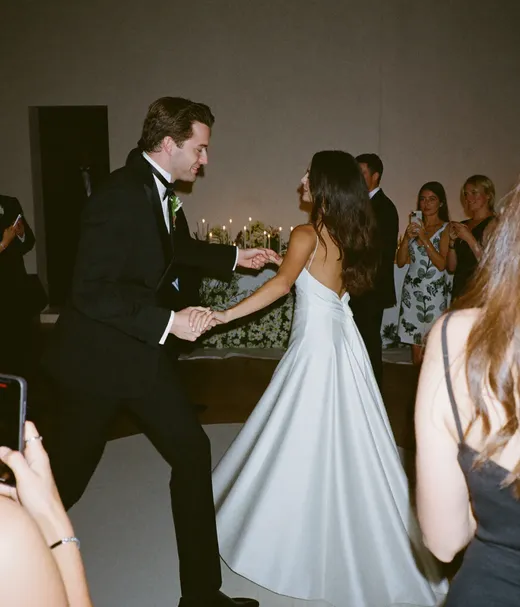

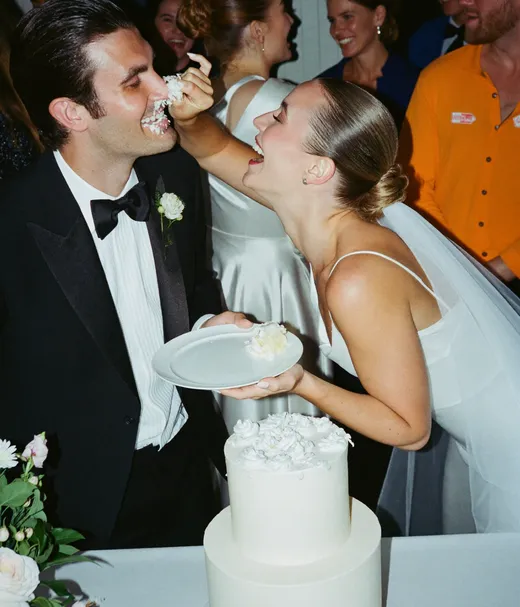






Start with 20 guest uploads free, no card. Every paid plan takes unlimited guests, photos and videos, and includes film roll mode.
For a single celebration
For a crowd, a screen and a dance floor
One-time payment, no subscription
For big guest lists and repeat events
One payment. Yours to keep. No subscription. No renewals. No surprise charges.
Secure checkout. Polar, Apple Pay, Google Pay.
Money-back guarantee: if your guests never upload a single photo, you get 100% back. See how it works
One payment. No subscription. No renewals.
Try it free firstGuest count, the length of the party and whether you want a screen decide most of it.
Birthdays mix ages and phones. A browser page with no account works for grandparents and kids' parents alike, and Big Party puts the photos on the TV while the cake comes out.
A bachelorette often runs across two or three days. Pix Starter keeps uploads open for 3 months with video included; JoinMyMoment allows a 15-day event and cheap small tiers, with video as a paid beta.
Under ten people, the free tiers do the job: Scene for the film look and offline capture, Lense for 7 free guests plus a slideshow.
Midnight is when phones come out and signal drops. Guests can upload the countdown clips the next morning because the upload window stays open for months, not hours.
Old friends arrive with every kind of phone. No download, no account and unlimited guests on paid plans keep the album from stalling at a guest cap.
POV sells a business package with branding and slideshow. Pix Party Series adds multiple admins and a custom domain for the album.
A real single-use camera holds 27 exposures. Use that as the anchor, then go lower as the guest list grows so the album stays worth scrolling. These are starting points, not rules.
| Party | Shots per guest | Reveal |
|---|---|---|
| Small house party (under 10) | 20 to 30 per guest | Next morning |
| Birthday dinner (10 to 30) | 15 to 25 per guest | Next morning or at dessert |
| Bachelorette weekend | 27 per guest per day, like a real roll | Last night of the trip |
| Big birthday or NYE (50+) | 10 to 15 per guest | After midnight or the next day |
| Kids' party (parents shooting) | No limit | Off, so parents see photos straight away |
In Pix Wedding, film roll mode is on every paid plan: you set the shot limit and the reveal time in the event settings. Scene and Once sell unlimited shots as an add-on, and Lense caps guests at 25 captures by default.
Film cameras on the tables still have charm. Here is what you gain and lose by switching to a phone app.
Still leaning toward film? Our film versus QR cost breakdown prices real cameras and developing, and the disposable camera alternatives page covers seven other options.
Basements, boats, rooftops at midnight: party venues are where signal goes to die. None of the top-ranking app pages answer this, so here is how it plays out.
Scene shoots offline and uploads when the phone reconnects. Good for a cabin or a boat party.
With a browser upload app, guests shoot with the normal camera and upload the next day. Pix keeps uploads open for 3 to 12 months by plan.
Print the Wi-Fi name and password next to the QR code. It removes most failed uploads at indoor venues.
Plan for about fifteen minutes the week before, and two minutes on the night.
Name the album, set the date, and turn on film roll mode if you want a shot limit and a reveal. Pick the plan once you know the guest count.
Scan it from an iPhone and an Android phone, upload one photo and one video from each, and check both land in the album.
Put it on the bar, the cake or food table, the entrance and the bathroom mirror. One code on the invitation is not enough.
Ask the host or a friend to announce it early: scan the code on the table, shoot what you see, the roll opens tomorrow.
Open the album at the time you promised, share the link, and download the full ZIP on a paid plan so you keep a copy.
Need a printable sign? The free QR sticker designer makes table cards from your album link.
Tape a code at the bar, where people wait with their phones already out.
Put a small tent card on every table or every 4 to 6 seats.
Show the QR code on the TV between songs or on the live slideshow screen.
Drop the link in the group chat the day before so guests know it exists.
Have the host mention it once before the big moment: cake, toast or midnight.
Give the roll a theme: best dance move, worst selfie, the snack table at 2am.
Print the plain link under the code for anyone whose camera will not read it.
Guests arrive without it. Print the code where the party happens.
Every install prompt loses guests. Test the flow on a phone that has never seen the app.
Scene and Once stop at 5 guests, Lense at 7, POV and JoinMyMoment at 10. Upgrade before guests arrive, not during.
Scene, Lense and JoinMyMoment charge extra for video. Pix includes it on every paid plan.
A reveal a week later loses the buzz. The next morning is usually the sweet spot.
Some apps delete the album after a set time. Download the full album while it is still online.

First dance
You guys!!
Guests shoot photos and videos from their own phone, no app to install, and the roll opens when you say so. Start with 20 guest uploads free, no card.

From Mom
Scan to join the album
No app, no account
UPLOADING
THE ALBUM
June 21, 2026
647 photos · 95 guests








SCAN TO TRY
pix.wedding/
your-wedding
Film disposables are fun until the morning after: someone has to collect the cameras, mail them to a lab and wait for scans. A disposable camera app keeps the parts people love, a limited roll and a surprise reveal, and drops the collecting and developing.
The other difference is video. Party moments are often moving ones, the birthday song, the first dance at a bachelorette, the midnight countdown, and a phone app can take those as clips next to the photos.
Free tiers are real, but small: 5 guests on Scene and Once, 7 on Lense, 10 on POV and JoinMyMoment, and 20 guest uploads on Pix Wedding. Use a free tier to test the flow with a few friends a week before, then upgrade for the real party so no guest hits a wall at 11pm.
Everything you need to make your wedding day stress-free and unforgettable.
Design custom print-ready stickers.
Create unique wedding hashtags.
5 methods ranked by participation rate and ease.
Message templates to gather guest photos post-wedding.
Compare every sharing platform by ease and participation.
The single method with the highest participation rate.
Step-by-step setup for every platform.
Better, cheaper options than disposable cameras.
Everything you need to know about our free tools and how they help your wedding day.
For most parties, Pix Wedding: guests upload photos and videos in the browser with no app or account, film roll mode adds a shot limit and a reveal, and Big Party ($59 one-time) adds a live slideshow. For a group under ten that wants a film look, Scene's free tier is a good fit.
Yes, for small groups. Scene and Once are free up to 5 guests, Lense up to 7, POV and JoinMyMoment up to 10, and Pix Wedding includes 20 guest uploads free with no card. Checked September 2026.
JoinMyMoment is free for up to 10 guests. Paid tiers are one-time: 25 guests $3.99, 50 guests $12.99, 100 guests $19.99, 150 guests $29.99 and 250 guests $39.99 (checked September 2026). Events can last up to 15 days and photos stay online for 60 days after the event.
Not with Pix Wedding, Scene, Lense, JoinMyMoment or Kululu, which all work from a QR scan in the phone browser. POV has native apps, so test its guest flow on both iPhone and Android before the party.
Pix Wedding includes photos and videos on every paid plan. Scene sells video clips as a $9.99 add-on, Lense sells video capture as a paid add-on, and JoinMyMoment offers 15-second clips as a paid beta upgrade. Kululu supports photos and videos.
Pix Wedding on Big Party and Party Series, Lense on every plan, Kululu on every plan, and POV in its Business Essentials package. Scene says it does not offer a live slideshow.
Scene captures offline. With a browser upload app like Pix Wedding, guests can keep the photos on their phone and upload them later, since the upload window stays open for 3 to 12 months depending on the plan.
A real disposable camera has 27 exposures, which is a good starting point for a small party. For big parties, 10 to 15 shots per guest keeps the album full without thousands of blurry photos. For kids' parties, turn the limit off.
