
Wedding QR Code Size and Printing Guide: File, Paper and a 10-Minute Scan Test
How big a wedding QR code for photos should be, which file and paper to use, what to tell your printer, and a 10-minute scan test before you print.
A wedding QR code for photos is a printed link to your shared album. To make one that works on the day: point it at an address that will not expire, generate it with medium or high error correction, export a vector or large file, size it at one tenth of the scanning distance, print dark on light on matte paper, and test one real-size print on two phones before you order the rest.
What's in this guide
- 1.What Does a Wedding QR Code for Photos Have to Do on the Day?
- 2.Step 1: Decide Where the Code Points (and Whether It Can Expire)
- 3.Step 2: Generate the File So It Survives Printing
- 4.How Big Should a Wedding QR Code Be?
- 5.Designing the Sign Without Breaking the Code
- 6.The Print Shop Brief: What to Tell Your Printer
- 7.The 10-Minute Scan Test Before You Print 100 Cards
- 8.When Should You Make and Print Your QR Code?
- 9.What If the QR Code Fails on the Wedding Day?
- 10.Which QR Guide Do You Need Next?
1What Does a Wedding QR Code for Photos Have to Do on the Day?
Strip away the design and a QR code is only a web address drawn as a pattern of squares. A guest points a phone camera at it, the phone reads the address and offers to open it. On an iPhone this is built into the Camera app (Apple's own instructions), and current Android phones do the same through the camera or Google Lens. Nothing else happens inside the code. Everything that matters, the upload page, the album, the privacy settings, lives at the address it points to.
That gives the code three jobs on your wedding day. It has to scan on the first try from a chair, in candlelight, on an older phone. It has to open a page that works without an app or an account, because every extra step loses guests. And it has to still point to the right place when your aunt finds the card in her handbag two weeks later. This guide covers the production side of those three jobs: the file, the size, the print and the test.
What this guide does not repeat
Placement has its own guide: where to put a QR code at a wedding. If you are still deciding whether to use one at all, read are wedding QR codes worth it. If guests scan but do not upload, see why guests are not uploading.
2Step 1: Decide Where the Code Points (and Whether It Can Expire)
Before you open any generator, decide the destination. This is the one decision you cannot fix after printing, because a static QR code has the address baked into the pattern. There are three common setups, and they fail in different ways.
Code that encodes your album address directly
StaticBest for: Couples using a wedding photo platform that gives each event its own upload page.
- Nothing sits between the scan and the album
- Keeps working as long as the album address is live
- No generator account to keep paying for
- You cannot redirect it later, so the destination must be final
- Depends on the platform keeping your album online
A Pix Wedding album QR, for example, encodes the album's own pix.wedding upload address, with no third-party redirect.
Dynamic code from a QR generator
RedirectBest for: Invitations printed months ahead where the destination may change.
- You can change the target after printing
- Many generators add scan statistics
- Every scan passes through the generator's server
- Some services switch codes off when a trial or plan ends
Read the terms before printing. One wedding QR provider states plainly that its wedding codes are dynamic and stop working once the free trial is over.
Static code to a shared cloud album
FreeBest for: Small weddings where nearly every guest already uses the same photo service.
- Free within your storage
- Familiar to many guests
- Guests usually need an account on that service to add photos
- Anyone with the link can see the album unless you lock it down
Google Photos lets the owner turn collaboration on or off per album, see shared album controls.
The failure that hurts most is the trial code. Couples make a pretty code on a free generator in March, print it on 120 invitations, and discover in June that it now opens a paywall or an error page. If you go the dynamic route, pay attention to what happens when the trial ends, and screenshot the terms. If you do not need to change the destination later, a static code is the safer choice.
The second failure is friction at the destination. The code scans perfectly, the page asks for a login, and half your table gives up. Scan-free test: open the demo upload page on your phone and count the taps from opening to a finished upload. That count is what your guests will go through, so compare it with any option you are considering.
Ask these before you print a code from any service

First dance
You guys!!
Get an album QR that never runs through a trial link
Your Pix Wedding code opens your own upload page, guests add photos from the browser with no app or account. Free for 20 guest uploads, no card. One payment from $44 for unlimited photos and videos.
From Mom
Scan to join the album
No app, no account
UPLOADING
Saving your moment
THE ALBUM
Emma & Jack
June 21, 2026
647 photos · 95 guests





SCAN TO TRY
pix.wedding/
your-wedding
3Step 2: Generate the File So It Survives Printing
Most generators hide three settings that decide whether your printed code scans reliably. They take one minute to get right and save a reprint.
Settings to choose
- Error correction M (15%) for a plain code, Q (25%) or H (30%) if you add a monogram in the middle. These are the four levels defined by DENSO WAVE, the company that invented the QR code, in its error correction notes
- Vector download (SVG, PDF or EPS) when your design tool accepts it, so the code stays crisp at any size
- Large PNG only if vector is not offered: at least 1,200 px wide for table cards, bigger for signs
- The shortest address possible. Fewer characters means fewer, larger squares at the same print size
Settings to avoid
- Rounded dots, gradients and 'artistic' patterns on a code that will be printed small
- Light pattern on a dark background (inverted codes), which some older scanners still misread
- Cropping the white border: the standard asks for a quiet zone four modules wide on every side
- Screenshots of a code on your screen instead of the downloaded file
- Long tracking parameters pasted onto the album address
A module is one square of the pattern. Four modules of clear space sounds tiny, but designers crop it all the time to make the code fit a frame, and a code jammed against a floral border is one of the most common reasons a pretty sign scans slowly. Leave the margin, and let the frame sit outside it.
Building a wedding photo QR code in Canva
A full walkthrough of Canva's built-in QR code generator, from pasting the photo link to placing the code into a design you can print on invitations or table decor. Pair it with the settings above: keep the white border, keep the contrast high, and check the export size before sending it to print.
Video: Eclectic Spell Studio, on YouTube (5:02)4How Big Should a Wedding QR Code Be?
The working rule across the print industry is 10:1: the code should be about one tenth of the distance it is scanned from. Uniqode's QR size guide puts the practical floor at 2 by 2 cm (0.8 inch) and recommends 300 DPI for print. Applied to the paper goods at a wedding, that gives these sizes for the code itself, not counting the frame or text around it.
- 20 to 25 cmInvitation or save the date: code 2.5 cm (1 in)
Read in the hand. Keep it at or above the 2 cm floor and away from the fold or envelope edge.
- 30 to 40 cmPlace card or menu: code 3 to 4 cm (1.25 to 1.5 in)
Guests pick these up, so small works, but print on card stock so the surface stays flat.
- 60 to 80 cmTable card or tent: code 6 to 8 cm (2.5 to 3 in)
Scanned from the seat across the centerpiece. Undersizing these is the most common mistake we see in DIY table cards.
- 1 to 1.5 mBar or photo booth sign: code 10 to 15 cm (4 to 6 in)
People scan while standing and holding a drink, often at an angle.
- 2 m and moreWelcome or entrance sign: code 20 cm (8 in) or larger
Assume guests stop two meters away to read the sign. Bigger never hurts here.
Two adjustments to the rule. In dim reception light, go one size up, because phone cameras struggle to focus in low light. And if your code carries a monogram at level H, it has more squares than a plain code with the same address, so give it a little more room as well.
Quick check without a ruler
Print the card at 100% scale on a home printer, put it where it will stand, sit down in the seat furthest away and scan it. If your phone needs you to lean in, the code is too small for the room.
5Designing the Sign Without Breaking the Code
Your stationery designer wants the code to disappear into the palette. The phone wants a high-contrast grid of squares. You can have both if the design follows a few rules. Nottinghamshire County Council's QR accessibility guidance adds two that most wedding signs forget: say what the code does, and print a short link next to it for anyone who cannot scan.
Safe design choices
- Dark code on a light background: charcoal, navy, deep green or burgundy on cream or white
- A frame, wreath or border that sits outside the white margin
- A one-line instruction above the code that says what happens next
- A short link printed under the code for guests who cannot scan
- Your names and date on the sign, so guests know it is yours and not the venue's
- The same code on every sign, so all photos land in one album
Choices that break scans
- Pastel code on a pastel background (blush on ivory is the classic failure)
- Gold foil or metallic ink on the code itself, which reflects light
- Stretching the code to fit a shape, which distorts the squares
- A logo covering the three large corner squares
- Printing the code over a photo or a textured paper pattern
- Different codes on different tables that point to different albums
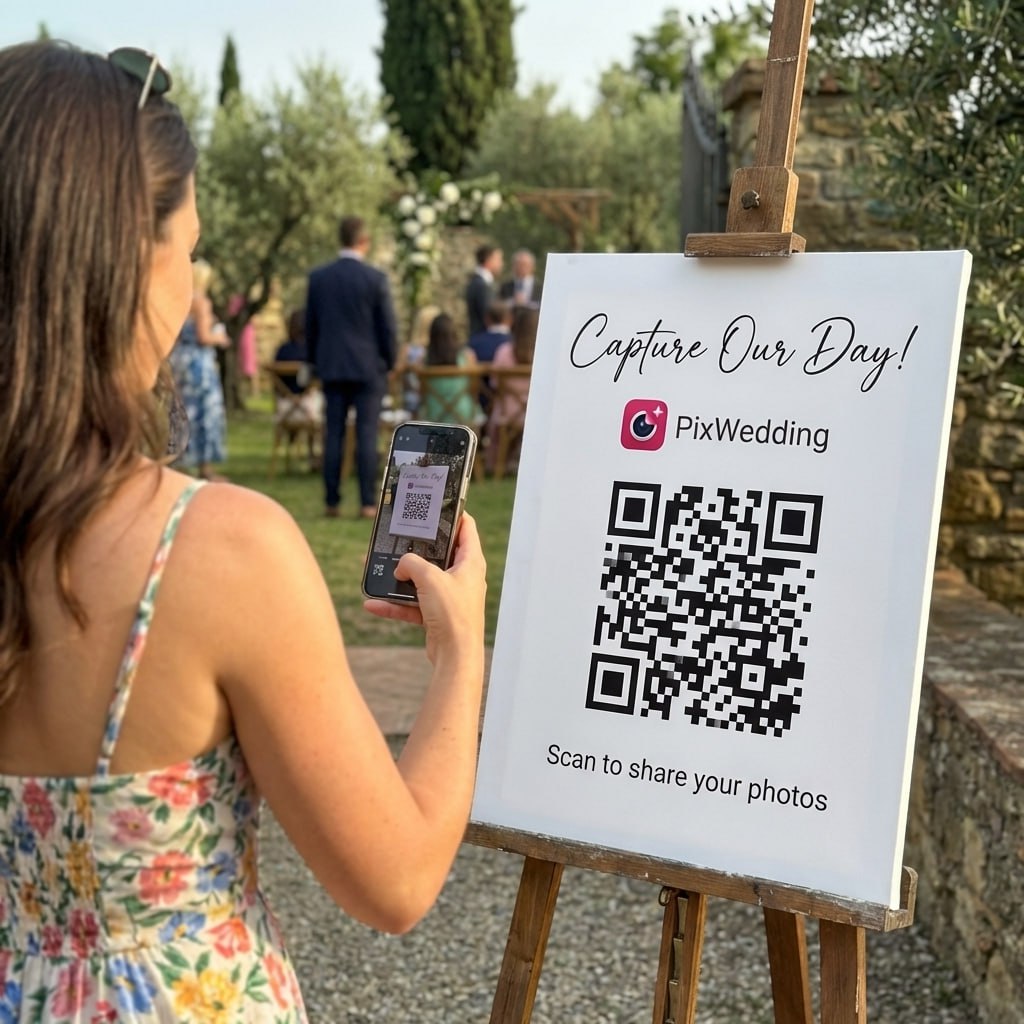
The instruction line matters more than the artwork. "Scan to share your photos" works because it tells guests what will happen before they lift the phone. Add one reassurance line, no app and no account, and you remove the most common hesitation. Pick a tone below and copy it onto your sign.
- Scan with your phone camera
- No app, no account, just tap and upload
- Photos and videos welcome all night
Can't scan? Type the short link printed below.
Want ready-made layouts? Our free QR sticker designer exports a print-ready PNG in wedding styles, and every paid Pix Wedding plan includes QR design templates for table cards and signs. For sign wording and a short MC script, see our guide to the QR code for wedding pictures.
6The Print Shop Brief: What to Tell Your Printer
Printers print what they are sent. If the file is a small PNG and nobody mentions scanning, you get a soft code on glossy stock. A short brief avoids that. Copy the email below, fill in the brackets and attach the vector file.
- Quantity: [number] table cards plus 3 spares, size [e.g. 5 x 7 in], single sided.
- The QR code is attached as a vector file. Please do not resize, redraw, recolor or crop the white border around it.
- Printed QR code size on the card: [e.g. 7 x 7 cm]. Print at 300 DPI or higher.
- Paper: matte or uncoated card stock, about 300 gsm or heavier. No gloss, no lamination, no foil on the code.
- Please send one printed or PDF proof at 100% scale before the full run. We will scan-test it before approving.
Deadline for proof: [date]. Deadline for delivery: [date, at least 2 weeks before the wedding].
Matte matters more than most couples expect. Reception lighting is often a mix of candles, spotlights and string lights, and a glossy card throws a bright reflection straight across the code at exactly the angle guests hold their phones. Uncoated or matte stock removes that problem for the price of the same card.
The printing mistakes that ruin a QR code
A QR code company walks through the dos and don'ts of putting a code on paper: contrast, size, placement and testing before the run. It is not wedding specific, which is useful here, because it shows the same print rules any menu or poster needs.
Video: Learn with QR TIGER, on YouTube (5:45)7The 10-Minute Scan Test Before You Print 100 Cards
Testing on your own phone, on your own wifi, at your desk proves almost nothing. Your guests will scan on different phones, on patchy mobile data, in low light, from further away. Run this test on the proof, not on the screen file.
- 1Step 1Print one card at 100% scale
Use the real paper if you can. Check the print dialog is not set to 'fit to page', which quietly shrinks the code.
- 2Step 2Scan with an iPhone and an Android phone
Borrow the oldest phone in the family too. If it scans on a five-year-old phone, it scans for everyone.
- 3Step 3Scan from the real distance
Place the card on a table and scan from a seated position, or tape the sign to a wall and step back two meters.
- 4Step 4Dim the lights
Turn off the main light and scan by a lamp or a candle. This is the closest you get to a reception at 10 pm.
- 5Step 5Turn wifi off
Scan on mobile data only. Scanning itself needs no signal, but the album page does. Our guide to QR codes without wifi covers venues with weak coverage.
- 6Step 6Upload a photo and a 20-second video
Video is where slow connections and size limits show up. Confirm both appear in the album.
- 7Step 7Check what guests can see
Open the album as a guest would. Decide whether guests should see each other's photos, and set it before the day.
- 8Step 8Delete the test uploads and approve the proof
Then order the full run plus three spares for broken or wet cards.
Why fuss this much over one code? Because most of the photos in a wedding album come from a handful of people. Across 203 real weddings on Pix Wedding, the median album got 149 guest photos from 8 uploaders (guest photo upload statistics). If the code fails for two of those eight people at the only table where they sat, you lose a large share of the album, not a few stray shots.
Final file check before approving the proof
8When Should You Make and Print Your QR Code?
The code itself takes minutes. The time goes into the proof, the test and the reprint you hope you never need. Work backward from the wedding date.
- 3 to 4 months outOnly if the code goes on invitations
Create the album now and use its final address. Invitations go out long before the day, so this code must not expire. Our honest take on QR codes on invitations covers when it helps and when it reads as odd.
- 6 weeks outDesign the signs
Match the stationery, place the instruction line and short link, export the vector file.
- 4 weeks outSend the brief and get a proof
Run the 10-minute scan test on the proof, then approve.
- 2 weeks outCards delivered and counted
Check every table has one, plus spares. Hand the spares to your planner or venue coordinator.
- Day beforeFinal live test at the venue
Scan one card in the reception room on mobile data. Brief the MC with one line to announce it after dinner.
If you are building your whole planning schedule at the same time, drop these dates into the free wedding checklist so the proof deadline does not collide with the seating chart and the final headcount.
Put the print deadline on your checklist
A free month-by-month wedding checklist with every stationery and signage task, so the QR proof gets tested before the last-minute rush.
Open the free checklist9What If the QR Code Fails on the Wedding Day?
Even a tested code can meet a bad moment: a dead zone in a barn, a spilled drink, a guest with an old phone. Keep these fixes in the coordinator's folder.
It scans but the page will not load
That is a signal problem, not a code problem. Ask the venue for a guest wifi network and add its name and password to the sign, or tell guests they can upload later from home.
The code will not scan at all
Usually glare, low light or a damaged card. Tilt the card, add light from a phone torch, or swap in a spare.
An older phone does not react
Older Android camera apps may not read codes. The short link printed on the card solves it in ten seconds.
Guests forgot to upload
Send the same link in a thank-you message after the wedding. Many uploads arrive in the days after, once guests sort their camera rolls.
The last card is worth planning for. A code that keeps working after the wedding lets you run a second round: a message with the link a few days later, when guests have looked through their phones. The step-by-step collection plan has the before, during and after timing for that follow-up.
10Which QR Guide Do You Need Next?
This page covered the production side. The rest of the QR questions have their own pages, so you can go straight to the one you need.
- Just need a printable code quickly? Design one free with the QR sticker designer.
- Deciding between a hashtag and a code? Read wedding hashtag vs QR code.
- Thinking about disposable cameras instead? See disposable cameras vs QR codes.
- Want the full setup, from the first scan to what a plan costs? Read QR code for wedding photos: how it works.
- Want every QR use beyond photos, from RSVP to song requests? See our QR code ideas for weddings.
- Comparing platforms? Our best wedding photo sharing app comparison checks price, upload caps and storage.
One code, every sign
Use a single album code on the invitation, the table cards, the bar sign and the thank-you message. Guests learn it once, and every photo lands in the same gallery. You can see how that gallery looks from the guest side in the live demo album.
Get the four production steps right, destination, file, size, test, and the code turns into the quietest part of your wedding stationery: nobody notices it, and your album fills up anyway.
Frequently Asked Questions
How big should a wedding QR code for photos be?
Use the 10:1 rule: the code should be about one tenth of the distance people scan it from. A table card read from a seat 60 to 80 cm away needs a code of roughly 6 to 8 cm, and a welcome sign read from 2 meters needs about 20 cm. Never go below 2 by 2 cm, even on an invitation.
Can a wedding QR code for photos stop working?
Yes, if it was made as a dynamic code on a generator trial. Dynamic codes point to the generator's server, and some services switch them off when the trial or subscription ends. A static code, or a code that encodes your album's own address directly, keeps working as long as that address is live.
Should I download my QR code as a PNG or an SVG?
SVG (or PDF or EPS) if your design tool and printer accept vector files, because a vector code stays sharp at any size. A PNG is fine if it was exported large enough for the final print size at 300 DPI. Never stretch a small PNG up to poster size.
Can I put our monogram in the middle of the QR code?
You can, as long as the code is generated with a high error correction level (Q or H) and the logo stays small. Error correction lets a scanner rebuild missing data, but a logo that covers too much of the pattern or touches the three corner squares will break it. Test the final file on several phones before printing.
When should I print the QR code signs for our wedding?
Print the table cards and signs three to four weeks before the wedding so there is time for a proof, a scan test and one reprint if needed. If the code goes on invitations, make sure it points to an address that will still work months later, since invitations go out long before the day.
What should I test before printing 100 QR cards?
Print one card at the real size, then scan it with at least one iPhone and one Android phone from the real distance, in dim light, on mobile data with wifi turned off. Upload a test photo and a short video, confirm both land in the album, then delete them.
Related guides
Print it once, collect photos all night
Start my free album