





Fraud Blocker
pixPix Wedding
Guest photos, compared

Wedding hashtag vs QR code: which one gets you the photos?

The short answer

Use a QR code to collect the photos and keep a hashtag only if you want public posts. A QR album reaches guests with private accounts or no social media. A hashtag is free and great for public buzz, but you only see the posts guests make public or share with you. You can print both on one sign.

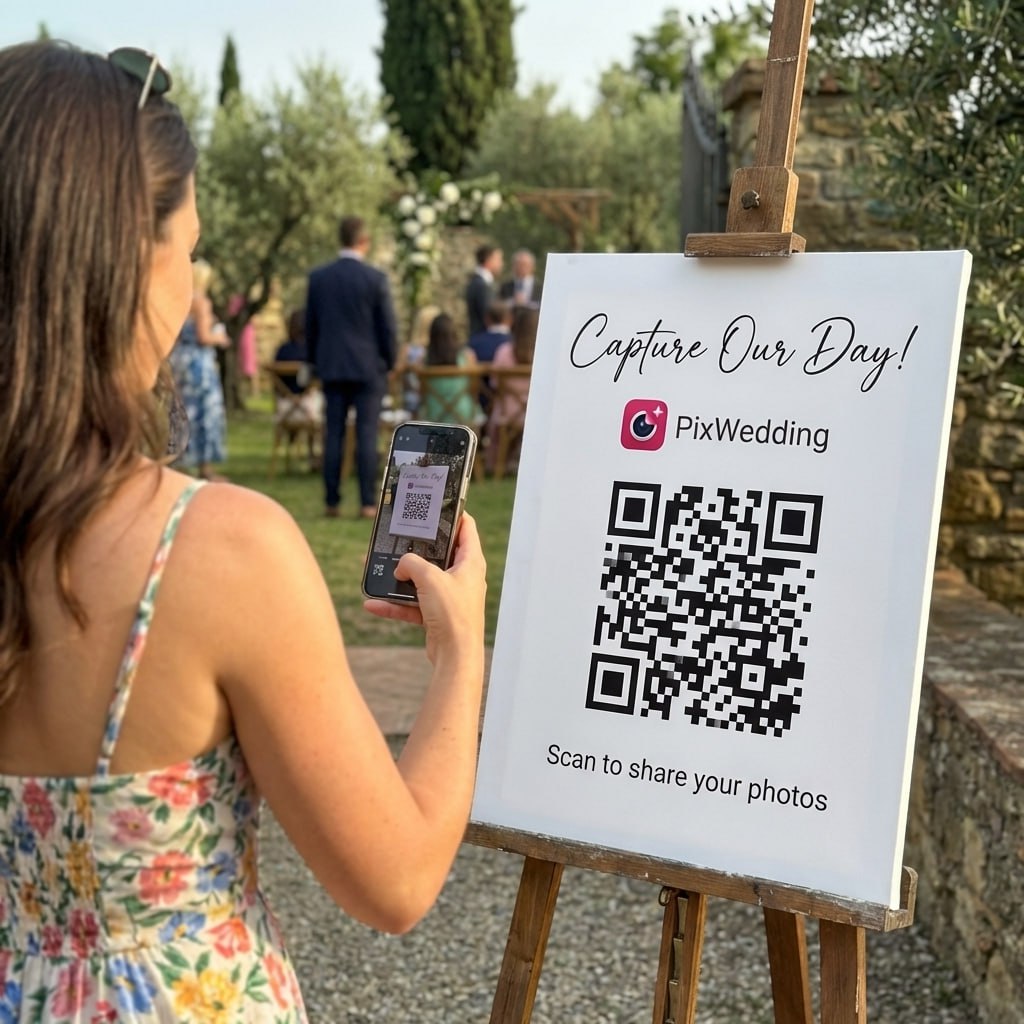
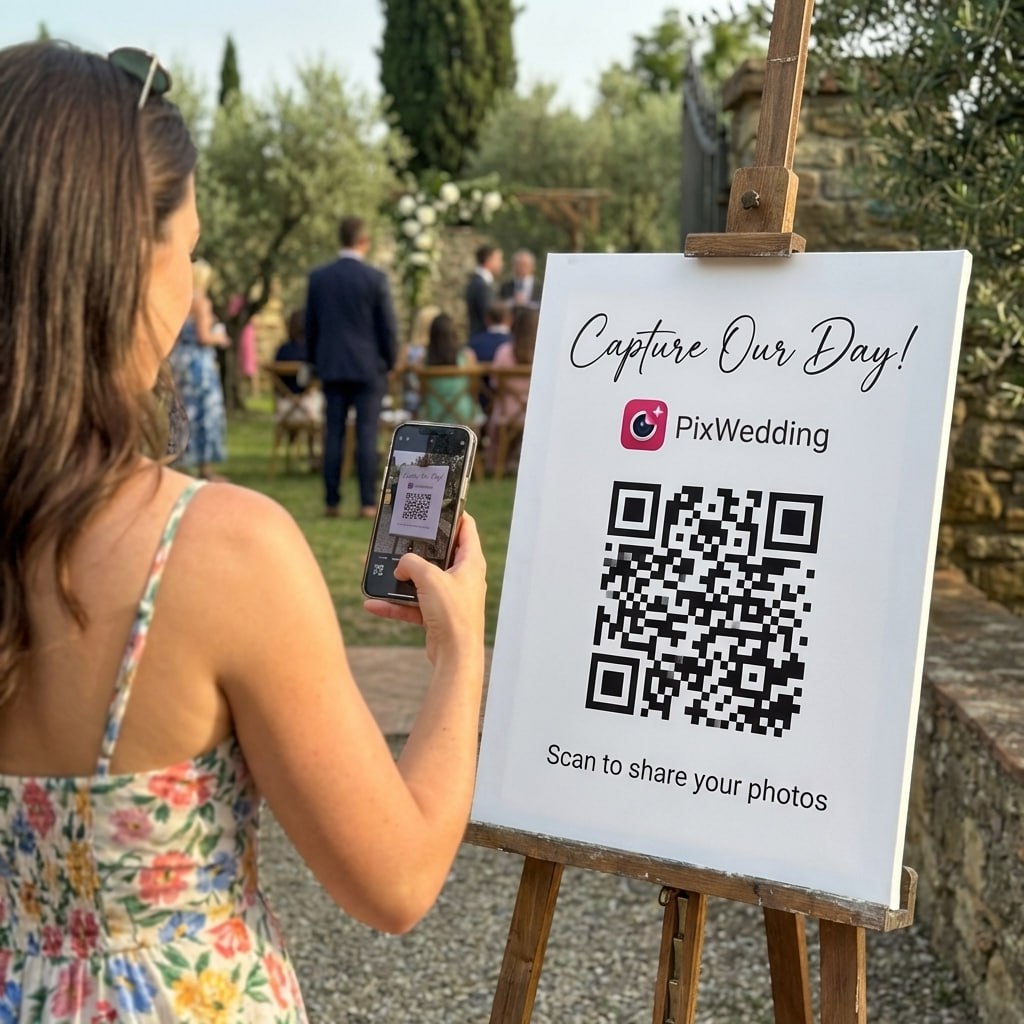
Guest scanning a QR code sign on an easel at an outdoor wedding ceremony
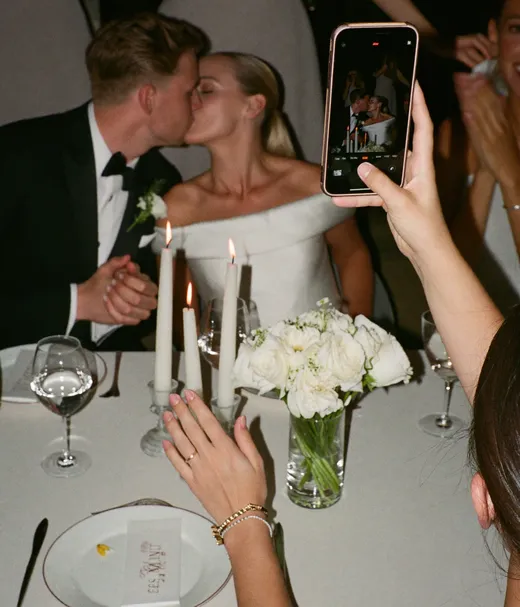
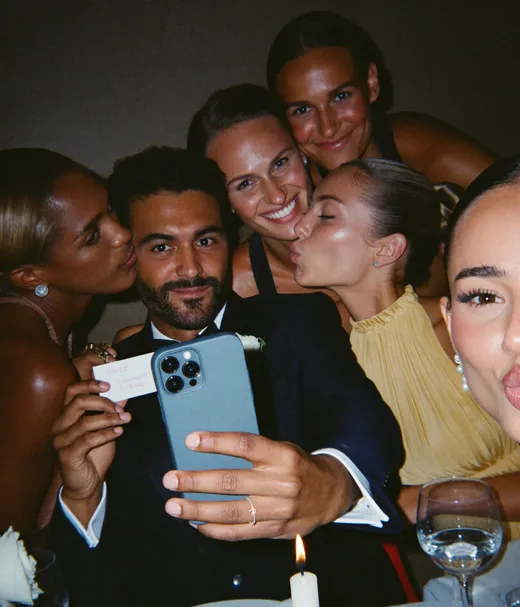
Groom taking a phone selfie at a candlelit table while guests kiss his cheeks
The table selfie
01The verdict, scored

Is a QR code better than a hashtag for wedding photos?

For collecting photos, yes. We scored both on eight tests from 0 to 5. The QR code album wins the tests about getting the files, the hashtag wins on cost and public buzz. Platform facts checked November 8, 2026.

Wins for collecting the photos

QR code album

31/40
Wins for public posts, and it is free

Wedding hashtag

18/40
Wedding hashtag and QR code album scored from 0 to 5 on eight tests
TestHashtagQR code albumWhy
Reaches guests with private accounts1/55/5A private account's tagged post stays off the public tag page (Instagram Help). A QR upload ignores account settings.
Reaches guests with no social media0/55/5No account means no post. The QR page opens in the phone browser, with no app and no account.
Photo quality you end up with2/55/5Instagram sizes photos down to 1,080 pixels wide (Instagram Help). Paid Pix Wedding plans keep the original file, up to 30 MB.
All photos in one place1/55/5Tagged posts sit across Instagram, TikTok and Facebook with no bulk download. An album ends in one ZIP file.
Photos guests never post0/54/5An unposted photo cannot carry a tag. A QR album gets it when the guest scans, so a reminder still matters.
Public buzz and captions5/51/5Friends of your guests see tagged posts in their feeds. An album stays out of feeds on purpose.
Cost5/53/5A tag is free. Pix Wedding is free for 20 guest uploads, then $44, $54 or $84, paid once.
Effort for guests4/53/5People who post need no new habit. A QR album asks for one scan and a pick from the camera roll.
Total18/4031/40Every test weighs the same. Move the weights and the hashtag only wins if public posts matter more to you than the files.

Our call: QR code first, hashtag as the extra

If you want the photos, a QR code album is the one that gets them. Keep a hashtag on top only if your friends love to post and you want the public side too. Print both on one sign, with the code on the main line.

02The real difference

What a hashtag and a QR code catch, guest by guest

Your guest list decides this more than any feature does. Find your people in the table below. If most of them sit in the top row, a hashtag does a lot of the work for free. If they look like the rows under it, a QR code is what brings their photos home.

What a wedding hashtag and a QR code each catch for eight types of guest
GuestWedding hashtagQR code album
Posts publicly on Instagram
CatchesThe post shows on the tag page with the guest's caption, and their friends see it too. This is where a hashtag shines.
SometimesOnly if they also scan. A public post does not put the photo in your album.
Has a private Instagram account
SometimesThe post stays off the public tag page. You see it only if you are an approved follower, per Instagram Help.
CatchesAccount settings do not matter. The photo goes from the phone straight to the album.
Only posts to Stories
SometimesStories leave the feed and profile after 24 hours unless saved to Highlights, per Instagram Help.
SometimesThey need to scan and pick the shots from their camera roll, so a reminder helps.
Has no social media
MissesNo account means no post, so there is nothing to find.
CatchesPhone camera and browser are enough. Guests need no app and no account.
Older relatives
SometimesOnly if they post publicly and type the tag exactly right.
SometimesThe scan is simple, but some will want a hand. Ask a cousin at the table to help. A relative without a smartphone is missed by both.
Mostly films video
SometimesYou see the version they published, with any edits and music. For the original file, you have to ask them.
CatchesPaid Pix Wedding plans take videos up to 100 MB each. A long clip can go past that and may need trimming.
Posts to TikTok
SometimesA TikTok post will not appear when you search the tag on Instagram, so you check each app. On a private account, only approved followers can watch, per TikTok Support.
SometimesThey keep posting to TikTok as usual. The clip reaches you only if they upload it too.
Takes photos and never posts
MissesA photo that is never posted cannot carry a tag.
CatchesThe same link keeps working after the wedding, within your plan's upload window.
THE QR CODE SIDE, IN ONE MINUTE

What your guests do
after the scan.

A guest scans the code, opens the upload page in the phone browser, and picks photos. No app, no account, nothing posted publicly. Names below are examples.

Emma & JamesScan to share your photos
9:41

SHARED GALLERY

Emma & James

AllCeremonyMine
First dance
Toast
Cake smash
Table selfie
Bouquet toss
Grandmas dancing
Confetti exit
Getting ready
Sparkler exit
Upload your photosNo app needed
03Follow one photo

Where your photos end up with each method

Same guest, same photo, two routes. The hashtag route depends on how the guest posts. The QR route goes from the phone to your album in one step.

With a wedding hashtag

Guest takes a photoFull size, on their phone.
Posts it with your tagOn Instagram, TikTok or Facebook. Instagram stores it at up to 1,080 pixels wide.
Public postOn the tag page
Private accountApproved followers only
Story onlyGone in 24 hours unless saved
Never postedNowhere to find
What you end up with

Some public posts, compressed, spread over several apps. You search each one and ask for originals.

With a QR code album

Guest takes a photoFull size, on their phone.
Scans the code on the signThe upload page opens in the phone browser. No app, no account.
Picks photos and uploadsPaid Pix Wedding plans take photos up to 30 MB and videos up to 100 MB each, as sent.
Lands in your one albumThe host decides whether guests can view or download the album.
What you end up with

Every upload in one private album, original files, one ZIP download.

Phone screens are illustrations, not screenshots.

04A fair look

Where the hashtag wins, and where the QR code does

Each one does a different job, and each one has limits you should plan around.

Wedding hashtag

Made for the moment guests want to post
Wins

Free, with nothing to buy or print if it only goes on your website and invitations

Public buzz: friends of your guests see the wedding in their own feeds

Guests write captions their friends can read on the post

People who already post need no new habit

Limits

You only see posts that are public or shared with you

Posts spread across Instagram, TikTok and Facebook, with no single place to download them

A photo that is never posted never turns up

Anyone can use the same tag, so a common one mixes in strangers' weddings

QR code album

Made for the photos you want to keep
Wins

Reaches guests with private accounts or no social media

Everything lands in one album you can download

Guests can send photos they would never post

Paid Pix Wedding plans keep original quality

Limits

Guests have to see the sign and choose to scan, so placement and a reminder matter

Past 20 uploads on Pix Wedding, it costs money

Nothing shows up on social media, so there are no likes or public buzz

You need to print or display the code

Weak venue signal can slow uploads, so send the link again the next morning

05What the platforms say

Do wedding hashtags still work? Yes, with limits

Guests can still tag a post, and you can still search that tag. What changed is how easy it is to keep up with one, and the platforms' own rules set what you can see. Checked November 8, 2026.

November 2022

Are wedding hashtags still a thing? Less than before

In a PureWow reader survey of 100 people, more than 85% said the trend had passed. The same article cites a Zola survey of over 4,000 couples in which 33% planned a social media hashtag.

December 2024

Instagram removed following a hashtag

You can no longer follow your tag and see new posts in your feed. You can still use and search hashtags, so you check it by hand. The change took effect on December 13.

December 2025

Instagram set a five-hashtag limit

Instagram said it would gradually limit posts and reels to five, and its Help Center now says you can use up to 5 tags on a post. A single wedding tag still fits, so this one matters little for you.

Standing rule

Private posts stay off public tag pages

A private account's tagged post is visible only to approved followers, says Instagram Help. On Facebook, a hashtag shows you only posts shared with you.

A posted photo is not the original

Instagram Help says photos are uploaded at up to 1080 pixels wide, and wider ones are sized down. A typical 12 megapixel phone photo is about 4,000 pixels wide.

Fine on a phone, thin for a large print. Paid Pix Wedding plans keep the original file, up to 30 MB per photo.

06What each one costs

A hashtag is free. A QR album may not be

Pix Wedding prices below are one-time payments, not a subscription. Other QR album services price differently, and this app comparison lines them up.

Cost of a wedding hashtag compared with Pix Wedding QR code plans
OptionPriceWhat you getThe limit
Wedding hashtag$0Whatever guests choose to post where you can see itNo file collection, no download
QR code, Pix Wedding Free$0First 20 guest uploads, no cardEnough to test the flow, not to run a full wedding
QR code, Pix Wedding Starter$44Unlimited photos, videos and guests, original quality, QR designs, ZIP download3 months to upload, 6 months of storage
QR code, Pix Wedding Standard$54Starter plus live slideshow, up to 6 sub-albums, audio guestbook, photographer link, photo missions6 months to upload, 1 year of storage
QR code, Pix Wedding Pro$84Standard plus AI selfie search, a custom domain, guest photo approval, no Pix Wedding branding on guest pages, a PIN lock and up to 20 sub-albums1 year to upload, 2 years of storage

Paid Pix Wedding plans include 48 QR poster designs as PNG or PDF, and printing them is up to you. A $9 add-on adds 12 months of storage to a paid plan. If no guest uploads a photo, Pix Wedding refunds 100% if you ask within 30 days after your event date, under its refund policy.

Pix Wedding pricing

The QR side of your sign, paid once

20 guest uploads free with no card. Every paid plan covers unlimited guests, photos and videos, paid once.

Starter
$74$44one-time

For collecting every original

Original files, not 1,080 px copies
Unlimited photos, videos & guests
Original quality (no compression)
No app for guests, QR + browser upload
Film roll mode with shot limit & revealNEW
QR code template designs
3 months upload from event date
6 months storage + ZIP download
Multiple admins
Priority support
Pay with Apple Pay, Google Pay or card.Money back if your guests never upload.
Chosen by most couples
Standard
$89$54one-time

Most couples pick this

Live slideshow of guest photos at the venue
Everything in Starter
Live slideshow at the reception
Audio guestbook & guest names
Photo missions, photo bingo + leaderboardNEW
Up to 6 sub-albums (ceremony, reception)
Private upload link for your photographerNEW
Custom script and serif fonts
6 months upload, 1 year storage
Pay with Apple Pay, Google Pay or card.Money back if your guests never upload.

One-time payment, no subscription

Pro
$133$84one-time

For big guest lists

Everything in Standard
AI selfie search for guestsNEW
Custom domain for your album
1 year upload, 2 years storage
Approve guest photos before they show
No Pix Wedding branding on guest pages
PIN lock for the album
Up to 20 sub-albums
Pay with Apple Pay, Google Pay or card.Money back if your guests never upload.

One payment. Yours to keep. No subscription. No renewals. No surprise charges.

Secure checkout. Polar, Apple Pay, Google Pay.

Money-back guarantee: if your guests never upload a single photo, you get 100% back. See how it works

07Copy and print

Wedding hashtag sign wording, QR sign wording and a combined sign

Pick the sign that matches the job. Names and the hashtag are examples, swap in your own.

Hashtag-only sign

“Share the love. Tag your photos #EmmaAndJames2027”

“Posting tonight? Use #EmmaAndJames2027 so we can find it.”

Brings in public posts only. Fine if you want the buzz and not the files.

QR-only sign

“Scan to add your photos and videos to our album. No app, no account.”

“You saw things we missed. Scan and send them to us.”

Brings in the files, private guests included. Put it where phones come out.

Combined sign

“Scan to add your photos to our album. Posting too? Tag #EmmaAndJames2027.”

“Send us your photos: scan the code. Sharing online: #EmmaAndJames2027.”

The code gets the main line, the tag sits underneath as an extra.

08Use both, on one sign

How to use a wedding hashtag and QR code together

Two tools are fine, but two equal instructions muddle a sign. Give the code the main line, since it needs guests to do something, and let the hashtag sit underneath as an extra for anyone who is posting anyway.

1Before

Give each one a job

Pick one hashtag and one album. The tag is for posting, the code is for sending photos to you. Put both on your wedding website.

2During

Put the code where phones come out

Print the sign for the entrance, table cards and the bar. Ask your DJ or MC to mention it once, right before dinner.

3After

Send the link, then search the tag

Message the album link the next morning. Search your tag on each app, and ask anyone with a post you love to upload the original.

Wording for each moment of the day

Wedding website

“On the day, scan the QR code on the welcome sign to send us your photos. If you post, tag #EmmaAndJames2027.”

Table card

“You saw things we missed. Scan this code and send us your photos. Sharing online? Use #EmmaAndJames2027.”

DJ or MC

“Before you put your phone away, scan the code on your table and send Emma and James your photos. If you post tonight, the hashtag is on the card.”

Morning-after text

“Thank you for coming! Add your photos here, even the blurry ones: [your album link].”

Need the pieces? Generate a hashtag, design a QR sticker, or read the guide to QR codes for wedding pictures.

Keep the hashtag. Add the album.

Try the QR side with your first 20 guest uploads free, no card. Guests scan and upload from their phone browser, and your hashtag can sit right under the code.

From Mom

From Mom

Point your camera

Scan to join the album

No app, no account

9:41

UPLOADING

Saving your moment

9:41

THE ALBUM

Emma & Jack

June 21, 2026

647 photos · 95 guests

AllMomentsMine
Guest photo 1
★
Guest photo 2
Guest photo 4
Guest photo 5
Guest photo 6
Guest photo 7
Guest photo 8
Guest photo 9
Guest photo 10
Add photosShare your moments

SCAN TO TRY

pix.wedding/
your-wedding

09The other question

Do you need a wedding hashtag? Not always

Nothing breaks if you skip it. Decide on your crowd and how public you want the day to be, then treat a QR code the same way: it only works if someone tells guests about it.

Keep a hashtag if

Your guests post a lot, you want a public record of the day, and you enjoy the fun of picking a name.

Go QR code only if

You care about the files more than the posts, or plenty of your guests are private or not on social media.

Skip the tag entirely if

You would rather keep the wedding offline. Here is how to ask guests not to post.

Whichever you pick, say it out loud

In this short, Jamie Wolfer argues that QR codes, hashtags and photo apps sound good but most guests do not use them. That is one opinion, not a study, and it is a good reason not to rely on a sign alone.

Is a printed QR code tacky?

Not when it has a clear job. A small code on a table card or reception sign, with one short line saying what it does, feels like part of the stationery. Keep it separate from any RSVP code so nobody mixes them up. For invitations, read whether a QR code on an invitation is tacky.

The photos at stake

Plenty of these never get posted

Candid wedding moment of the kind guests keep on their phones

The kids under the table, the pizza on the curb, the morning after. Illustrative photos.

Couple reviews

Rated 4.9 by couples who used Pix Wedding

4.9
out of 5 · Based on 395 reviews

My wife was skeptical bc we paid a TON for our photographer. Now she says Pix is her favorite part of the whole day. Candids no photographer would ever get, her aunts taking selfies in the bathroom, the kids hiding under the dessert table lol 😂 those are the photos that hit different

Mason O. · Chicago, ILVerified couple · February 2026

Cherry blossom season wedding at a traditional venue. The QR codes were very convenient for our guests and the album is beautifully organized. We received 620 photos and many lovely voice messages. The one-time payment was very reasonable. I appreciated that nothing felt pushy or complicated

Yuki T. · Kyoto, JPVerified couple · April 2026

Bellissimo. The live slideshow during dinner with the lake in the background, guests were uploading just to see their photo on the screen. My mother said it was the most beautiful part of the evening

Marco T. · Lake Como, ITVerified couple · September 2025
Read all reviews

Choosing between a wedding hashtag and a QR code

A wedding hashtag and a QR code answer different questions. A hashtag asks guests to publish, and it gives you a public record of whatever they chose to share. A QR code asks guests to send, and it gives you the files in one place. Most of the choice comes down to which of those you care about.

Couples who love the social side of a wedding, and whose friends post a lot, get real value from a free tag. Couples who mostly want a complete collection of photos to keep will get more from an album, since it also reaches the guests who never post.

HashtagGuests publishYou get: the public posts they chose to share
QR codeGuests sendYou get: the files, in one album you keep

Where to get each one

A good tag is short, easy to spell and not already taken. The free wedding hashtag generator on Pix Wedding suggests options and links straight to Instagram, TikTok, Facebook and X so you can check each one.

For the album side, the guide to QR codes for wedding pictures covers how they work, and the QR sticker designer makes a printable code.

  • Keep the tag short enough to remember after two drinks
  • Print the tag and the code together so guests never need to search for either one
  • Test the printed code on two different phones before the wedding
Common questions before you decide

Wedding hashtag vs QR code FAQ

Straight answers to the questions people ask most about this topic.

For collecting photos, yes. A QR code album reaches guests with private accounts or no social media and keeps the files in one place. A hashtag is better for public buzz, costs nothing and lets guests add captions. Many couples can use both.

No. A wedding hashtag is optional. Keep one if your guests like posting and you want to look back at their public posts. Skip it if you would rather keep the day off social media, or if your guests rarely post.

They still work, but fewer couples rely on them. You can add a hashtag to a post and search for it. Instagram removed the option to follow a hashtag in December 2024 and began limiting posts to five hashtags in December 2025, which a wedding tag fits inside. In a 2022 PureWow reader survey, more than 85% said the trend had passed.

Only if you are an approved follower of that account. Instagram says a hashtagged post from a private account will not appear publicly on the hashtag page.

Yes. Print both on one sign and give each a job: the code sends photos to your album, and the tag is for guests who also want to post. Put the QR code first, since it is the one that needs a clear instruction.

It depends on the service. With Pix Wedding, the first 20 guest uploads are free, then a one-time plan costs $44, $54 or $84 depending on features and how long photos stay online. A hashtag costs nothing.