





Are Wedding QR Codes Worth It?
Yes, wedding QR codes are worth it for nearly every wedding because the setup costs almost nothing while the return - hundreds of candid guest photos your photographer never caught - is impossible to replicate any other way. The only real exceptions are very small weddings and guest lists that are overwhelmingly 70 and older.
Set Up Your Free Wedding QR CodeThe Short Answer
Worth it: yes. Setup takes under 10 minutes and costs $0 to $30. In return, you collect 150 to 400 candid guest photos that would otherwise evaporate into people's camera rolls. Even with a great photographer, QR codes fill the coverage gaps no single person can close.
The ROI Math
Candid wedding photos have real value. Here is how a QR code setup compares to other ways of getting equivalent coverage.
A second photographer costs 27 to 66 times more than a QR code setup and delivers roughly the same volume of additional photos. A photo booth costs even more, produces posed strips rather than candid moments, and covers only the guests who choose to use it. The QR code is not even a close contest on pure cost-per-photo math.
5 Situations Where QR Codes Are Obviously Worth It
Mixed-age guest list (30 to 65)
The sweet spot for QR adoption. Most guests in this range are comfortable with smartphones and motivated to share. Expect 60 to 75% scan rates when stickers are at place settings.
Single-photographer wedding
With one photographer covering 150 guests, huge swaths of candid moments go unshot. Guest phones fill in 80 to 90% of those gaps. This is where QR codes deliver the highest ROI.
Large venue with multiple rooms
When guests are spread across a cocktail terrace, main hall, and photo booth area, your photographer is constantly choosing. QR codes ensure every room generates photos.
Out-of-town family reunion element
When relatives who rarely see each other gather, the photos they take of each other are often the most emotionally important of the whole day. QR codes capture that archive.
Couple with limited photography budget
If you are shooting for 4 hours instead of 8, QR codes compensate for the coverage gap. The collected guest photos extend your effective visual record of the day.
2 Situations Where They May Not Deliver
Predominantly 70+ guest list
If the majority of your guests are 70 or older and not smartphone-confident, QR code adoption will be very low. Disposable film cameras may serve this audience better. You can still offer QR as a secondary option for guests who want it.
Intimate ceremony with 20 or fewer guests
With a very small wedding, you likely know everyone personally. A WhatsApp group or shared iCloud album request may achieve the same result with less setup. The ROI of a dedicated QR setup is lower when you could simply text each guest individually.
Guest Behavior: What the Data Shows
Across weddings using photo-sharing platforms, patterns in guest scanning and uploading behavior are remarkably consistent.
The single biggest lever you have: ask your MC or officiant to announce the QR code. One 15-second verbal mention at the start of the reception reliably triples upload volume. It makes the QR feel like part of the program rather than a sticker guests might or might not notice.
Common Objections, Answered Honestly
"Guests won't bother scanning it."
Scan rates average 55 to 75% when the QR is at the table setting. Guests are stationary, phone is already out, and they have just eaten. The friction is near zero. The guests who do not scan are usually in conversation - not refusing on principle.
"It feels tacky."
A generic QR printout looks tacky. A branded card with your names, wedding date, and a single elegant instruction is stationery. The difference is design. Pix Wedding lets you customize the upload page with your wedding colors, making it feel intentional.
"Our photographer covers everything."
With respect to your photographer, no single person covers 150 guests across 6 hours. Photographers make constant choices about where to stand. Guest photos capture the moments behind the photographer's back - which are often the most candid and personal.
"We already have a hashtag."
Hashtags scatter photos across Instagram, Facebook, and TikTok - often locked behind privacy settings. You end up hunting through each guest's profile hoping they posted publicly. A QR photo-sharing app collects everything in one private album you own and can download.
What Wedding Photographers Actually Think
The photography community has largely moved past viewing guest photo-sharing as competition. The shift in perspective: candid phone photos and professional images serve completely different functions.
Pros now recommend them proactively
Many wedding photographers include a note about QR photo-sharing in their client welcome packets. They understand that guest photos complement - not compete with - their work. The more visual documentation a couple has, the more satisfied they are with the overall wedding experience.
They fill the post-ceremony gap
Photographers typically spend 30 to 45 minutes shooting couple portraits after the ceremony while guests move through cocktail hour. During that window, guest photos via QR code capture the cocktail hour entirely - the toasts, the hugs, the reunions - that no professional lens is present for.
Different quality standard is the feature
Guest phone photos are imperfect: blurry, poorly lit, slightly crooked. That is precisely what makes them valuable. They feel like memory rather than product. Couples use professional photos for the wall and guest photos to remember how the room felt.
The Window Closes Fast
Wedding photo regret is almost never about having too many photos. It is always about having too few. Post-wedding surveys of couples who did not use a sharing tool show a consistent pattern.
Average time before a guest deletes wedding photos to free up phone storage.
Of couples without a sharing tool who said they wished they had set one up, in post-wedding surveys.
Of couples who used a photo-sharing QR code and said they regretted doing so.
The asymmetry is stark. The downside of setting up a QR code and having no one use it is negligible - you spent 10 minutes and $0 to $30 on stickers. The downside of not setting one up is losing those photos forever once guests clear their storage. The risk calculation is one-sided.
How to Maximize Your QR Code Scan Rate
The difference between a 30% scan rate and a 72% scan rate comes down to placement, announcement, and framing. These are the levers you actually control.
Place at every table setting, not just on a sign
A framed QR code in the corner of the room gets scanned by 10 to 15% of guests. A QR sticker on every place card or menu gets scanned by 60 to 75%. The difference is physical proximity. When the QR is in your hand, scanning is the path of least resistance.
Ask your MC to announce it twice
Once at the start of the reception when guests are seated, and once midway through the dancing when energy is high. The second announcement catches guests who missed the first and reminds guests who forgot to actually upload. This single change triples upload volume in platform data.
Add a one-line human instruction
"Scan to share your photos with us" is better than just a QR code. People need to know what will happen when they scan before they commit to scanning. One line of context removes that hesitation.
Brand the upload page to match your wedding
A generic upload form feels like a tech task. A page that shows your names, your wedding date, and your color palette feels like part of the wedding. Pix Wedding lets you customize the page so it fits the aesthetic. Guests who recognize the branding complete the upload at higher rates.
Put a second QR near the bar and dance floor
These are the highest-traffic areas at the reception. A framed QR next to the cocktail menu or projected near the DJ booth serves as a second touchpoint for guests who missed the table card or did not have their phone out at dinner.
Send a follow-up link the next morning
Include the photo-sharing link in a brief "thank you for celebrating with us" text or email the day after the wedding. Some guests will upload photos they took but did not get around to sharing during the reception. This follow-up typically adds 20 to 40 additional photos per 100 guests.
QR Code vs Hashtag vs Disposable Cameras: A Direct Comparison
Three popular guest photo strategies. Here is how they stack up on the factors that matter most.
QR Code Photo Sharing
RecommendedWedding Hashtag
LimitedDisposable Cameras
Niche Use
First dance
You guys!!
See the QR code in action.
Pix Wedding gives you a dedicated QR link, a printable sticker, and a shared album that fills up the moment guests scan - zero friction, real results.

From Mom
ALBUM
Emma & Jack
June 14, 2026
634 photos · 94 guests


The Case for Wedding QR Codes in 2026
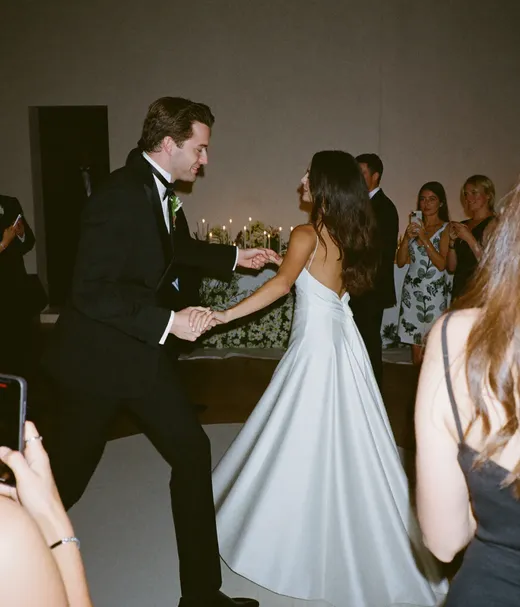
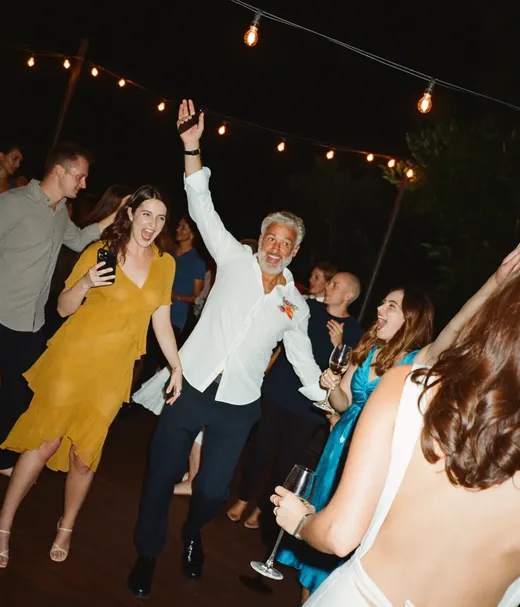
Wedding photography has always had a coverage problem. Your photographer can only be in one place at a time. While they are capturing the first dance, no one is catching your college roommate crying at the bar, or your grandfather doing the Macarena at the edge of the dance floor. Those moments disappear forever unless a guest happens to take a photo and then actually shares it with you.
QR codes solve the distribution half of that problem. They lower the friction of sharing from "text me your photos later" (which almost never happens) to a single scan, a quick upload, and done. The photos land in a shared album you own, organized and accessible.
The question is not really whether QR codes work. The data says they do. The question is whether the return is worth the ten minutes it takes to set one up.
- •Average cost to set up: $0 to $30
- •Average guest photos collected at a 100-person wedding: 150 to 400
- •Percentage of those photos your photographer would have missed: estimated 80 to 90%
- •Time to set up with Pix Wedding: under 10 minutes
What Couples Say After the Wedding
Post-wedding regret surveys consistently flag photo collection as a missed opportunity. Couples who skipped a sharing tool often say the same thing: "We knew guests took photos. We just never got them."
The average delay between a wedding and a guest actually texting photos is six weeks. After two months, many guests have already deleted them to free up phone storage. A QR code captures those photos in the moment, before the window closes.
Couples who used a photo-sharing QR code reported receiving an average of 220 additional photos beyond their professional gallery. At a photographer rate of roughly $300 per hour of shooting, that volume of coverage would cost several thousand dollars to replicate professionally.
Explore more free wedding tools
Everything you need to make your wedding day stress-free and unforgettable.
QR Sticker Designer
Design custom print-ready stickers.
Hashtag Generator
Create unique wedding hashtags.
How to Collect Guest Photos
5 methods ranked by participation rate and ease.
Get Photos After the Wedding
Message templates to gather guest photos post-wedding.
Share Wedding Photos with Guests
Compare every sharing platform by ease and participation.
Best Way to Get Guest Photos
The single method with the highest participation rate.
How to Make a Shared Wedding Album
Step-by-step setup for every platform.
Alternative to Disposable Cameras
Better, cheaper options than disposable cameras.
Wedding QR Code FAQs
Everything you need to know about our free tools and how they help your wedding day.
Yes, for most weddings. A QR code photo-sharing setup costs between $0 and $30 for stickers or table cards, while the alternative - hiring a second photographer to capture candid moments - can cost $800 to $2,000. Guests who scan typically upload 12 to 25 photos each, giving you hundreds of candid shots your photographer never caught.
Based on data from wedding photo-sharing platforms, 55 to 75% of guests scan a QR code when it is placed at their table setting or on the back of the menu card. Of those who scan, roughly 60 to 70% upload at least one photo. The result is typically 150 to 400 guest photos at an average 100-person wedding.
Not with the right design. A QR code printed on a linen-textured card with a serif font and a one-line instruction feels like stationery, not a tech gimmick. Services like Pix Wedding let you brand the upload page to match your wedding colors, which helps guests see it as part of the experience rather than an afterthought.
No, and they are not meant to. A professional photographer handles lighting, posing, timing, and editing that guests cannot replicate. QR codes capture the spontaneous moments - dancing, laughing, hugging across tables - that a photographer physically cannot be everywhere for. Think of them as a complement, not a substitute.
This is the one real scenario where QR codes underperform. If your guest list skews 65 and older, adoption will be lower. A workaround: ask younger family members to help older guests scan. You can also provide a short text URL as a fallback printed next to the QR code. Disposable cameras may be a better primary tool for predominantly older guest lists.
Place QR codes at every table before guests are seated at the reception. Consider also having one at the cocktail hour welcome table and a framed version near the dance floor. The more touchpoints, the higher the scan rate. Stickers on the back of name cards perform especially well because every guest handles them personally.













