Event photo sharing apps, checked November 10, 2026
Event Photo Sharing App for Any Event: 7 Apps Compared
Pix Wedding is the best event photo sharing app for most organizers: one QR code, browser upload with no app, unlimited guests for one payment from $44. GuestSnap ($45) is the cheapest flat price with a screen, Guestpix puts moderation on every paid package, and for under 25 people the Pix free tier or a $4.99 Once film works.
Conference: Pix Event Series ($84, photo approval, no branding). Gala with a screen: Pix Big Event ($54) or GuestSnap. Reunion: any QR browser album. The first 20 Pix uploads are free.
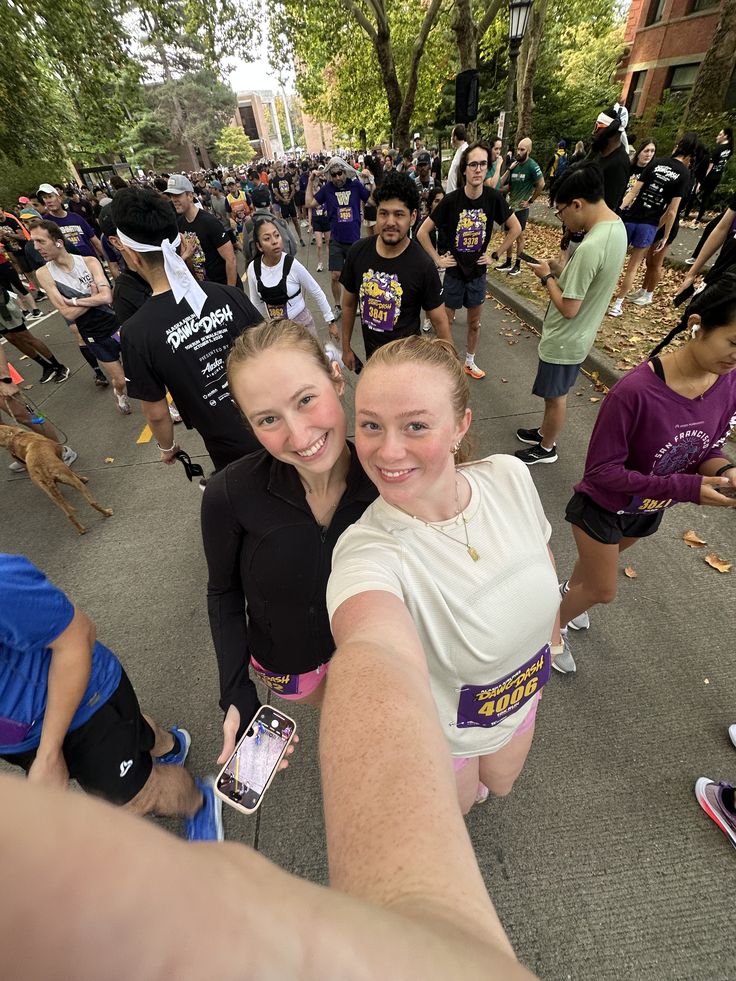
At a big event the best photos are spread over hundreds of phones. One QR code pulls them into one album.
01The short answer
Which event photo sharing app is best?
The best app for each kind of event
Conference or trade show, 300+ people
Pix Wedding Event Series ($84)
Photos are approved before they reach the screen, guest pages carry no Pix Wedding branding, and AI selfie search lets attendees find their own shots in a big album.
Gala or fundraiser with a screen
Pix Wedding Big Event ($54) or GuestSnap ($45)
Both include a live slideshow for one payment. GuestSnap is the cheapest flat price with a screen; Pix adds photo missions, a leaderboard and up to 6 sub-albums.
Reunion, mixed ages
Any QR browser album
Grandparents and teenagers both manage a camera scan. Pix Wedding, Guestpix, GuestCam, GuestSnap and Kululu all open an upload page in the browser with no account.
Small group, under 25 people
Pix Wedding free, or Once
Twenty guest uploads cost nothing on Pix Wedding. Once sells a 25-person disposable-style film from $4.99, with a shot limit per person and a timed reveal.
Camera scan, no appPhotos and videosUnlimited guests on paid plans
Event sizes are illustrative examples. Prices checked November 10, 2026.
THE EVENT FLOW, LIVE
Scan at the start line. See it in the album.
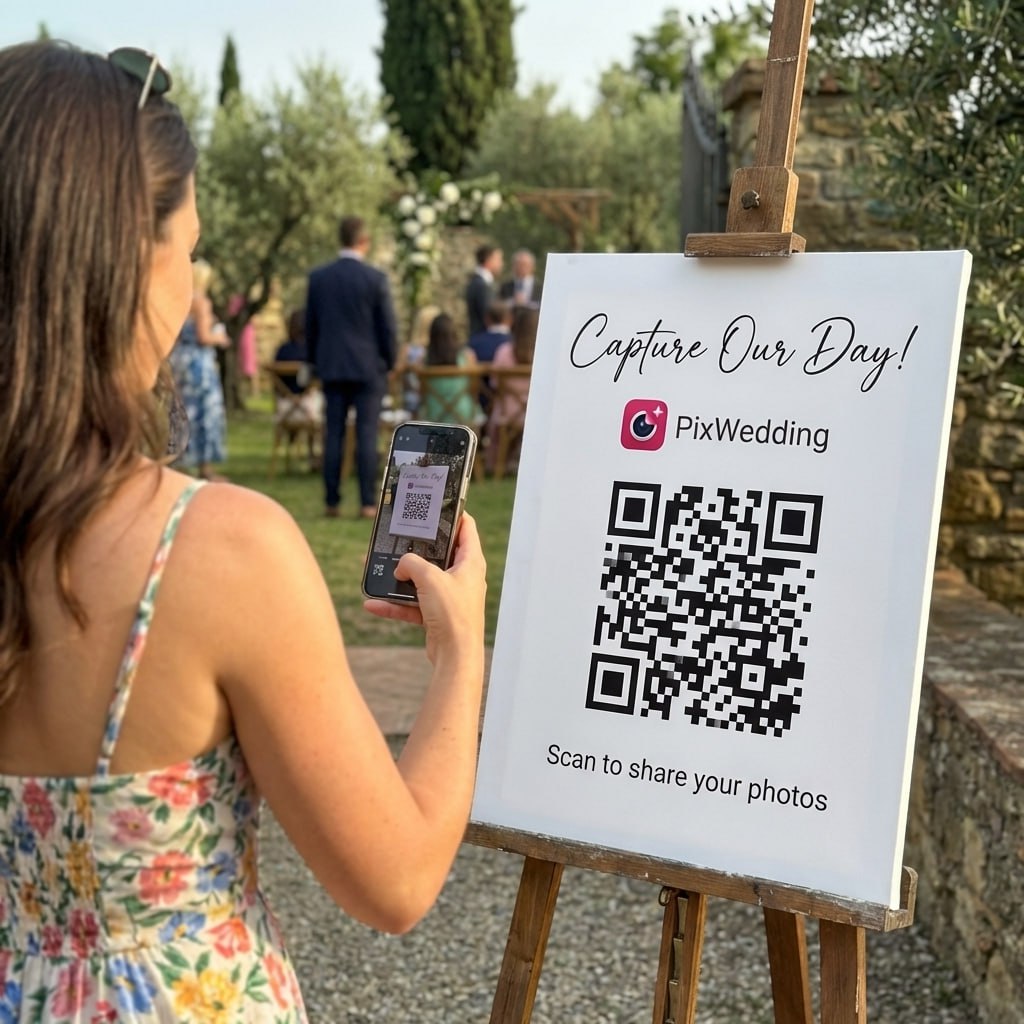
An attendee scans the QR sign, uploads from the phone browser with no app or account, and the photo lands in the shared event album a few seconds later.
Northside Fun RunScan to share your photos
9:41
EVENT ALBUM
Northside Fun Run
AllStart lineMine
Add photos to the eventNo app needed
02Event photo sharing apps compared
7 photo sharing apps for events: price, guests, screen, moderation
Every row was checked November 10, 2026 on the vendor's own page. Rose cells flag a limit or a figure the vendor does not print.
Our pickPix Wedding
Flat price at any guest count, a free start, a live slideshow on Big Event and approval before display on Event Series. Every other row comes from the vendor's own page.
App
Price
Free start
Guest limit
Live screen
Moderation
Guests need
Pix WeddingOur pick
$44, $54 or $84, one payment per event
20 guest uploads, no card
Unlimited guests on every paid plan
Live slideshow on Big Event ($54) and Event Series ($84)
Approve guest photos before they show, on Event Series ($84)
A camera scan, no app or account
Guestpix
One-time packages; prices not printed in the page text, shown at checkout
Unlimited guests, 50 photos, 30-day upload window
Unlimited, fair use up to 1,000 guests
Slideshow on every party package (photos on Small, photos and video on Medium and Large)
Content moderation on every paid package
No app, no sign-up
GuestCam
$49 Standard or $97 Premium, one-time per event
No free plan listed
Unlimited guests
Live slideshow on both plans
Not addressed on its pricing page
No app or account
GuestSnap
$45 per event, one plan
No free plan; money-back guarantee instead
Unlimited guests (fair use)
Live slideshow included
Not stated; the host controls what guests can view
No app
Kululu
Free, Plus and Pro; no prices printed on its pricing page
Free plan sized for about 10 to 20 guests
Plus sized for up to 100 guests, Pro for 150 or more
Live Photo Wall on every plan
Pro, recommended for public events
A link or QR scan, no app
POV
Priced by guest tier and event type; no dollar amounts printed
Up to 10 guests
Tiers from 10 to 251+ guests
Live slideshow in the Business Essentials add-on
Host can review and delete photos
App Clip on iPhone, web on Android, no download
Once
$1.99 (10 people) to $99.99 (unlimited) per film, one-time
A free film for up to 5 people
Free up to 5, tiers of 10 to 200, or unlimited at $99.99
Not mentioned on its pricing or App Store page
A moderation dashboard for brand events, set up with its team
QR or link, then an App Clip or mobile web
Swipe to compare
Our pickPix Wedding
Price
$44, $54 or $84, one payment per event
Free start
20 guest uploads, no card
Guest limit
Unlimited guests on every paid plan
Live screen
Live slideshow on Big Event ($54) and Event Series ($84)
Moderation
Approve guest photos before they show, on Event Series ($84)
Guests need
A camera scan, no app or account
Guestpix
Price
One-time packages; prices not printed in the page text, shown at checkout
Free start
Unlimited guests, 50 photos, 30-day upload window
Guest limit
Unlimited, fair use up to 1,000 guests
Live screen
Slideshow on every party package (photos on Small, photos and video on Medium and Large)
Moderation
Content moderation on every paid package
Guests need
No app, no sign-up
GuestCam
Price
$49 Standard or $97 Premium, one-time per event
Free start
No free plan listed
Guest limit
Unlimited guests
Live screen
Live slideshow on both plans
Moderation
Not addressed on its pricing page
Guests need
No app or account
GuestSnap
Price
$45 per event, one plan
Free start
No free plan; money-back guarantee instead
Guest limit
Unlimited guests (fair use)
Live screen
Live slideshow included
Moderation
Not stated; the host controls what guests can view
Guests need
No app
Kululu
Price
Free, Plus and Pro; no prices printed on its pricing page
Free start
Free plan sized for about 10 to 20 guests
Guest limit
Plus sized for up to 100 guests, Pro for 150 or more
Live screen
Live Photo Wall on every plan
Moderation
Pro, recommended for public events
Guests need
A link or QR scan, no app
POV
Price
Priced by guest tier and event type; no dollar amounts printed
Free start
Up to 10 guests
Guest limit
Tiers from 10 to 251+ guests
Live screen
Live slideshow in the Business Essentials add-on
Moderation
Host can review and delete photos
Guests need
App Clip on iPhone, web on Android, no download
Once
Price
$1.99 (10 people) to $99.99 (unlimited) per film, one-time
Free start
A free film for up to 5 people
Guest limit
Free up to 5, tiers of 10 to 200, or unlimited at $99.99
Live screen
Not mentioned on its pricing or App Store page
Moderation
A moderation dashboard for brand events, set up with its team
The pattern: three apps (Pix Wedding, GuestCam, GuestSnap) print one flat price per event, three (Guestpix, Kululu, POV) show the price only at checkout, and Once charges per participant. Running a work event? The business event photo sharing platform guide goes deeper on corporate needs.
03Pick by your event
Which app fits your event? Pick the type, size and needs
The event type sets typical needs; change any of them. The result shows the Pix Wedding plan that covers it and how every other app handles the same needs.
Every guest is already a camera. The app only decides how easy it is to share.
1. Your event
2. Guests
3. What you need
A conference screen sits in a public room, so photo approval and a clean, unbranded album matter more than price.
Pix Wedding plan that fits
Event Series, $84 one payment
Unlimited guests, so any guest count costs the same. Guests scan a QR code and upload photos and videos in the phone browser, no app or account.
Eight things to check before you pick an event photo app
An event is not a dinner with friends. More guests, a public screen and somebody's brand on the album change what matters.
Guest count
Flat-price apps (Pix Wedding, GuestCam, GuestSnap) cost the same at 50 or 500 guests. Once charges per participant and climbs with every tier. POV is tiered by guest count, with prices shown at checkout.
No-app access
A camera scan that opens an upload page in the browser keeps the quiet half of the room in. Every app here skips the full App Store download.
Moderation
For a screen in a public room, approval before display beats deleting after. Pix Event Series and Guestpix list it; Kululu points to Pro.
Live screen
A slideshow on a projector is the strongest prompt to keep shooting. GuestCam, GuestSnap, Kululu and the Guestpix party packages include one; Pix starts it at $54.
Branding
Sponsors and companies want their name on the album, not the vendor. Pix Event Series removes Pix branding and adds a custom domain.
Download and export
Check the ZIP and the storage clock. Pix keeps albums 6 months on One Event, 1 year on Big Event and 2 years on Event Series.
Privacy
A QR album is private by link. For extra control, Pix Event Series adds a PIN lock, and Pix Wedding, Guestpix and POV let the host remove photos. Check the other apps before you rely on it.
Price per event
Most event apps charge once per event, not monthly. Guestpix also sells Multi-Silver and Multi-Gold subscriptions for organizers with many events.
Can I create collaborative albums for events?
Yes. Pix Wedding, Guestpix, Kululu and POV give every guest one album to add to; check the other apps before you rely on it. Sub-albums split it by stage, day or team, up to 6 on Pix Big Event and 20 on Event Series.
Guest uploads or a photographer?
Both. The photographer covers the stage, guests cover the tables and the hallway. Pix Big Event adds a private photographer link so the pro photos land in the same album.
05Top event photo apps
Each event photo app, who it suits and the catch
Four checks per app: can guests skip the app, is there a free start, can photos play on a screen, and can the host approve photos before they show.
01
Pix Wedding
Our pick
No app for guestsFree startLive screenApproval before display
150 guests$44 (slideshow $54)
Guests scan a QR code and upload in the phone browser. Every paid plan takes unlimited guests, photos and videos at original quality, with a ZIP download. Big Event adds the live slideshow, a photographer link and 6 sub-albums. Event Series adds AI selfie search, a custom domain, a PIN lock and 20 sub-albums.
Best for: Organizers who want one flat price at any guest count, a free test run and the option to approve photos before they reach the screen.
The catch: The free tier stops at 20 guest uploads, the live slideshow starts on Big Event ($54), and approval and white label pages need Event Series ($84).
02
Guestpix
No app for guestsFree startLive screenApproval before display
150 guestsPrice at checkout
Guestpix splits pricing into party and business pages. Party packages (Small, Medium, Large) are one-time, with unlimited photos and moderation on all of them. Business packages (Bronze, Silver, Platinum) are one-time too, and Multi-Silver and Multi-Gold are monthly subscriptions with a 3-month minimum for 6 or 12 galleries.
Best for: Organizers who want moderation on every paid package and the most generous free trial: unlimited guests, 50 photos, 30 days.
The catch: Package prices are not printed in its page text, and white labelling sits on the business Silver and Platinum packages.
03
GuestCam
No app for guestsFree startLive screenApproval before display
150 guests$49
GuestCam takes unlimited guests on both plans, with no app or account. Uploads stay open 6 months on Standard and 12 on Premium, and storage runs 12 and 14 months. A custom logo and colors are arranged through contact, and an audio guestbook phone number costs $30.
Best for: Events that want a live slideshow and long upload windows for one clear price: $49 Standard or $97 Premium.
The catch: No free plan is listed, its pricing page does not address moderation, and face search (MagicFind) is a $45 add-on.
04
GuestSnap
No app for guestsFree startLive screenApproval before display
150 guests$45
GuestSnap sells one Unlimited plan at $45 per event, not per month. It includes a playable live slideshow, original quality, Canva templates for the QR sign, 18 months of storage and 12 months of guest uploads after the event, and the host can download the full album.
Best for: The lowest flat price with a live slideshow: $45 per event, unlimited guests, photos and videos.
The catch: There is no free plan (it offers a money-back guarantee instead), and its site does not state photo approval.
05
Kululu
No app for guestsFree startLive screenApproval before display
150 guestsPro plan, price at checkout
Kululu sizes its Free plan for about 10 to 20 guests, Plus for events up to 100 guests and about 500 photos, and Pro for 150 guests or more. Guests use a link or QR code with no app, video is supported, and the wall is a web page you open on any screen.
Best for: Screen-first events: the Live Photo Wall comes with every plan, free included.
The catch: Its pricing page names Free, Plus and Pro but printed no prices when checked, and moderation for public events points to Pro.
06
POV
No app for guestsFree startLive screenApproval before display
150 guests175-guest tier, price at checkout
POV offers guest tiers of 10, 25, 50, 100, 175, 250 and 251+, priced separately for personal and business events. iPhone guests join through an App Clip and Android guests on the web, so nobody downloads the full app. The host can review and delete photos.
Best for: Hosts who like a disposable-camera feel and want to start free for up to 10 guests.
The catch: Prices are set by guest tier and event type with no dollar amounts printed, and the live slideshow and custom branding sit in the Business Essentials add-on.
07
Once
No app for guestsFree startLive screenApproval before display
150 guests$49.99
Once, by 10xCompany LLC, has a free iPhone film for up to 5 people. Paid films: $1.99 for 10, $4.99 for 25, $14.99 for 50, $29.99 for 100, $49.99 for 150, $69.99 for 200 and $99.99 for unlimited, plus $9.99 for unlimited shots. Guests join by QR code via App Clip or web. App Store rating: 4.8 from about 720.
Best for: Small groups that want a shared disposable camera: a shot limit per person and an instant or delayed reveal.
The catch: Price is per film and climbs with every participant tier up to $99.99 for unlimited, its pricing page mentions no live screen, and branding or a moderation dashboard is set up with its team for brand events.
Watch a QR event album from start to finish
A 3 minute 50 second walkthrough of one QR event album app, Evermoment: the host creates the event, designs and shares the QR card, guests add photos in the browser, and the photos land in a shared gallery, a live slideshow and a ZIP export.
As you watch, hold each app against the four checks above: no app for guests, a free start, a live screen and approval before display. The table on this page has the prices, checked November 10, 2026.
Video by Pondstack Software, uploaded September 27, 2026.
Medal photo, 10 a.m.
Scan to add
Every attendee's photos in one album, before the venue closes
One QR sign at the door. Guests upload photos and videos from the phone browser with no app or account. The first 20 uploads are free, then one payment from $44 for unlimited guests.
The guest flow does not change between a gala and a reunion: scan, upload, done. Pick the plan by guest count, the screen and who needs to approve photos.
What an event photo app costs for 50, 150, 300 and 500 guests
The cheapest listed option for each guest count, photos only, one payment per event in US dollars.
50guests
Pix Wedding$44
GuestSnap$45
GuestCam$49
Once$14.99
150guests
Pix Wedding$44
GuestSnap$45
GuestCam$49
Once$49.99
300guests
Pix Wedding$44
GuestSnap$45
GuestCam$49
Once at this size: $99.99 for its unlimited film.
500guests
Pix Wedding$44
GuestSnap$45
GuestCam$49
Once at this size: $99.99 for its unlimited film.
Price once you add the features events ask for
What you need
Pix Wedding
GuestSnap
GuestCam
Photos and videos only
$44
$45
$49
Plus a live slideshow
$54
$45
$49
Plus face search
$84
Not listed
$94 ($49 + $45 MagicFind)
Plus approval before display
$84
Not stated
Not addressed
Photos and videos only
Pix Wedding$44
GuestSnap$45
GuestCam$49
Plus a live slideshow
Pix Wedding$54
GuestSnap$45
GuestCam$49
Plus face search
Pix Wedding$84
GuestSnapNot listed
GuestCam$94 ($49 + $45 MagicFind)
Plus approval before display
Pix Wedding$84
GuestSnapNot stated
GuestCamNot addressed
What does a free start get you at an event?
Enough for a small event. Pix Wedding takes 20 guest uploads free, Guestpix gives 50 photos for 30 days, Kululu has a free plan for about 10 to 20 guests, POV is free up to 10 and Once has a free film for up to 5. For a large event, no free plan goes far.
Where prices are hidden
Guestpix, Kululu and POV printed no prices on their pricing pages when checked, so the figure shows at checkout. Once prints every tier on its pricing page, from a free 5-person film to $99.99 for unlimited participants.
08How it works
How to run an event photo album, from the first sign to the ZIP
A week before
Create the album and test it
Name it after the event, set the colors and run a test upload on an iPhone and an Android phone over the venue Wi-Fi.
Signage
Put the QR code where hands are free
Registration desk, bar, tables and the screen itself. Add the link to the agenda, the event app or the confirmation email.
During
Guests upload in the browser
Photos and videos go straight to one album at original quality. No download, no account, no password.
On stage
Run the live slideshow
Open the slideshow link on the venue screen. Turn on approval first if the room is public.
After
Collect late uploads, then export
Send one reminder the next day, keep uploads open, then download the ZIP before storage ends.
The late shots only come in if the QR code is already in every pocket.
Test the upload on the venue network before doors open and print the Wi-Fi password next to the QR code. A long upload window is the safety net: guests whose upload stalls can send it from home. Pix takes photos up to 30 MB and videos up to 100 MB each.
Multi-day events
Keep one QR code for the whole event and split the album with sub-albums per day or stage. Upload windows run from 3 months on Pix One Event to a year on Event Series, so a festival weekend fits easily.
Five words that come up
Event photo sharing appA shared, collaborative photo album for one event. Guests add photos and videos from their own phones, usually by scanning a QR code.
Live slideshowA page on a projector or TV that shows new uploads as they arrive. Kululu calls it a Live Photo Wall.
ModerationApproving or removing guest photos. Approval before display stops a bad photo from ever reaching the screen.
White labelAn album with no app vendor branding on guest pages, often with a custom domain.
Upload windowHow long guests can keep adding photos after the event. From 30 days on the Guestpix free plan to a year on top plans.
09Privacy and moderation
Keep the screen safe at a public event
At a party, a bad photo is a joke. On a conference screen in front of sponsors, it is a problem. Approval before display is the setting that prevents it.
Northside Fun Run
Waiting for approval
Approve Remove
Only approved photos reach the screen
Example album. Approved photos go to the live screen.
Approve before display
Pix Event Series holds each guest photo until the host approves it. Guestpix lists moderation on every paid package and Kululu points to Pro.
Remove after upload
Pix Wedding, Guestpix and POV let the host delete a photo; check the other apps before you rely on it. Without approval, it can show on the screen first, so assign one person to watch the album.
Who can see the album
A QR album is private by link and not listed publicly. Keep the code in the room, not on public posts. Pix Event Series adds a PIN lock.
Tell attendees, then help them find themselves
At a public or work event, say on the sign that photos are collected and where they go. Face search (Pix AI selfie search, GuestCam MagicFind) then lets each person find their own shots.
Pix Wedding reviews
Rated 4.9 by the people who used Pix Wedding
4.9
out of 5 · Based on 395 reviews
The album is gorgeous and we use it all the time. The only thing keeping this from 5 stars is i had a question about downloading and it took 2 days to hear back from support. Once they replied it was helpful, just wish it was faster during wedding week. Product itself is excellent
Trent K. · Rochester, NYVerified couple · September 2025
Works well, would use again. Wish there was a dark mode for the album page tho, my wife and i both use dark mode on everything and the bright white caught us off guard. Album content itself is perfect
Tristan L. · Eugene, ORVerified couple · August 2025
Lowkey the countdown feature before the wedding got our guests so hyped. People kept checking the album page and when the wedding day came they were ready to upload everything
Skylar P. · Charleston, SCVerified couple · May 2026
An event photo sharing app vs a shared cloud album
A shared cloud album asks every contributor to sign in, which works for a few friends and stalls at a conference or a reunion. An event photo sharing app gives the whole room one QR code and an upload page in the browser.
It also adds what events need and cloud albums lack: a live slideshow, approval before display, branding and a set upload window.
Per-person pricing vs one flat price
Per-person apps such as Once are cheapest for a small group, from $4.99 for 25 people. Flat-price apps cost the same at any size: Pix Wedding $44, GuestSnap $45, GuestCam $49. Once passes the flat prices somewhere between 100 and 150 people ($29.99 at 100, $49.99 at 150).
50 people: Once from $14.99, Pix Wedding $44, GuestSnap $45, GuestCam $49
Pix Wedding started with weddings, and the event flow is the same: one QR code, a browser upload page and one shared album. The album name, colors and, on Event Series, the domain are the organizer's own, so guests see the event, not a wedding page.
Event Photo App FAQ
Event Photo Sharing App FAQ
Straight answers to the questions people ask most about this topic.
Yes, several have a free start. Pix Wedding takes 20 guest uploads free with no card. Guestpix gives unlimited guests and 50 photos for 30 days, Kululu has a free plan sized for about 10 to 20 guests, POV is free up to 10 guests and Once has a free film for up to 5 people. GuestCam and GuestSnap list no free plan. Checked November 2026.
No. On Pix Wedding, Guestpix, GuestCam, GuestSnap and Kululu, guests scan a QR code or open a link and upload in the phone browser with no account. POV and Once use an App Clip on iPhone, which opens without a full download. The download step is the one that loses guests, so skip any app that needs it.
For one event with unlimited guests: Pix Wedding $44 ($54 with a live slideshow, $84 with photo approval and no branding), GuestSnap $45 and GuestCam $49 or $97. Once charges per participant, from $14.99 for 50 people to $49.99 for 150 and $99.99 for unlimited. Guestpix, Kululu and POV show their prices at checkout. All are one payment per event.
Yes, on some apps. Pix Wedding Event Series ($84) holds guest photos until the host approves them, and Guestpix includes content moderation on every paid package. Kululu recommends its Pro plan for public events, and POV lets the host review and delete photos. GuestCam and GuestSnap do not state it on their sites.
Pix Wedding is the best photo sharing app for events for most organizers. Guests scan one QR code and upload in the phone browser with no app or account, and every paid plan takes unlimited guests for one payment: $44, $54 with a live slideshow, $84 with photo approval and no branding. GuestSnap ($45 with a slideshow) is the cheapest flat price with a screen, and under 25 people the Pix free tier or a $4.99 Once film costs less. The same pick works as an event picture sharing app for a race, a gala or a reunion.
They stay in the album until storage ends, and the host downloads everything as a ZIP. Pix Wedding keeps albums 6 months on One Event, 1 year on Big Event and 2 years on Event Series. GuestSnap stores 18 months, GuestCam 12 or 14 months, and Guestpix 12 months on its Small party package. Download before the clock runs out.