
One Party
$49one-time
For a single celebration
Unlimited photos, videos & guests









Original quality (no compression)
Film roll mode with shot limit & revealNEW
QR code template designs




3 months upload from party date
6 months storage + ZIP download
 wedding
One album, one link or QR code, and nobody installs anything. Below: the method that fits a trip, a party, a club or a family, six options compared by their official limits, who needs an account, and the messages to send.
Limits from Apple, Google, WhatsApp and Dropbox help pages. Checked 3 October 2026.

 +46New
 New
New


Make one shared album that opens from a link or a QR code, where people can view and add photos in the phone browser with no app and no account. Send the link where the group already talks, set a closing date and send one reminder. If everyone is on the same platform and the group is small, an iCloud or Google Photos shared album works too.
100
people per iCloud Shared Album made in iOS 27, owner included
6
people at most in an iCloud Shared Photo Library
25 MB
Gmail attachment cap before files turn into a Drive link
2 GB
per file on WhatsApp, when sent as a document
Sources: Apple Shared Albums limits, Apple iCloud Shared Photo Library (you plus five others), Gmail attachment limits and the WhatsApp blog (May 2022). Checked 3 October 2026.
People say “without an app” and mean one of two things. Either nobody installs or opens anything beyond the browser, or nobody installs anything new and the photos go through an app the group already has. The second is easier to set up, the first reaches more people.
Account and app checks, by role
3 of the 6 methods let people add photos without an account. iCloud web contribution applies to shared albums made in iOS 27 (Apple). Google Photos link viewing without an account is from the Google blog, adding photos from Google Photos Help. Dropbox from its file request page. Checked 3 October 2026.
The right method depends less on the app and more on who is in the group: whether they know each other, what phones they carry and whether they meet in person. Pick the closest match.
One link album, opened from the trip group chat
Friends on a trip already share a chat, so the link goes where they look. A link album keeps the photos out of the chat thread, so nobody scrolls back three days to find the sunset ones, and mixed iPhone and Android groups work the same way.
Photo sharing for group tripsAll iPhones and nobody minds using iCloud storage: an iCloud Shared Album, which in iOS 27 keeps photos at full resolution.
Set the closing date before you fly home. Two days after the trip, half the group has moved on.
Group sizes are typical ranges, not rules. Pick by who is in the group.
Size is the quickest test. Every extra person raises the odds that someone has a different phone, no account or no space left, and each of those breaks a different method.
Send them straight to each other
A message thread or AirDrop between nearby Apple devices is enough. There is nothing to organise, and everyone in the thread already has the photos.
One shared album on the platform the group already uses
All on iPhone: an iCloud Shared Album. All with Google Accounts: a Google Photos shared album. One person on a different phone tips you into the next row.
A link album that needs no account
At this size someone always has the wrong phone, a full storage plan or no account. A link that opens in any browser stops you from chasing the last five people.
A QR code album with the code printed where people wait
You cannot message every guest at a party or a conference, and many of them do not know each other. A printed QR code reaches the people you never had a number for.
Design for the least confident phone user in the group. If they can join in one tap, so can everyone else.
AirDrop only works between nearby Apple devices with Wi-Fi and Bluetooth on (Apple), which is why it tops out at a handful of people in the same room.
Limits come from each company’s own help pages, read on 3 October 2026. Rose chips mark the cell that usually decides against a method for a mixed group.
One album for the whole group. People open it from a link or QR code in the phone browser with no app and no account, and the host decides whether they can view and download.
| Method | Cost | Limits | Who can add photos | Account to add | Privacy control |
|---|---|---|---|---|---|
QR or link album (Pix Wedding)No-account pick | 20 uploads free, then $49 to $89 one-time | Paid plans: unlimited photos and videos, 30MB per photo and 100MB per video, original quality | Anyone with the link or QR code | None, and no app | The host turns guest viewing and downloads on or off in Settings |
| iCloud Shared Album (iOS 27) | Counts towards the owner’s iCloud storage | Full resolution, original format. No item limit beyond the owner’s storage. Up to 100 participants | Participants, and people who join on the web | None on the web for albums made in iOS 27 | Invite or approve only, or anyone with the link. Public Website is a separate switch |
| iCloud Shared Photo Library | Part of iCloud Photos | Up to 6 people including the organiser. One shared library per person | All participants | Apple Account, iOS 16.1 or later, iCloud Photos on | Only the participants see it |
| Google Photos shared album | Free | Anyone with the link can view. Link sharing can be turned off and reset | Collaborators, when Collaborate is on | Google Account sign-in to add | Collaborate and Comments switches. Turning link sharing off kills the old link |
| WhatsApp or iMessage group | Free | Chat media is usually compressed. Up to 2 GB per file sent as a document | Members of the chat | The app, and a place in the chat | Everyone in the chat gets every photo on their phone |
| Dropbox file request | Free on Dropbox Basic | Uploads up to 2 GB per file on Basic, Plus and Family. 250 GB on Professional and up | Anyone with the request link | None to upload | Files land in your private folder. The group cannot browse them |
Swipe to compare all 6
Limits from Apple, Apple Shared Photo Library, Google Photos, Google Photos controls, WhatsApp and Dropbox. Checked 3 October 2026.
iCloud changed in iOS 27
Shared albums made in iOS 26 or earlier reduce photos to 2048 pixels on the long edge and deliver video at up to 720p, with 5,000 items per album. Albums made in iOS 27 keep the original format at full resolution and count towards the owner’s iCloud storage instead (Apple).
Apple also says friends and family can now join and contribute on the web, even without an Apple Account (Apple). For an all-iPhone group with spare storage, that closes much of the gap.
Two details that are easy to miss
Google Photos lets people without an account view a link, but adding photos happens in Google Photos, signed in (Google).
A Dropbox file request collects files but does not show them back to the group. Good for a project, thin for a party.
Watch: upgrading an iCloud shared album in iOS 27
A short walkthrough of the iOS 27 shared album upgrade, the change that brought full resolution to iCloud Shared Albums. Useful if your group is all on iPhone and you want to try the Apple route first.
Watch on YouTubeThe group chat is where photos start, and for a day that feels fine. By the next evening they are scattered between plans, jokes and voice notes, compressed on the way and copied onto every phone in the group.
 +21+38NewNew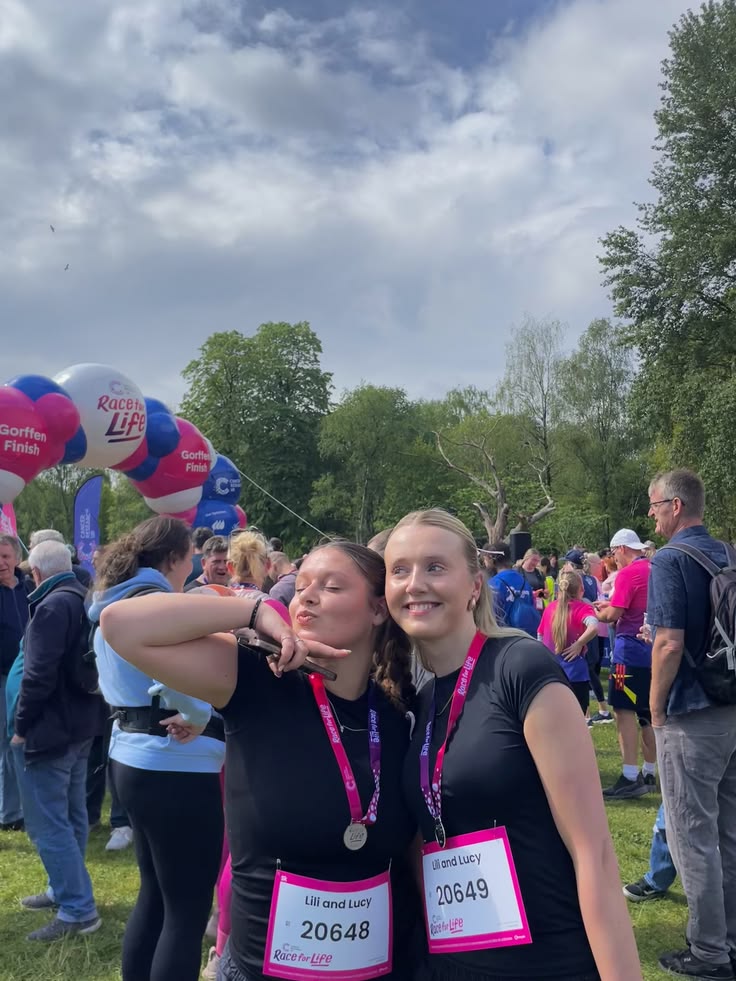
WhatsApp’s Help Center notes that media is usually compressed when shared (WhatsApp). Files sent as documents go up to 2 GB (WhatsApp blog), one at a time. Our guide to sharing photos without losing quality covers the rest.
3 groups that switched from the chat
An iCloud album would have left out the Android half. A QR card on each table and one text the next morning sent everyone to the same album page, and nobody installed anything.
The family chat had 40 photos by midnight and nobody could find the group shot a week later. One album link, sent by text so the grandparents saw it, kept everything in one place.
Nobody had signal on the trail, so photos stayed on the phones. On the drive home one person made a link album and the group uploaded on the hotel Wi-Fi in ten minutes.
These three are illustrative examples, not customer stories.
A group album on Pix Wedding works both ways. People open the link or scan the code in the phone browser, look through what the group shared and add their own photos and videos, with no app and no account. At the median wedding on Pix, guests add 149 photos.
Scan to join the album
No app, no account
UPLOADING
THE ALBUM
Example album
186 photos · 9 guests
No login does not mean no privacy. Privacy comes from where the link goes and from a few settings you choose before the first upload.
Sources: Apple Shared Albums (approval, Public Website, deleting your own), Google Photos shared album controls (link reset) and Google Photos stop sharing, which also notes that downloads already made are not deleted. More in our guide on whether photo sharing apps are private. Checked 3 October 2026.
The same eight steps work for a trip, a party or a club season. Most of them take a minute, and steps 4 and 7 save the most trouble.
Use the group’s own name, like “Porto weekend” or “Grandma’s 80th”. People tap links they recognise and skip the rest.
Before anyone uploads, decide whether the group sees each other’s photos and can save them. Changing it later surprises people.
An empty album looks broken. A few photos show people what goes there and that it works.
Open it on an iPhone and an Android phone, signed out, on mobile data. If you need an account to get in, so will everyone else.
Scan it from two meters away in the room’s real light. Put it where people wait: bar, tables, registration desk.
The group chat for friends, a text for older relatives, an email for colleagues. One line: what it is and that no app is needed.
Give a date, two to three weeks out. A deadline gets more uploads than “whenever you get a chance”.
Two days before closing, send one reminder. After it closes, download everything to a drive you own.
Printing the code? Our free QR sticker designer makes table cards and stickers, and the guide to collecting photos from a group goes deeper on getting uploads in.
Most groups get the link once and forget it. Four touchpoints, spread over three weeks, bring in the photos that would have stayed on people’s phones.
Name it, set viewing and downloads, add a few photos, test the link signed out on two phones. Put the link in the invite or the trip chat.
Pin the message in the chat, print the QR code where people wait and say it once out loud. Most uploads happen while people are still together.
This is when people scroll their camera rolls. Send the link again with one line of thanks and a closing date.
One reminder two days before the closing date. Then download everything and keep a copy outside the service.
Each one says three things: where the photos go, that no app is needed and when the album closes. Swap the brackets for your own details.
Printed card or invitation insert
Share your photos with us Scan the code with your phone camera. It opens our album in your browser, no app and no sign-up. Add as many as you like. The album stays open until [date].
Group chat, the day before
Tomorrow’s photos go here, not in the chat: [link] It opens in your browser, no app or account. Add yours during or after, and you’ll see everyone else’s too.
Email or text, the day after
Subject: All the photos from [event] Thank you for coming! Everyone’s photos are in one album: [link] Add yours by [date]. No app, no account, it works on any phone.
Said out loud, at the event
Quick one before the next round: there’s a QR code on every table. Scan it, add your photos, and you’ll get everyone else’s. No app to download, promise.
Six situations that catch organisers out, and the small change that handles each one.
Group project with a shared Drive folder? Google says people with edit access, signed in, can open, edit, delete or move any file in the folder (Google Drive). Keep one copy elsewhere.
Each of these is common, and each one costs you the photos of the people who were least likely to send them anyway.
Build the plan around the least confident phone user in the group. If they can do it in one tap, everyone can.
Chat photos get compressed, buried and spread across 30 phones. Use the chat to send the link, not the photos.
An iCloud Shared Photo Library or a Google Photos album that needs sign-in quietly excludes whoever is on the other platform.
Nobody scans on the way in. Put the code where people stand and wait, and more than once.
Short custom links like a name and year are easy to guess. Keep the album link-only and turn on approval for private groups.
Many people upload days later, once they sit down with their camera roll. Keep it open two to three weeks.
Mention the album before, during and after. Each message catches people the last one missed.
A free album can disappear when someone cleans up their account. Download everything and keep it on a drive you own.
Whatever you pick, run it through these eight checks first. Each one maps to a problem from the sections above.
The 8-point check
Glossary
Free to try with 20 uploads, no card. Every paid plan is a one-time payment with unlimited photos, videos and guests. What changes between them is how long the album takes uploads, how long it is stored and the extras.
For a single celebration
For a crowd, a screen and a dance floor
One-time payment, no subscription
For big guest lists and repeat events
One payment. Yours to keep. No subscription. No renewals. No surprise charges.
Secure checkout. Polar, Apple Pay, Google Pay.
Money-back guarantee: if your guests never upload a single photo, you get 100% back. See how it works
Watch a guest scan the QR code and add photos from the phone browser in seconds, no app and no account. The same link is the one you drop in the group chat after the trip.
GROUP ALBUM
Example album
Porto weekend
186 photos, one link
People open one link or scan one QR code and add their photos from the phone browser, with no app and no account. You decide whether they can view and download. 20 uploads free, no card.

From the last night
Scan to join the album
No app, no account
UPLOADING
THE ALBUM
Example album
186 photos · 9 guests
SCAN TO TRY
pix.wedding/
your-wedding
Quick answers on no-app options, group size, privacy, older relatives, videos, cost and group projects.
For most groups it is one shared album that opens from a link or a QR code, with no app and no account needed to add photos. Everyone uploads to the same place, nobody digs through a chat, and people on iPhone and Android get the same experience. Small groups that all use the same platform can use an iCloud or Google Photos shared album instead.
Send one link to an album page that opens in the phone browser. People tap it, see the photos and add their own, with nothing to install. If the group meets in person, print the same link as a QR code.
A QR code album with no account needed to upload. With 50 or more people you cannot add everyone to a chat or an iCloud invite, and many of them do not know each other. A code printed where people wait reaches everyone, and the link goes out again the next day for late uploads.
Yes. Two to five people can just send photos to each other. Six to fifteen can share an album on the platform they all use. Past that, someone always has the wrong phone or no account, so a link album that needs no sign-in is the safer choice.
Yes. Pix Wedding albums, iCloud Shared Albums made in iOS 27 and Dropbox file requests all accept uploads from a link without an account. A Google Photos link lets people view without an account, but adding photos means signing in to Google Photos.
For people who already use it, no. For the guest who does not, yes, and they also need to be added to the chat. WhatsApp also usually compresses photos sent as chat media, so for keepsake photos it works better as the place to send the album link than as the album.
For a group, yes. Gmail caps attachments at 25 MB on personal accounts and turns anything bigger into a Google Drive link, so a handful of phone photos already hits the limit. Replies also scatter the photos across dozens of threads.
Drive is built for files, not albums. To let people add photos to a shared folder you give them edit access, and Google says people signed in with that access can open, edit, delete or move any file in the folder. That is fine for a work project, risky for a party album.
Send the link by text message, not only in a group chat they may have muted, and use a method that opens in the browser without a password. A printed QR code on the table helps too, because pointing the camera is familiar to most people now.
Privacy comes from the link and the settings, not from an account. Use a link-only album that is not listed publicly, turn on approval if the group is private, and decide whether people can download. On Pix Wedding the host turns guest viewing and downloads on or off in Settings.
Check four things: people can add photos with no account, it keeps original quality, you control viewing and downloads, and you can download everything at the end. Then pick by group size and budget. The checklist in section 13 has the full list.
Most do. iCloud Shared Albums made in iOS 27 keep photos and videos at full resolution, and Pix Wedding paid plans take unlimited photos and videos, with photos up to 30MB and videos up to 100MB each. Check the per-file limit before a group with long videos starts uploading.
Use a QR code album: one code on each table, a line in the invitation and one text the morning after. At 120 guests you will have iPhones, Android phones and older relatives, so the album should need no app and no account. At the median wedding on Pix Wedding, guests add 149 photos.
Yes. iCloud Shared Albums and Google Photos shared albums are free to use within your storage, and a Dropbox file request works on the free Basic plan. Pix Wedding is free for 20 uploads with no card, and paid plans are one-time payments from $49.
Print the Wi-Fi name and password next to the QR code, and keep the album open for two to three weeks. Photos stay on the phones, so people can upload once they are back on Wi-Fi after the morning-after message.
Use a folder one person owns, like a Dropbox file request, which takes uploads from anyone with the link whether or not they have Dropbox. The files land in the owner’s private folder, ready for whoever builds the slides. Keep a second copy, especially if several people have edit access.
Collecting the photos, keeping the quality, the Apple and Google routes, and guides for trips, reunions and teams.
Sources, checked 3 October 2026
“Porto weekend”, the names, times and counts in the phone mockups and the three group examples on this page are illustrative. Photos are from our own library. The median of 149 guest photos per wedding comes from our 203-wedding dataset.
Free tools for the QR code, the shot list and the album link you send the group.
Design custom print-ready stickers.
The best way to collect guest photos.
Create unique wedding hashtags.
5 methods ranked by participation rate and ease.
Compare every sharing platform by ease and participation.
The single method with the highest participation rate.
Step-by-step setup for every platform.
Better, cheaper options than disposable cameras.


