Your guests will take hundreds of photos you never see. Here is the before, during and after plan that gets them into one album, with the wording to copy.
Scan to share your photosNora & JamesNo app, no account
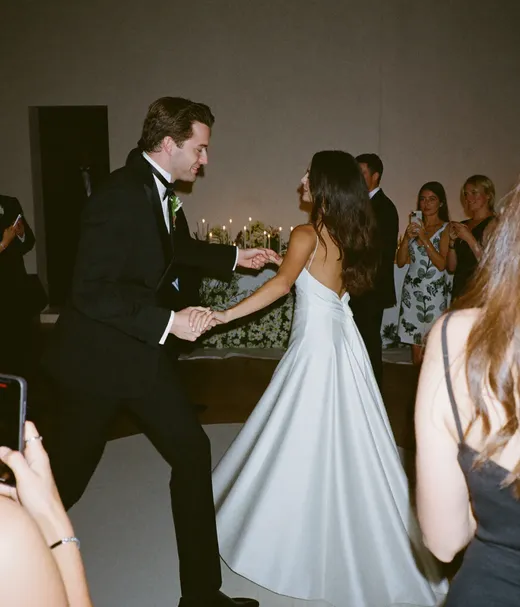
First dance, table 7
Example album. The QR is live, scan it to try.
01The short answer
Make one shared album two to four weeks before the wedding and print its QR code on every table. Have the MC mention it twice at the reception. Then text the same link with your thank-you within two or three days, because a lot of guests only go through their photos once they are home.
The four setup jobs are in the plan above. The one extra move is a line on the invitation insert, so guests already know the QR code when they see it at the venue.
Invitation insert wording, 5 ways
Pick one, add a small QR code, and guests recognize it at the venue.
Simple and direct
“Help us capture every moment. Scan the QR code at our reception to share your photos with us. No app needed.”
Playful
“Your camera roll is about to become part of our wedding album. Scan the code, share your favorites, and thank you in advance.”
Formal
“We warmly invite you to share the photographs you take during our celebration. A QR code will be waiting at your table.”
Short reminder
“Snap. Scan. Share. Look for the QR code at your table.”
Two languages
“Share your photos with us! / ¡Comparte tus fotos con nosotros! Scan the QR code at your table.”
Two mentions, both short. A third starts to feel like a sales pitch at your own wedding.
Mention 1At dinner, before the main course
“Quick favor before the main course. If you have taken any photos today, Nora & James would love to see them. There is a card with a QR code on every table. Scan it with your phone camera and upload straight to their private album. No app, no account.”
Mention 2Before the dancing picks up
“One last reminder and then I will stop. If you have not scanned the QR code on your table yet, do it now while the photos are fresh. Every one of them ends up in the couple's album.”
Two photo helpers
Ask two bridesmaids, groomsmen or cousins to scan first and show each table during the first hour.
Older relatives
Send a helper to their table, or offer to upload from their phone for them on the spot.
Brief the photographer
Tell them the plan, so they can mention the QR code during portraits and the cocktail hour.
On Pix Wedding Standard and Pro, your photographer gets their own upload link, so their shots land in the same album as the guest photos.
07Methods compared
The best way to collect wedding photos from guests, 7 methods side by side
Every option couples use, judged on what a guest has to do and what you end up with.
Best for guest uploadsQR code album (Pix Wedding)
Guests scan a table card and upload from the browser, no app and no account for anyone.
Method
How guests share
What a guest needs
Photo quality
What you end up with
Cost
QR code album (Pix Wedding)Best for guest uploads
Scan a QR code or tap a link, upload in the browser
Nothing, no app and no account
Original quality, no compression
One private album with every guest's name on their uploads
20 uploads free, then $39 to $79 one-time
Google Photos shared album
Share an album link or QR code
A Google account to add photos
Depends on each guest's backup setting
A shared album capped at 20,000 items
Free, uses your Google storage
iCloud Shared Album
Invite by phone, email or link
Web join without an Apple Account on version 27 and later; older software needs one
Full resolution on version 27 and later, reduced before
No item cap on version 27 and later; 5,000 items on albums made on older versions
Free, uses your iCloud storage
Group chat (WhatsApp, iMessage)
Send photos into a chat
The same chat app as everyone else
Often compressed unless sent as a document
Photos buried in a scrolling thread
Free
Google Drive or Dropbox folder
Upload files to a shared folder or file request
Dropbox file requests take uploads without an account; Drive folders need edit access for a Google Account
Original files
A folder of files, no gallery and no names unless guests add them
Free tiers, then your storage plan
Wedding hashtag
Guests post on Instagram with your tag
An Instagram account and a public post
Posted copies, not the original files
Only what guests choose to post; private accounts do not show publicly on the tag
Free
Disposable cameras
Guests shoot on film cameras left on the tables
No phone needed
Film scans, depends on the lab
Nothing to see until the rolls are developed
Cameras plus developing, get local quotes
Professional photographer
Guests do nothing, the photographer shoots
Nothing
Professional
The planned shots, delivered in a separate gallery weeks later
A separate booking
Swipe to compare methods
Best for guest uploadsQR code album (Pix Wedding)
How guests share
Scan a QR code or tap a link, upload in the browser
What a guest needs
Nothing, no app and no account
Photo quality
Original quality, no compression
What you end up with
One private album with every guest's name on their uploads
Cost
20 uploads free, then $39 to $79 one-time
Google Photos shared album
How guests share
Share an album link or QR code
What a guest needs
A Google account to add photos
Photo quality
Depends on each guest's backup setting
What you end up with
A shared album capped at 20,000 items
Cost
Free, uses your Google storage
iCloud Shared Album
How guests share
Invite by phone, email or link
What a guest needs
Web join without an Apple Account on version 27 and later; older software needs one
Photo quality
Full resolution on version 27 and later, reduced before
What you end up with
No item cap on version 27 and later; 5,000 items on albums made on older versions
Cost
Free, uses your iCloud storage
Group chat (WhatsApp, iMessage)
How guests share
Send photos into a chat
What a guest needs
The same chat app as everyone else
Photo quality
Often compressed unless sent as a document
What you end up with
Photos buried in a scrolling thread
Cost
Free
Google Drive or Dropbox folder
How guests share
Upload files to a shared folder or file request
What a guest needs
Dropbox file requests take uploads without an account; Drive folders need edit access for a Google Account
Photo quality
Original files
What you end up with
A folder of files, no gallery and no names unless guests add them
Cost
Free tiers, then your storage plan
Wedding hashtag
How guests share
Guests post on Instagram with your tag
What a guest needs
An Instagram account and a public post
Photo quality
Posted copies, not the original files
What you end up with
Only what guests choose to post; private accounts do not show publicly on the tag
Cost
Free
Disposable cameras
How guests share
Guests shoot on film cameras left on the tables
What a guest needs
No phone needed
Photo quality
Film scans, depends on the lab
What you end up with
Nothing to see until the rolls are developed
Cost
Cameras plus developing, get local quotes
Professional photographer
How guests share
Guests do nothing, the photographer shoots
What a guest needs
Nothing
Photo quality
Professional
What you end up with
The planned shots, delivered in a separate gallery weeks later
Cost
A separate booking
Checked 29 September 2026 against Google, Apple, Dropbox and Instagram help pages, linked below the table.
Each scan drops photos into the same gallery, from the ceremony to the last dance, with the guest's name on every upload.
Point your camera
Scan to join the album
No app, no account
9:41
UPLOADING
Saving your moment
9:41
THE ALBUM
Nora & James
Example album
647 photos · 95 guests
AllMomentsMine
★
Add photosShare your moments
08By wedding size
Adjust the plan for your guest count
The average US wedding had 117 guests in The Knot's 2026 study. Scale the placements up or down from there.
Under 50 guests
Small wedding
You know almost everyone. One or two QR signs plus a personal text two days later is enough.
50 to 150 guests
Medium wedding
The plan on this page as written: a card per table, two MC mentions and one follow-up message.
150+ guests
Large wedding
Add the cocktail hour, bar and program. A live slideshow of uploads nudges guests who have not scanned yet.
Any size
Destination or outdoor
Test the signal at the tables during your site visit and print the Wi-Fi password next to the code.
Illustrative example
A 120-guest wedding with 15 tables
The couple creates the album two weeks out and prints 15 table cards plus one line on the program. The MC mentions it at dinner and before the first dance. Two days later a thank-you text with the same link goes to every guest.
Table 6
Table 7
Table 8
09After the wedding
The thank-you text that brings in the rest of the photos
Guests go through their camera rolls in the days after. Catch them then, with the same link.
Text, family and close friends
With your first thank-you, within 2 or 3 days
“Hey [Name], we are so grateful you were part of our day. If you took any photos, we would love them. Here is the link to add them to our album: [link]. Thank you again! Nora & James”
Email, the wider guest list
Within the first week
“Thank you so much for celebrating with us. We are still reliving every moment. If you took any photos, our album is still open and takes a minute: [link]. No sign-up needed. With love, Nora & James”
Soft deadline reminder
Two or three weeks later, once
“We are putting our favorites together for prints at the end of the month. If you still have photos from the wedding on your phone, add them here before then: [link]”
9:41
Wedding
The week afterPhoto follow-up
Thank-you text with the album link sentEmail to the wider guest list sentDelete duplicates and blurry near-missesMove photographer shots into their own albumDownload the full album as a ZIPSoft deadline reminder, two weeks out
ZIP saved to the laptop
Pix Wedding keeps uploads open 3 to 12 months and stores the album 6 months to 2 years, by plan.
9:41
GDAThe whole family23 people
Sunday 11:05
G
Grandma LouHome safe. What a beautiful day
D
DevStill recovering from that dance floor
Monday 9:40We forgot to ask on the day. If you took photos, could you add them here?
Nora & James's wedding albumpix.wedding · Tap to add your photos
A
Aunt RosaDone, 31 photos from the dance floor
D
+5
Message
10Forgot to set anything up?
How do I get wedding photos from everybody after the fact?
It is not too late. Most guests still have the photos, they just need a link and a nudge.
Day 1 to 2
Set up the album now
Create the album and copy its link
Text immediate family and the wedding party first
Post the link in any family group chat
Check your own camera roll for shots guests took on your phone
Day 3 to 7
Ask people one by one
Message the 10 to 15 guests you remember holding a phone up
Name a moment you saw them shoot, it gets a faster reply
Look through tagged posts and your venue's location tag
Ask the photographer if they posted any previews
Week 2 to 4
One reminder, then let it go
Add the link to your thank-you cards
Follow up once with anyone who promised photos
Download what came in and back it up
Accept that a few photos will never arrive
11If uploads are low
Troubleshooting low guest uploads
The six problems couples run into most, and what to do while the party is still going.
Problem
Likely cause
Fix on the spot
The QR code will not scan
Printed too small, glossy glare, or no white border around the code
Print it at least 2 inches wide on matte paper and put the short link under it
Older relatives are not uploading
They have not scanned a QR code before
Send a photo helper to their table, or upload from their phone for them
Uploads stalled mid-reception
Everyone is dancing and forgot
Use the second MC mention now, short and casual
Few photos came in on the day
Guests were busy enjoying themselves
Normal. Send the thank-you text with the link within 2 or 3 days
A guest asks where the photos go
Privacy worry
Have one line ready: they go to our private album, only people with the link can see it
Uploads are slow
Weak venue signal
Ask guests to keep the page open for a minute, or upload later from home
Swipe for more fixes
The QR code will not scan
Likely cause
Printed too small, glossy glare, or no white border around the code
Fix on the spot
Print it at least 2 inches wide on matte paper and put the short link under it
Older relatives are not uploading
Likely cause
They have not scanned a QR code before
Fix on the spot
Send a photo helper to their table, or upload from their phone for them
Uploads stalled mid-reception
Likely cause
Everyone is dancing and forgot
Fix on the spot
Use the second MC mention now, short and casual
Few photos came in on the day
Likely cause
Guests were busy enjoying themselves
Fix on the spot
Normal. Send the thank-you text with the link within 2 or 3 days
A guest asks where the photos go
Likely cause
Privacy worry
Fix on the spot
Have one line ready: they go to our private album, only people with the link can see it
Uploads are slow
Likely cause
Weak venue signal
Fix on the spot
Ask guests to keep the page open for a minute, or upload later from home
Fixes from our own setup guidance for Pix Wedding albums.
Skip these
One QR code at the entrance and hope everyone sees it
Codes mounted above eye level where seated guests cannot scan
A platform that makes guests create an account first
Mentioning it once, at the very start of the reception
Closing uploads the day after the wedding
Do these
A QR card on every table, always in view
Codes at table height, easy to scan sitting down
Browser upload with zero login
Two MC mentions: at dinner and before the dancing
Uploads open for weeks, then one reminder
12Quality and phones
Getting full-quality photos from iPhone and Android guests
The method decides the quality. A link to the original file beats any forward or repost.
Ask for originals
A screenshot or a chat forward cannot bring back detail a compressed copy lost. Point guests to the upload link instead.
iPhone guests
AirDrop only works between nearby Apple devices, so it cannot be the plan for a mixed guest list. The QR link works in Safari.
Android guests
Same QR link, opened in Chrome or any browser. Test one Android and one iPhone before you print.
No signal at the venue
Photos stay on the phone. Guests upload later from the same link, which is why the follow-up text matters.
Watch, 11 minutes
How to Gather Photos From Guests at an Event
The memoryKPR channel walks through three low-cost ways to get guests to share the pictures they took. Useful if you are still choosing between methods.
Questions about collecting photos from wedding guests
Timing, wording, methods, quality and what to do if you forgot, answered in a few lines each.
Create one shared album two to four weeks before the wedding and print its QR code on every table. Have the MC mention it twice at the reception, then send a thank-you text with the same link within two or three days. With Pix Wedding, guests upload from the browser with no app and no account.
A QR code album that opens in the phone browser, because it removes the app download and the sign-up. Google Photos needs a Google account to add photos, group chats often compress images, and a hashtag only gathers what guests post publicly. Pair the QR cards with a follow-up text.
Use a browser-based album. Guests point their phone camera at the table card, tap the link, pick photos and videos and upload. Pix Wedding works this way on iPhone and Android, and each upload carries the guest's name so you know who sent what.
Ask twice at the reception: once at dinner and once before the dancing picks up. Then send the link again with your thank-you text within two or three days, when guests are going through their camera rolls at home. One soft-deadline reminder a few weeks later catches the rest.
Keep it to one or two lines: Help us capture every moment. Scan the QR code at our reception to share your photos with us. No app needed. A small QR code on the card helps guests recognize it at the venue.
Create an album now and text the link to family and the wedding party first. Then message the guests you remember taking photos, naming a moment they shot. Add the link to your thank-you cards and follow up once. Some photos will never arrive, and that is fine.
Ask for the original files through an upload link rather than a chat or social post. Pix Wedding keeps original quality. Chat apps often compress images unless they are sent as documents, and a hashtag only collects the posted copy. Test the link on an iPhone and an Android.
At least two to four weeks, since late photos keep arriving. On Pix Wedding the upload window is 3 months on Starter, 6 months on Standard and 12 months on Pro, with storage of 6 months, 1 year and 2 years. You can download everything as a ZIP.
Give them a helper instead of leaving them out. A family member can upload from their own phone for them, and a few disposable cameras on the side work as a low-tech backup. Keep the QR album as the main method.
How to Collect Photos From Wedding Guests: Step-by-Step Plan (2026)