




Our photographer charged extra for raw files and even then we got maybe 400 edited shots. Pix got us way more from our friends, unedited but so real. Different vibe, same value, tbh maybe more
Carter Y. · Boulder, COVerified couple · September 2025
 wedding
This free wedding planning checklist printable covers 10 stages and 58 tasks, from 12+ months out to the wedding day. The full list is on this page with no signup. Press Ctrl+P or Cmd+P to print it or save it as a PDF, and only the checklist comes out on paper.
Print it, save it as a PDF, or check it off on your phone. Your choice.
10 stages, 58 tasks, nothing behind a download gate. Use your browser's print function (Ctrl+P or Cmd+P) to print it or save it as a PDF, or copy it into your own document. The reasoning behind each stage is in the interactive month-by-month wedding checklist.
Get your wedding planning checklist sent straight to your inbox so it doesn't get lost.
No spam. Unsubscribe anytime.
Our free interactive checklist covers the same stretch, 12 months out to the wedding day. It saves your progress automatically and works from your phone at vendor meetings.
A well-tabbed binder makes vendor meetings faster and keeps every important document in one place. This is the order of tabs we suggest, front to back.
The month-by-month printable list from this page. Review it at the start of each month to see what is due.
Budget allocations, deposit tracker, and payment due dates for every vendor.
Contract copy, venue contact, setup and breakdown schedule, floor plan.
One sub-tab per vendor (photographer, caterer, florist and so on) with the contract and your notes.
Full guest list, RSVP tracker, dietary restrictions, and seating assignments.
Minute-by-minute schedule shared with all vendors and the wedding party.
Bookings, itinerary, travel documents, and packing list.
Pick the format that matches the way you work. Most couples end up combining two or three of these.
Small printing decisions change how usable the binder is during a year of planning.
Print on 60-80 lb cardstock for pages that will be handled often, especially your master checklist.
Use color printing for divider pages and cover sheets so the binder is quick to flip through.
Double-sided pages keep the binder thin and cut the paper you carry to meetings.
Wide margins on printed lists give you room to hand-write notes and updates during vendor conversations.
Print a cover page for each binder section with the vendor name, contact details, and contract summary on one sheet.
Laminate your venue floor plan and seating chart template so you can write on them with dry-erase markers and reuse them.
At 2 weeks out you set up the photo QR code, and on the day you check it is live. Guests scan it and upload from their phone browser, with no app to install.
Scan to join the album
No app, no account
UPLOADING
THE ALBUM
June 21, 2026
647 photos · 95 guests









A checklist only works if it gets used every week. This method keeps a printed copy honest from engagement to wedding day.
Print this page, or copy the month-by-month checklist into a Word or Google Doc, before the planning really starts. With the full list in front of you early, the "what am I forgetting" spiral has less room later.
You do not need all 10 stages visible at once. Keep the current one at the front of your binder or clipped to the top of the stack, and move on once most of its boxes are checked.
Mark a task done once it is confirmed, booked, or paid. "Looked into it" does not count. Half-finished tasks left checked are the usual way a printed checklist quietly falls out of sync with reality.
Leave the full binder at home for a florist meeting and bring that month's page plus your florist tab. It is faster to reference and easier to take notes on.
If you also use a digital tool like the free Pix Wedding checklist, spend 10 minutes once a month syncing the two so the printed copy does not drift out of date.
A vendor cancellation or date change does not mean reprinting the whole binder. Reprint the affected stage and the master overview page.
Timing and money are linked more than most couples expect. A missed checklist deadline is often a missed payment deadline too.
Venue, photography, and catering deposits are usually due at booking, which is why the 12+ Months Out and 9-11 Months Out stages are also your heaviest early spending months. Set aside deposit money before you start touring venues, not after you fall for one.
Many vendor contracts set the final balance somewhere between the 1 Month Out and 2 Weeks Out stages, tied to your final headcount, and some collect it on the wedding day itself. Confirming numbers on schedule helps you avoid rush fees or last-minute per-head increases.
If you have not built a category-by-category budget yet, do that before working through the checklist. The free Wedding Budget Allocator splits a total budget across categories, so you know roughly what each deposit and final payment should be before a vendor names a number.
Most checklist trouble comes from a task done at the wrong time, and only rarely from a task that was missing.
Without a number in mind first, it is easy to fall for a venue that eats half the budget and forces every other category to shrink.
Ordering, alterations, and final fittings often need several months of lead time, especially for custom or imported pieces.
Zola puts invitations in the mail 6 to 8 weeks before the date, with replies due about a month out. Guests who travel need that notice to arrange time off and flights, and a rushed mailing window brings late or missing RSVPs.
Some states have waiting periods after you apply, and licenses can expire if you apply too early. Check your own state and courthouse directly, there is no single national rule. Our guide on how long a marriage license lasts covers the basics.
Caterers and venues need final numbers well before the day. A late headcount can mean paying for guests who never confirmed, or scrambling for extra seats.
In-demand photographers and videographers often book out 9-12 months ahead for a given date, sometimes longer for peak season weekends.
A paper checklist does not update itself. If a date or vendor changes, update both copies the same week, not "eventually".
Cash tips and final balances due on the wedding day belong in labeled envelopes, prepared ahead and handed to your point person. Do not track them in your head that morning.
Prefer video over text? Best for Bride The Best Bridal Stores walks through a month-by-month planning timeline, the same kind of schedule as the printable checklist on this page.
The Complete Month By Month Wedding Planning Timeline || What Is The Perfect Wedding Timeline, Best for Bride The Best Bridal Stores on YouTube, 10 min 43 sThe list works as it is, and every wedding is different. These six steps turn it into a document built around your own date, vendors, and guest count.
Open a Google Doc. Insert a table with three columns: Task, Deadline, and Status. Set column widths to roughly 60% / 20% / 20%.
Use heading rows in the table (with a light background color) to separate the 10 stages from this page: 12+ Months Out, 9-11 Months Out, and so on.
Copy the tasks from the checklist above into each stage, then add, remove, or reword tasks until the list matches your own wedding.
Create a quick reference table at the top of the document with your binder section names so you can jump to the right section fast.
Go to File > Page Setup. Set margins to 0.75 inches on all sides. Use portrait orientation for most lists and landscape for the budget tracker.
Print each section separately and file it behind the matching tab. Print a fresh copy of the master checklist at the start of each month.
Paper wins in the room with a vendor. A screen wins for anything that changes every week.
For the screen half, the free interactive wedding checklist keeps your progress between visits.
Guests scan the code on the table and add their photos to one shared gallery from the phone browser, with no app to install.
SHARED GALLERY









First dance
You guys!!
Your printable checklist keeps the planning on track. Pix Wedding keeps the photos on track, no printing needed, just a QR code and guests do the rest.
From Mom
Scan to join the album
No app, no account
UPLOADING
THE ALBUM
June 21, 2026
647 photos · 95 guests
SCAN TO TRY
pix.wedding/
your-wedding
Free for 20 guest uploads, no card. Paid plans are a one-time payment with no subscription. See pricing
A wedding planning binder is the paper home for everything you decide. Digital tools handle live updates and sharing, and a well-organized binder gives you one physical place for vendor meetings, site visits, and offline planning sessions.
The most useful binders are organized by vendor category, not by timeline. When you sit across from your florist, you flip straight to the florist tab without hunting through month-by-month pages. Keep your printed master checklist from this page at the very front as a progress overview.
A printable checklist works best when its categories match the way you plan. The month-by-month version on this page handles the timeline, and category-based sections help when you are in a meeting with one vendor and want every relevant task visible at once.
Use the category structure below as the basis for your binder tabs, next to the month-by-month pages.
Everything you need to make your wedding day stress-free and unforgettable.
Plan your reception seating visually.
Track RSVPs and dietary needs.
Turn your total into a category-by-category plan.
Plan your entire wedding day.
Explore venues across all 50 states.
Count down the days to your big day.
15+ games with rules, supplies, and timing.
15 creative alternatives guests enjoy.
Our photographer charged extra for raw files and even then we got maybe 400 edited shots. Pix got us way more from our friends, unedited but so real. Different vibe, same value, tbh maybe more
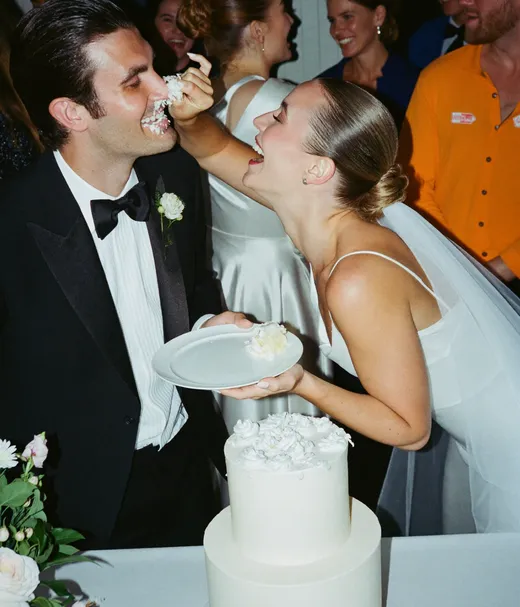
I was the bride who was scared nobody would bother. By the end of cocktail hour we had 180 photos in. By cake cutting it was past 500. Cried looking at the album the next morning, not even ashamed
My mother in law figured out the QR code with zero help, which says everything. The AI selfie search is wild, my grandma took one selfie and it pulled every single shot she's in
Common questions about printable wedding checklists, saving a PDF, and setting up a planning binder.
A complete printable wedding checklist has sections for budget tracking, venue research and booking, vendor categories (photographer, caterer, florist, officiant, band or DJ), guest list management, the invitation timeline, attire, rings, rehearsal, and honeymoon. Organize each section by when the tasks are due, like the month-by-month list on this page, so you can pull out the one page you need each month.
Yes. The month-by-month list on this page is a complete checklist, not a teaser for a download. Press Ctrl+P on Windows or Cmd+P on a Mac. The print layout hides everything except the checklist, so only the stages and their checkboxes come out on paper. You can also copy the text into a Word or Google Doc first if you want to change tasks before printing.
Open the print dialog with Ctrl+P or Cmd+P and choose Save as PDF where you would normally pick a printer. You get a PDF of the checklist that you can keep on your phone, email to your partner, or send to a print shop.
Use a 3-inch three-ring binder with tabbed dividers. Sections to include: Budget, Venue, Catering, Photography, Florist, Music, Attire, Guest List, Invitations, Accommodation, Rehearsal, Honeymoon, Day-of Timeline, and Vendor Contacts. Keep your master checklist at the front. Use plastic sleeves for contracts and deposit confirmations. Color-code tabs by category for quick access at vendor meetings.
A printable checklist is a static document you print and check off by hand. It suits in-person sharing with family and vendor meetings. A digital interactive checklist, like the free one at Pix Wedding, saves your progress automatically and opens on any device. Most couples do well with a digital checklist as the live master and a few printed pages for specific meetings or for family members who prefer paper.
Letter size (8.5 x 11 inches) fits most standard binders and home printers. For a more compact planner, half letter (5.5 x 8.5 inches, close to A5) fits a smaller binder you can carry to appointments. Print on cardstock (60-80 lb weight) if the pages will be handled often. For pure function, regular copy paper is fine.
Review and reprint your checklist when something big changes: a vendor cancels, the date shifts, or the guest count moves a lot. For day-to-day updates, mark changes in pen on the printed version and update the printed pages once a month. This is one reason many couples keep a digital master list and only print when they need a physical copy for a specific purpose.
Yes. The checklist on this page is free to read, print, copy, and save as a PDF, with no signup. The email option under the list is optional. The interactive version at /wedding-checklist is free too.