
How to Back Up Wedding Photos, From Guests Too
Here is how to back up wedding photos from all three places they come from: the photographer's gallery, the photos and videos your guests sent, and your own phones. Put everything into one folder, swap compressed chat copies for originals, then keep three copies: your computer, an external hard drive, and a cloud or computer backup. Every price and platform limit below links to its source, checked September 27, 2026.



What is the best way to back up wedding photos?
Collect first, then back up once. Gather the photographer's full-resolution gallery, the guest sharing album, photos saved from shared albums and chats, and your own camera rolls into one wedding folder. Ask guests for originals of the shots that matter, because chat copies are often compressed. Then follow the 3-2-1 rule: three copies, on two kinds of storage, with one copy off-site. For most couples that is the computer, an external hard drive and a cloud or computer backup.
Do it before anything expires. Photographer galleries and sharing albums have end dates, and Apple's temporary shared albums disappear after 30 days.
The working copy on your computer plus two backups.
For example an external hard drive and a cloud account.
Away from your home, so one fire or burglary can't take all three.
What you need to back up
Wedding photos come from three places, and each one arrives differently and fails differently. Most backup advice stops at the photographer's gallery. The guest set is where most couples lose files, because nobody ever collected the originals.
The edited gallery
Photos and videos from phones

Your camera rolls
Turn on phone backup, but don't stop there
iCloud Photos and Google Photos backup keep your own camera roll safe from a lost phone. They sync deletions too: Apple says photos you delete on one device are deleted everywhere you use iCloud Photos, with 30 days to recover them from Recently Deleted (Apple Support). Copy the wedding day into the archive as well.
External hard drive or cloud? Use both
An external hard drive for wedding photos gives you a local copy you control. The cloud gives you the off-site copy that survives a fire, a burglary or a dead drive. Here is what each kind of storage is good for, and what to watch.
| Storage | Good at | Watch out for | Its job in your backup |
|---|---|---|---|
| External hard drive (HDD) | Lots of space for the money, simple to use, works with any computer. | Moving parts, so drops and knocks hurt it. One drive is one point of failure. | Your local backup copy. Buy two if one will live away from home. |
| External SSD | Fast, small and no moving parts, so it copes better with being carried around. | Costs more per terabyte than a hard drive. Still a single device you can lose. | A local copy you take with you, or the working drive for big RAW sets. |
| USB flash drive | Cheap and easy to hand to parents or grandparents. | Small, easy to lose and easy to overwrite. | A gift copy of the favorites. Not one of your three copies. |
| Cloud storage (iCloud, Google Photos, Dropbox, Amazon Photos) | Off-site by default and reachable from any device. | Synced libraries mirror deletions: Apple says a photo deleted on one device is deleted everywhere you use iCloud Photos. | A good off-site copy once you know how its deletion and recovery work. |
| Computer backup service (Backblaze) | Backs up the whole computer and connected drives automatically, with version history. | Default version history is 30 days. Drives left unplugged too long drop out. | The off-site copy for people who never want to think about it again. |
| NAS (network drive at home) | Several drives in one box, reachable from every computer at home. | It still sits in one place, so it needs an off-site partner. | A home hub for large archives, plus cloud for the off-site copy. |
| Prints and photo books | Readable in 50 years without any device or account. | Holds a small edit at print resolution. You can't restore files from paper. | A way to enjoy the photos, never a backup of them. |
"This year finishes strong at 1.36%, down from 1.55% in 2024." Backblaze's annualized failure rate for its data center hard drives in 2025: small, but never zero.
Backblaze Drive Stats for 2025Apple's Disk Utility guide: use ExFAT "for Windows volumes that are over 32 GB", the format both a Mac and a Windows PC can read and write.
Apple, Disk Utility file system formatsHow to back up wedding photos to an external hard drive
Six steps, about an evening, and the drive becomes copy two of your three.
- Step 1
Measure first, then buy
Check the size of the whole wedding folder (Get Info on a Mac, Properties on Windows). Pick a drive with plenty of room left over, because guest videos keep arriving for weeks.
- Step 2
Format it for both computers
If the drive will be used on a Mac and a Windows PC, format it as ExFAT. Apple's Disk Utility guide lists ExFAT for Windows volumes over 32 GB. Formatting erases the drive, so do it before you copy anything.
- Step 3
Copy, don't move
Drag a copy of the wedding folder onto the drive. Moving it leaves you with one copy on one device, which is the thing a backup is meant to avoid.
- Step 4
Check the copy on the drive
Compare the file count and folder size with the original, then open a handful of photos and play the longest videos straight from the drive.
- Step 5
Eject, label, unplug
Eject the drive properly, write the wedding date and contents on it, and keep it unplugged when you're not using it. A drive that is not connected can't catch ransomware or a bad sync.
- Step 6
Put one copy somewhere else
A second drive at a parent's house or a cloud or computer backup covers the off-site part of 3-2-1. Refresh the off-site drive whenever new files arrive.
What is the 3-2-1 rule for wedding photos?
Backblaze describes the 3-2-1 rule as three copies of your data, on two different media, with one copy off-site. It traces the rule to a 2012 US-CERT paper and treats it as a starting point. For a wedding archive, it looks like this.
The wedding folder on your computer
Photographer set, guest originals and your own phone photos, untouched. This is the copy you work from, so on its own it is not a backup.
External hard drive or SSD
A full copy on a separate drive, unplugged and stored away from the computer when you're not using it. Labeled with the wedding date.
Off-site: cloud or computer backup
iCloud, Google One, Dropbox, Amazon Photos or a backup service like Backblaze. Check how it handles deleted files before you rely on it.
Three copies, two kinds of storage, one off-site
Anthony Gugliotta explains the 3-2-1 backup rule in under a minute. Watch it once, then map each copy to the cards above: the wedding folder, the external drive and the off-site copy.
Video: The 3-2-1 Rule for Backing up Files, Anthony Gugliotta on YouTube (0:59).
Is a sharing album or gallery one of the copies?
Only while it lasts. Photographer galleries and guest sharing albums are delivery tools with end dates, so count them as a bonus copy until they expire, never as the off-site one (Backblaze on 3-2-1).
Download the photographer's gallery before it expires
The gallery link feels permanent. It usually isn't. Treat the day it arrives as the day you download it.

- 01
Ask for the expiry date in writing
Before the wedding, ask how long the online gallery stays up and whether full-resolution downloads are included. Put the date in your calendar with a reminder a month earlier.
- 02
Download the full-resolution set
If the gallery offers more than one download size, pick the largest. Ask whether RAW files are part of your package; many photographers deliver edited JPEGs only.
- 03
Keep the photographer's file names
Don't rename or re-save the files. The original names let the photographer find any image in their own archive if you ever need a reprint.
- 04
Save it next to the guest photos
Put the set into its own folder inside the wedding archive, then run the same count and spot-check you use for everything else.
"When the Collection 'expires', it will be set to Hidden status, and your clients will no longer be able to view their images." Pixieset's help center, on gallery expiry dates.
Pixieset, gallery expiry dateLet the photographer upload to the same album
On the Pix Wedding Standard and Pro plans, a private photographer upload link puts the pro set in the same album as the guest photos, so one ZIP holds both. Still waiting on the gallery? See how long it takes to get wedding photos back.
Are guest photos full quality? It depends on the app
The same photo can reach you as the original file or as a copy with a fraction of the pixels, depending on how the guest sent it. Before you back up guest photos, know which of your files are the real thing. Every row links to the company's own help page or a named source.
| Channel | What you receive | File | How to get the original |
|---|---|---|---|
| WhatsApp photo, standard quality | A compressed copy. WhatsApp says media quality may be lower than the original because files are usually compressed when shared. source | Compressed | Ask for a resend as a Document (up to 2 GB per file) or an upload to your album. |
| WhatsApp photo, HD | A better copy than standard, but still sent through WhatsApp. WhatsApp notes the connection affects quality even in HD. source | Better, not original | Fine for sharing. For the archive, ask for the Document version or an album upload. |
| WhatsApp video | By default capped at 100 MB and 720p on faster connections, 64 MB and 480p on slower ones. source | Compressed | Speeches and the first dance lose the most. Ask for the file as a Document or an upload. |
| iMessage | Can be reduced when the sender has Low Quality Image Mode switched on in Settings, Messages. source | Not guaranteed | For anything you want to print, ask for AirDrop with All Photos Data or an album upload. |
| AirDrop with All Photos Data on | The original file with edit history and metadata such as location, per Apple. source | Original | Best option in person. Only works between Apple devices close to each other. |
| iCloud Shared Album, legacy | Photos reduced to 2048 pixels on the long edge, videos delivered at up to 720p. source | Compressed | Upgrade the album on iOS 27 or ask guests for originals another way. |
| iCloud Shared Album, iOS 27 and later | Full-resolution sharing. Items count toward the owner's iCloud storage. source | Original | Save items to your own library. Temporary albums expire after 30 days. |
| Google Photos (Storage saver) | Photos above 16 MP resized to 16 MP, videos above 1080p resized to 1080p. source | Depends on setting | If the guest backs up in Original quality, the album holds the original. Ask which setting they use. |
| QR sharing album that stores originals | The file straight from the guest's camera roll, if the app stores originals (Pix Wedding does on every paid plan). | Original | Download the whole album as a ZIP before the storage window ends. |
"For users with a faster internet connection, the default video size limit is 100MB and 720p resolution."
WhatsApp Help Center, sending media"When shared, photos are reduced to 2048 pixels on the long edge, except panoramic photos."
Apple, Shared Albums limits (legacy albums)Apple's iOS 27 change matters for weddings in 2026: Shared Albums now support full-resolution sharing, people without an Apple Account can contribute on the web, and a temporary album expires after 30 days (Apple Support). Google Photos compresses only when the uploader uses Storage saver (Google Photos Help). Sources checked September 27, 2026.
The deadlines that delete wedding photos
Most wedding photos are lost to a date nobody wrote down. Here is roughly the order in which they disappear, from the wedding night to two years out.
- Wedding night
Save chat media to the phone
WhatsApp says a photo can show up blurry later if the app can no longer find it on your device, usually because it was deleted. Turn on saving media to your camera roll before you start clearing chats. source
- First 2 to 3 weeks
Ask guests for originals while phones still hold them
Guests clear storage, trade in phones and forget which shots they took. The sooner you send the upload link, the more full files you get back.
- Within 30 days
Temporary iCloud albums expire
Apple's iOS 27 Shared Albums can be made temporary, and a temporary album expires after 30 days. Save every item to your own library before then. source
- Check your contract
The photographer's gallery expires
Gallery platforms let photographers set an expiry date. On Pixieset, an expired collection is set to Hidden and clients can no longer view their images. Download the full set as soon as it arrives. source
- 3, 6 or 12 months
The sharing album stops taking uploads
On Pix Wedding, guests can upload for 3 months on Starter, 6 on Standard and 12 on Pro. Late stragglers need to be in before this.
- 6, 12 or 24 months
The sharing album's storage ends
Pix Wedding keeps the album for 6 months on Starter, 12 on Standard and 24 on Pro, with ZIP download on every paid plan. Download the ZIP well before the end date.
How long should the album stay open?
Long enough for late uploads, short enough that you still remember to download it. We break down the trade-off in how long a wedding photo album should stay open.
Back up every wedding photo in ten steps
The backup is the easy part. The work is getting every file, in the best version available, into one place. These ten steps take an evening for most weddings, plus a week or two of waiting for guest originals.
- 01
Make one wedding archive folder
Create a folder on your computer called something like 2026 Wedding, with subfolders for the photographer, the guests and your own phones. Nothing gets edited inside it. Favorites and edits live in a separate working copy.
- 02
Download the photographer's gallery
Download the full-resolution set (and RAW files, if your package includes them) into the photographer subfolder the day it arrives. Keep the original file names.
- 03
Download the guest sharing album as a ZIP
It usually holds the most guest files in the best quality. On a paid Pix Wedding plan, download the full album as a ZIP and keep the unopened ZIP as a file of its own.
- 04
Save shared albums to your own storage
For iCloud Shared Albums, save each item to your own library (Share, then Save Image or Save Video). For Google Photos, download from photos.google.com. Give each source its own subfolder.
- 05
Pull media out of chats
Save WhatsApp and iMessage photos and videos into a subfolder per chat. Mark the ones that look soft or small. Those are compressed copies you will replace with originals.
- 06
Export your own phones
Copy the wedding day from your phone, your partner's and the wedding party's. When you import to a computer, choose Keep Originals so iPhone HEIC files aren't converted.
- 07
Ask for originals of the best shots
Send guests your upload link or ask them to resend as a WhatsApp Document or by AirDrop with All Photos Data on. Speeches, the first dance and group photos suffer most from compression.
- 08
Count and spot-check
Compare the file count with what each source showed. Open a sample of photos and play a few videos from start to finish, including the longest ones.
- 09
Make the three copies
Copy the whole archive to an external hard drive and to a cloud or computer backup, so you have three copies on two kinds of storage with one off-site. Then open files from each copy.
- 10
Write a README and set a yearly reminder
Add a short text file with the file count, folder size, sources and backup locations. Set a calendar reminder on your anniversary to open the backups and check they still work.
How to ask guests for the originals
Most guests are happy to send the full file once they know how. Keep the ask short, tell them exactly which button to press, and give them a date. Copy these and edit the brackets.
 Maya & LeoExample album
 First dance
 Toast
Toast Table 6
Thank you all for Saturday! If you took photos or videos, could you add them to our album? It keeps the full quality, which WhatsApp doesn't. Link: [your album link]. No app needed, it opens in the browser.
Hi [name], your video of the first dance is the best angle we have! Could you send the original file? In WhatsApp, tap the plus, then Document, then pick the video. Or drop it in our album: [link].
Before you go, could you AirDrop me your photos from last night? When you pick them, tap Options at the top and turn on All Photos Data so I get the full files.
Last call for wedding photos! The album stops taking uploads on [date], and we're making our backup after that. Anything you add before then gets saved: [link].
WhatsApp: send as a Document
In a chat, tap the plus (iPhone) or the paperclip (Android), choose Document, then pick the photo or video. It arrives as a file of up to 2 GB instead of a compressed chat photo (WhatsApp).
AirDrop: All Photos Data
After selecting photos, tap Options and turn on All Photos Data. Apple says this shares the original file with its edit history and metadata, and works with AirDrop and iCloud links (Apple).
One link for everyone
With Pix Wedding, guests open your link or scan the QR code and upload from the browser, no app and no account, and paid plans keep the original quality. The first 20 uploads are free. More in how to collect photos from wedding guests.
Scan. Upload.
Ready for your backup drive.
Watch a guest scan the QR code and add photos and videos from the browser. No app, no account, and every file lands in one album you can download as a single ZIP for your hard drive and your cloud.
WEDDING ALBUM
Maya & Leo
Example album








Original file
From table 6
Back up the guest photos you haven't collected yet.
Share one QR code or link. Guests add full-quality photos and videos from the browser, no app, and you download everything as one ZIP for your drive and your cloud. The first 20 uploads are free, no card.

From Grandma
Scan to join the album
No app, no account
UPLOADING
Saving your moment
THE ALBUM
Maya & Leo
Example album
647 photos · 95 guests








SCAN TO TRY
pix.wedding/
your-wedding
Download the ZIP, then prove it is complete
A finished download is not the same as a complete one. Big albums and galleries with videos can run to many gigabytes, and a dropped connection can leave a ZIP that opens but is missing files. Run these checks before you delete anything or let an album expire.
Check before you trust it
The ZIP finished downloading and its size looks plausible for the number of photos and videos
The extracted file count matches the count the album or gallery showed
Photos and videos are counted separately, so a missing video can't hide among photos
A random sample of 20 photos opens at full size, not a thumbnail
The three longest videos play to the end with sound
The unopened ZIP is kept as its own file until all three copies are verified
Don't, yet
Delete the album or gallery the moment the ZIP arrives
Extract straight onto a drive that is almost full
Rename or sort files inside the archive folder
Assume a similar-looking burst shot is a duplicate
Trust a sync folder as a backup (a deletion syncs too)
Leave the only copy on the phone you will trade in
Pix Wedding album
Every paid plan includes ZIP download of the whole album in original quality. Download on a computer with enough free space for the full album.
iCloud Shared Album
Save items to your own library with Share, then Save Image or Save Video. When you move them to a computer, choose Keep Originals so HEIC files aren't converted (Apple).
Google Photos
Download on photos.google.com. Google notes your operating system can give a downloaded file a new timestamp; the original date stays in the file details (Google).
Cloud storage and backup costs, checked September 2026
Measure your wedding folder first, then pick a plan with room for the photographer's set, the guest set and everything else already in that account. Guest sets with long videos grow fast.
| Service | Storage | Price | Worth knowing |
|---|---|---|---|
| iCloud+ (US) | 50 GB / 200 GB / 2 TB / 6 TB / 12 TB | $0.99 / $2.99 / $9.99 / $29.99 / $59.99 a month | Apple's US price table. Every Apple Account gets 5 GB free, shared with phone backups. Apple iCloud+ prices |
| Google One | 15 GB free, Basic 100 GB, Google AI Plus 2 TB, Google AI Pro 5 TB | Shown in local currency at sign-up | Storage is shared across Google Photos, Drive and Gmail. Google One plans |
| Amazon Photos | Unlimited high-resolution photos, up to 5 GB of video with Prime | Included with Amazon Prime | Videos are where wedding sets get big, so check the video allowance before you count on it. About Amazon, Amazon Photos |
| Backblaze Personal Backup | Unlimited, one computer plus connected external drives | $9 a month, $8.25 a month billed yearly, or $7.88 a month on the 2-year plan | Default version history is 30 days; one year or Forever is an optional upgrade. Backblaze pricing |
| Dropbox Plus | 2 TB | Shown at sign-up | Dropbox lists 30-day file recovery on Plus. Dropbox plans |
"After 30 days, the updated, changed, or deleted versions are removed from your Backblaze backup."
Backblaze, version history (default setting)The monthly US price of iCloud+ with 2 TB, the first Apple tier above 200 GB, for a wedding archive with long videos next to your phone backups.
Apple, iCloud+ plans and pricingA folder layout that still makes sense in ten years
Start with the year so the archive sorts itself, then name folders by source, not by what you think is inside. When a better original turns up later, you know exactly which copy it replaces.
2026 Wedding/
  01 Photographer/
      Full-resolution (original file names)/
      RAW (if delivered)/
  02 Guests/
      00 Sharing album ZIP (unopened)/
      01 Sharing album (extracted)/
      02 iCloud shared album/
      03 Google Photos album/
      04 WhatsApp, Family group/
      05 AirDrop and iMessage/
      06 Originals received later/
  03 Our phones/
README.txtWedding: Maya & Leo, [date] (example) Photographer: [studio name, email, gallery link] Files: [number] photos, [number] videos Folder size: [read it from your computer] Copies: laptop, external drive, cloud backup Last checked: [date]
Never put account passwords in the README. Store those in a password manager.
How long should you keep wedding photos?
Forever. In practice that means one short check a year, because drives age, subscriptions lapse and computers get replaced. Your anniversary is an easy date to remember.
The anniversary check
Plug in the external drive and open a few photos and videos from it
Log in to the cloud or backup service and confirm the folder is still there
Check the subscription is paid and the card on file hasn't expired
Plug in any drive that Backblaze backs up, so it doesn't drop out
If you changed computers this year, confirm the archive came across
Replace any drive that won't mount or makes new noises, from a healthy copy
 The shots you will want to print in twenty years.
Ten ways couples lose wedding photos
None of these are dramatic. They are small gaps that only show up a year later when someone wants to print the first dance.
The gallery link was the only copy
Couples bookmark the photographer's gallery and never download it. Galleries can expire, and a photographer's business can close, taking the hosting with it.
The chat copy is the only copy
WhatsApp and legacy shared album copies look fine on a phone and fall apart in print. If the original was never requested, it is often gone once the guest clears their phone.
The sharing album expired
Every sharing app has a storage window. Put the end date in your calendar the day you set up the album, with a reminder a month before.
A sync folder mistaken for a backup
Sync services mirror deletions. Apple says a photo deleted on one device is deleted everywhere you use iCloud Photos, and Recently Deleted keeps it for 30 days only.
One drive, one failure
Drives fail without warning, even in data centers that replace them for a living. A single external drive is a copy, not a backup plan.
Both copies in the same bag
Laptop and backup drive travel together to the honeymoon, and one theft or spilled drink takes both. Keep one copy at home or off-site.
Ransomware on a plugged-in drive
Malware that encrypts a computer can reach any drive connected to it at the time. An unplugged drive and a versioned off-site backup are the protection.
The unplugged drive dropped out of the backup
Backblaze keeps files removed from the computer, and external drives disconnected for longer than 30 days, only with extended version history.
HEIC files converted on import
Apple notes that importing HEIF or HEVC media to a computer can convert it to JPEG or H.264 unless Keep Originals is chosen in Settings, Apps, Photos.
A storage clean-up years later
A folder named IMG_Export or 2026-06 looks like clutter. Name the archive so nobody can mistake it, and keep the README next to it.
Sources: Apple, iCloud Photos, Backblaze Drive Stats 2025, Backblaze version history, Apple, HEIF and HEVC media, WhatsApp, blurry photos.
Keep the format the camera recorded
A wedding archive mixes the photographer's JPEGs (and maybe RAW files), iPhone HEIC files, Android JPEGs and videos in several formats. Converting everything to one format loses information and doubles the work. Back up what arrived and convert copies only when a service asks for it.
RAW (CR3, NEF, ARW and others)
Unprocessed camera files, only if your photographer includes them. Large, and they need editing software to view.
Keep with the original names next to the edited set. Treat the edited JPEGs as the ones you share.
HEIC / HEIF (iPhone photos)
Apple's default photo format; smaller than JPEG at the same visual quality, per Apple.
Keep the originals. Make JPEG copies only for sharing or printing services that need them.
HEVC / H.265 (iPhone video)
Apple's efficient video format. Some older computers and players can't open it.
Keep as is. If a file won't play, try another player before converting.
Live Photos
A still photo plus a short video clip.
Save through Photos or an album that keeps both parts; a plain JPEG export keeps only the still.
JPEG
The universal format most photographers deliver and many Android phones use.
Keep as is.
MP4 / MOV
Common video containers from phones and cameras.
Keep as is. Check the longest clips play to the end.
Apple: HEIF and HEVC "use less storage space on your devices and iCloud Photos, while preserving the same visual quality", and Settings, Camera, Formats, Most Compatible switches capture to JPEG and H.264 (Apple Support).
What to do if your photographer loses your wedding photos
The same plan works if the wedding was a while ago and nothing is backed up yet. Don't try to be thorough first. Save what is still reachable, then fill the gaps.
Download whatever still exists, today
Check the sharing album, shared albums and the photographer's gallery. If any is still online, download it before doing anything else.
Read the contract, then ask in writing
If the photographer lost the files, check what the contract says about lost images and ask in writing what copies and backups they still have. Keep every reply.
Stop using a failed drive
If a drive with the only copy stops working, don't keep retrying it. A professional data recovery service has the best chance with a drive nobody has tinkered with.
Ask the guests who took the most
A short message to the five or six people who filmed and shot the most gets back more than a group post. Many phones still hold photos from a year ago.
Search devices, accounts and hashtags
Old phones in a drawer, a partner's laptop, email attachments, a camera roll search for the date, and your wedding hashtag. Ask posters for the original file, not a screenshot.
Then build the three copies
Follow the ten steps with what you recovered. A partial set with three copies beats a perfect set on one drive.
Planning a wedding, not rescuing one?
Set up the guest album before the day and most of this page never becomes a problem: one link, originals from every guest, one ZIP at the end. Compare options in our best wedding photo sharing app guide.
The photos nobody can take again
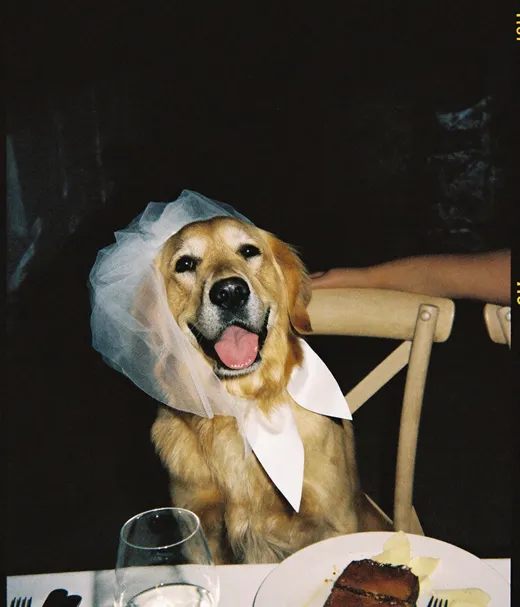



A photographer can reshoot a portrait session. Nobody can reshoot the confetti exit, the grandmas on the dance floor or the dog in the veil.
More guides for wedding photos
Backing up wedding photos: the essentials
If you only remember five things about keeping your wedding photos safe:
- Put the photographer's set, the guest photos and your own phone photos into one wedding folder
- Download galleries and sharing albums well before they expire
- Chat copies are often compressed, so ask guests for originals of the shots that matter
- Keep three copies: computer, external hard drive, cloud or computer backup
- Open files from every copy once a year, on your anniversary
Why the guest photos need their own attention
Your photographer hands you one finished set. Guest photos arrive from dozens of phones, through half a dozen apps, over several weeks, and each app treats quality differently. A WhatsApp video, a legacy iCloud album photo and an original from a sharing album can look alike on a phone screen and very different on a print or a TV.
That is why this guide puts collection before backup. Once the wedding folder holds the best version of every file, the backup itself is the same 3-2-1 routine for everything: an external hard drive at home and a copy off-site.
Explore more free wedding tools
Everything you need to make your wedding day stress-free and unforgettable.
QR Sticker Designer
Design custom print-ready stickers.
Hashtag Generator
Create unique wedding hashtags.
How to Collect Guest Photos
5 methods ranked by participation rate and ease.
Share Wedding Photos with Guests
Compare every sharing platform by ease and participation.
Best Way to Get Guest Photos
The single method with the highest participation rate.
How to Make a Shared Wedding Album
Step-by-step setup for every platform.
Alternative to Disposable Cameras
Better, cheaper options than disposable cameras.
Alternative to Wedding Photo Booth
5 cheaper alternatives to a $1,000+ photo booth rental.
Questions about backing up wedding photos
Drives, cloud, guest photos and deadlines: short answers with sources.
Use the 3-2-1 rule: three copies of every photo, on two kinds of storage, with one copy off-site. For most couples that means the wedding folder on your computer, a copy on an external hard drive or SSD, and a copy in a cloud or computer backup service. Put the photographer's files, the guest photos and your own phone photos in the same archive so one routine covers all of them.
Both. An external hard drive gives you a fast local copy you control, and the cloud gives you the off-site copy that survives a fire, theft or a failed drive. Keep the drive unplugged when you're not using it, and check how your cloud service handles deleted files, because synced libraries mirror deletions.
Collect everything into one folder first: download your sharing album as a ZIP, save items from iCloud and Google Photos shared albums, and pull photos and videos out of WhatsApp and iMessage. Replace compressed chat copies with originals where you can, then include the guest folder in your 3-2-1 backup.
Not by default. WhatsApp says media is usually compressed when shared, and its default video limit is 100 MB and 720p on faster connections. HD is better but still not the original file. For the original, ask the guest to send the photo or video as a Document (up to 2 GB) or upload it to your album.
It depends on the album. Legacy shared albums reduce photos to 2048 pixels on the long edge and deliver videos at up to 720p. Starting with iOS 27, Shared Albums support full-resolution sharing, and those items count toward the owner's iCloud storage. Temporary albums expire after 30 days.
Forever, which in practice means checking the backups once a year. On your anniversary, open files from the external drive and the cloud copy, confirm the subscription is still active, and replace any drive that has started to fail from a healthy copy.
No. Back up the original HEIC files and make JPEG copies only when you need them. Apple notes that importing to a computer can convert HEIF and HEVC files unless Keep Originals is selected in Settings, Apps, Photos.
Download anything still online today, read what your contract says about lost images, and ask the photographer in writing which copies they still have. If a failed drive holds the only copy, a professional data recovery service is the next step. Meanwhile collect every guest photo and video you can, starting with the people who took the most.