
What to Put on Your Wedding Website FAQ
Answer the questions guests would otherwise text you: ceremony time, address and parking, dress code, kids, plus ones, RSVP deadline, hotels, food and the registry. Write each answer in one or two plain sentences, with the exact time, place or rule.
Put day-of logistics first, keep the plus-one and kids answers short and kind, and add one line telling guests where to share their photos. Below: 25 questions, 12 copy-paste answers and a builder that fills in your details.
Every outside fact links to its source. Checked 4 October 2026.
Ava & Theo
June 12, 2027 · Example site
Questions & answers
We are keeping the day small, so we can only host the guests named on your invitation. Thank you for understanding, we cannot wait to celebrate with you.
- What time should I arrive?
- Where do I park?
- What should I wear?
- Are kids invited?
- Can I bring a plus one?
One clear answer here saves a text later.
What should I answer in my wedding website FAQ section?
These ten, at minimum. Everything else depends on your venue and your guests.
- 1Ceremony start time, and when to arrive
- 2Venue address with a map link
- 3Where to park, or how the shuttle works
- 4Dress code, with an example outfit
- 5Whether kids are invited
- 6Whether guests can bring a plus one
- 7RSVP deadline and how to reply
- 8Hotel block and its booking deadline
- 9Food allergies and dietary needs
- 10Registry, and where to share photos
The ten are the questions that show up on every list we checked: WeddingWire, Offbeat Wed, Zola and The Knot. Checked 4 October 2026.
25 questions guests ask, in five groups
Pick the ones your guests would ask. A backyard wedding can stop at ten, a destination wedding can use all of them. Each line says what the answer needs.
Getting there
Answer these first- What is the venue address?Full street address plus a map link.
- Where do I park, and does it cost anything?Lot, street, valet or remote parking with a shuttle.
- Is there a shuttle between the hotel and the venue?Times both ways, or how long a taxi takes.
- Is there a hotel room block?Hotel name, booking link and the date it closes.
- Is the venue step-free?Stairs, ramps, grass, gravel and the accessible entrance.
What to wear
The question everyone asks- What is the dress code?Name it, then describe one real outfit.
- What shoes should I wear?Lawn, sand or cobblestones change the answer.
- Is it indoors or outdoors, and what if it rains?Say what the weather plan is.
- Are there colors to avoid?White, or the color the wedding party wears.
- Can I change for the after-party?Only if the after-party has a different vibe.
RSVP and guests
Short, kind, no wiggle room- When is the RSVP deadline, and how do I reply?An exact date and a direct link.
- Can I bring a plus one?Point back to the names on the invitation.
- Are kids invited?Yes or no, plus the age cut-off if there is one.
- What if I have a food allergy?Where to note it and who to contact.
- Can I watch online if I cannot come?A livestream link, or say there is none.
On the day
So nobody arrives hungry or late- What time should I arrive?Start time, plus how early to come.
- When will food be served?A rough timeline helps guests eat beforehand.
- Is there an open bar?Open bar, cash bar or drink tickets.
- What time does it end, and is there an after-party?For rides, babysitters and late flights.
- Can I take photos during the ceremony?Say if the ceremony is unplugged.
Gifts, photos and help
The tail of the page- Where are you registered?One link and one warm sentence.
- Should I bring a gift to the venue?Card box, or ship to an address instead.
- Where can we share our photos?A QR album or shared album link.
- Is there a wedding hashtag?Only if you plan to use it.
- Who do I contact on the day?A friend or planner, not the couple.
Questions most lists forget
- Does parking cost anything? (Offbeat Wed)
- What shoes work on this ground? (Offbeat Wed)
- Is it a cash bar, and can I pay by card? (reader comments on Offbeat Wed)
- How will you share updates if plans change? (WeddingWire)
- Where do we send the photos we took?
Compiled from WeddingWire's 25 questions, Offbeat Wed's 28 (with its reader comments), Zola's FAQ ideas and The Knot. Swipe the cards on a phone. Checked 4 October 2026.
Wedding website Q&A examples
Twelve answers you can lift as they are. Swap the words in brackets for your own details, or let the builder below do it for you. Every detail in them is an example.
What time should I arrive?
The ceremony starts at [4:00 PM]. Please arrive 20 to 30 minutes early so you have time to park and find a seat. We will start on time.
Where do I park?
Free parking is in [the lot behind the venue]. If it fills up, overflow parking is at [second location], a short walk away. Accessible spaces are next to the main entrance.
What should I wear?
Our dress code is cocktail attire: a knee-length or midi dress, a dressy jumpsuit, or a suit and tie. The ceremony is on grass, so block heels or flats will save your ankles.
Are kids invited?
We love your little ones, and we have decided to keep the day adults only so every parent gets a night off too. Thank you for planning ahead, and ask us if you would like help finding a sitter.
Can I bring a plus one?
We are keeping the day small, so we can only host the guests named on your invitation. Thank you for understanding, we cannot wait to celebrate with you.
When is the RSVP deadline?
Please RSVP by [May 1] on the RSVP page of this site. We give final numbers to the venue and caterer right after, so we cannot add late replies.
Is there a hotel room block?
Yes, we have rooms held at [hotel name]. Book with the link on our Travel page by [date], after which unbooked rooms go back to the hotel. A shuttle runs from the hotel to the venue and back.
What if I have a food allergy or dietary need?
Note it on your RSVP and we will pass it to the caterer. For a serious allergy, email us at [email] so we can confirm the details with the kitchen.
Is the wedding indoors or outdoors?
The ceremony is outside in [the garden] and the reception is indoors. If it rains, everything moves inside, so you only need one outfit. Bring a layer for the evening.
Where are you registered?
Having you there is the best gift. If you would like to give something, our registry is on the Registry page. Please do not bring boxed gifts to the venue.
Where can we share our photos?
We would love to see the day through your eyes. Scan the QR code on your table, or the one on this page, to add photos and videos to our shared album from your phone browser. You can keep adding them after the wedding.
Can I take photos during the ceremony?
Our ceremony is unplugged, so please keep phones and cameras away until we walk back down the aisle. Our photographer has it covered. After that, snap away.
Our own wording, free to use. The kids, plus-one and RSVP answers follow the "short and kind" approach in Zola's FAQ guide. Bracketed details are placeholders.
How to answer "no plus ones" on your FAQ
Give plus ones their own question, answer in one or two sentences and point back to the names on the invitation. One reason is enough. Then make the envelope and the RSVP card say the same thing, so the FAQ is a reminder, not the first news.
We are keeping the day small, so we can only host the guests named on your invitation. Thank you for understanding, we cannot wait to celebrate with you.
“Due to space constraints, we can only accommodate named guests on the invitation. We appreciate your understanding.”
“Unfortunately, we're on a tight budget and have limited space, so we simply can't afford for all of our lovely guests to bring a guest of their own. Plus ones are therefore by invitation only and we ask other guests to please not bring a plus one.”
If you are married, engaged or in a long-term relationship, your partner is named on your invitation. Beyond that we cannot add extra guests, and we hope you understand.
Make the rule obvious everywhere
- Address every invitation by name. The envelope is the first place guests look (Riley & Grey).
- Print the seat count on the RSVP card. For example "__ seats reserved in your honor" (Riley & Grey).
- Give plus ones their own FAQ question. Guests search the page for the words "plus one".
- Decide your exceptions before you write. Common ones: the wedding party, couples in a committed relationship, and guests who will know no one (Riley & Grey).
Keep the page drama-free
- Explain the guest list math. One reason is plenty. Nobody needs the budget breakdown.
- Apologize three times. Over-apologizing invites people to push back.
- Name anyone, even jokingly. The page is read by every guest, including the ones you mean.
- Change the rule quietly for one person. Guests compare notes at the reception.
When someone still writes in a guest on the RSVP, reply privately and kindly, never on the website. The scripts for that conversation are in how to tell guests no plus ones, and the free RSVP tracker keeps the seat count per invitation in one place.
Quoted wording from Zola and Riley & Grey, envelope and RSVP card tips and the usual exceptions from Riley & Grey. Checked 4 October 2026.
Build your FAQ answers in two minutes
Type your details, pick your rules for dress code, kids, plus ones and phones, and tick the questions you want. The answers update as you go, and one button copies the whole page. It runs in your browser and stores nothing.
Your Q&A page
Paste it into the FAQ or Q&A page of Zola, The Knot, Joy or any site builder.
1What time should I arrive?
The ceremony starts at [4:00 PM] sharp. Please arrive 20 to 30 minutes early so you have time to park and find a seat.
2Where is the venue, and where do I park?
Everything happens at [The venue, full street address]. Park at [the free lot behind the venue]. Open the address in your maps app before you leave, since signal can be patchy near some venues.
3What should I wear?
The dress code is cocktail attire. A knee-length or midi dress, a dressy jumpsuit, or a suit and tie.
4Are kids invited?
We love your little ones, and we have decided to keep the day adults only so every parent gets a night off too. Thank you for planning ahead, and ask us if you would like help finding a sitter.
5Can I bring a plus one?
We are keeping the day small, so we can only host the guests named on your invitation. Thank you for understanding, we cannot wait to celebrate with you.
6When do I need to RSVP by?
Please RSVP by [May 1] using the RSVP page on this site. We give our final numbers to the venue and caterer right after that date, so we cannot add late replies.
7Is there a hotel room block?
Yes, we have a room block at [the hotel name]. Use the booking link on our Travel page and book before the block closes, because unbooked rooms go back to the hotel.
8Where can we share our photos?
We would love to see the day through your eyes. Scan the QR code on your table, or the one on this page, to add photos and videos to our shared album. It opens in your phone browser, and you can keep adding photos after the wedding.
Fields you leave blank stay as [placeholders], so nothing reads wrong if you paste early. The answers are our own templates.
What order should the questions go in?
Order by what guests need first, not by what you thought of first. Most guests read the page on a phone, so the first three answers do most of the work.
- 01
Lead with day-of logistics
Start with the ceremony time, the address and parking. These are the questions guests ask in the car.
- 02
Then the dress code
Name the code and describe one real outfit, plus shoes if the ground is grass, sand or cobblestones.
- 03
Then the guest-list rules
RSVP deadline, plus ones and kids, in one or two kind sentences each. Put them high so nobody misses them.
- 04
Then travel and stay
Hotel block with its deadline, shuttle times and step-free access.
- 05
Then food, gifts and photos
Dietary notes, the registry link and where to share photos close out the page.
- 06
End with a contact and a date
Name a day-of contact who is not you, and add "Last updated" so guests trust the answers. Check the page again after the invitations go out and one week before.
Watch the FAQ, travel and schedule pages go into a real site
A short walkthrough of adding the itinerary, accommodations and FAQs to a Zola wedding website. The same three pages exist on The Knot and Joy, so the steps carry over.
Watch on YouTubeThe Q&A page starts with pre-written questions. "Add Question" opens the FAQ Bank, "Add Your Own FAQ" adds a custom one, and you can reorder or remove any of them (Joy help).
The section is called Q + A. You choose from a list of common questions, such as the weather plan, dress code and children, and edit the answers (The Knot).
Zola's FAQ guide covers RSVP, plus ones and kids, dress code, directions and parking, hotels, food, the itinerary, photos, the hashtag and a contact (Zola).
Video by WedEverything, uploaded 7 January 2026. Builder features from each company's own pages. Checked 4 October 2026.
How to word the dress code answer
A dress code name alone leaves guests guessing. Name it, then describe one real outfit. Here are nine codes from casual to white tie, with Emily Post's definition and a line you can paste.
Casual
“informal and comfortable, yet clean and professional” (Emily Post)
Write on your siteA sundress, or chinos and a button-down. Please skip jeans and sneakers.
Dressy casual
“a versatile balance between formal and casual” (Emily Post)
Write on your siteA nice dress or jumpsuit, or slacks and a collared shirt. No tie needed.
Festive
“often the choice for holiday or New Year's parties” (Emily Post)
Write on your siteDressy with a seasonal twist. Velvet, sparkle or a bright tie are welcome.
Semi-formal
“more formal than what you would wear to an office, but slightly less formal than what you would wear to a formal event” (Emily Post)
Write on your siteA dress or dressy separates, or a suit. A tie is a good idea.
Cocktail
Sits between semi-formal and black tie optional. (our plain-language read)
Write on your siteA knee-length or midi dress, a dressy jumpsuit, or a suit and tie.
Creative black tie
“a black-tie foundation with room for some creativity and flair” (Emily Post)
Write on your siteBlack tie basics, plus a color, a print or a fun accessory.
Black tie optional
“gives guests a couple of formal options to choose from” (Emily Post)
Write on your siteA tuxedo or a dark suit and tie, a gown or an elegant cocktail dress.
Black tie
“slightly less formal than white tie, but it is more formal than business attire” (Emily Post)
Write on your siteA tuxedo, or a floor-length gown, a dressy cocktail dress or a little black dress.
White tie
“the most formal of all dress codes” (Emily Post)
Write on your siteTailcoats and floor-length gowns. Say it plainly, few guests own the outfit.
Definitions quoted from the Emily Post attire guide and its black tie page. Formality dots and outfit lines are our own summary. Not sure which code fits? Try the dress style quiz. Checked 4 October 2026.
Where do the photos go? Answer it before the day
Guests take the candid shots all night and look for a place to send them the next morning. One line in your FAQ and one QR code on the tables give them the answer. They upload from the phone browser, no app and no account.


Scan to join the album
No app, no account
UPLOADING
Saving your moment
THE ALBUM
Ava & Theo
Example album
186 photos · 27 guests
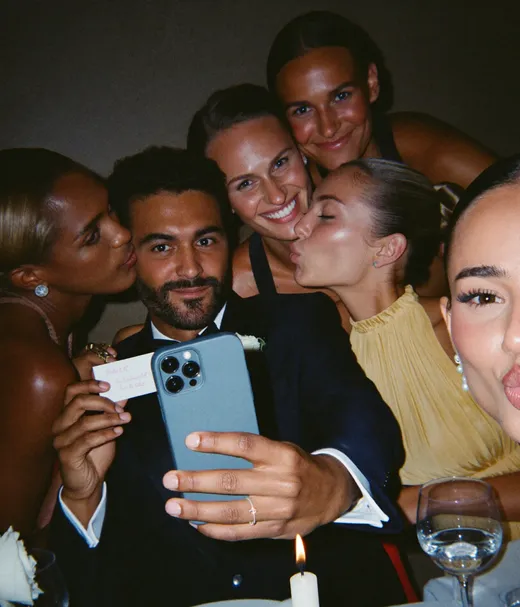
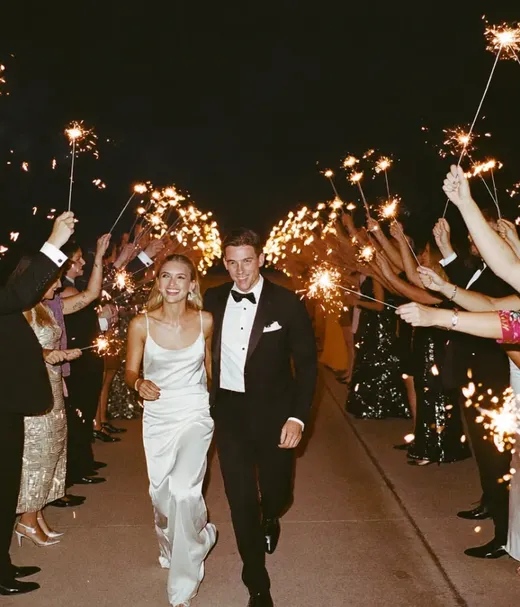


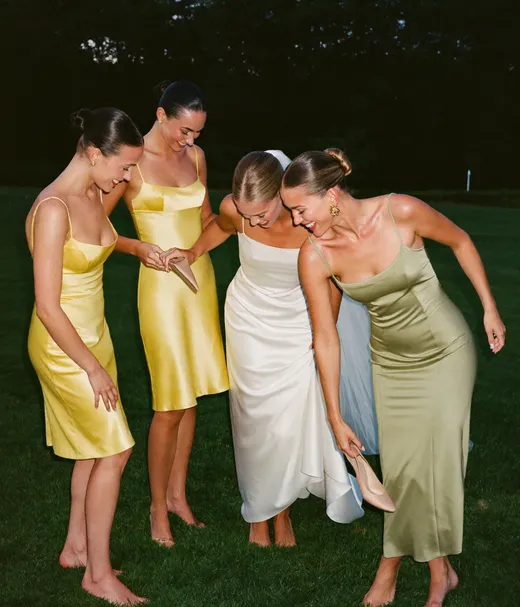
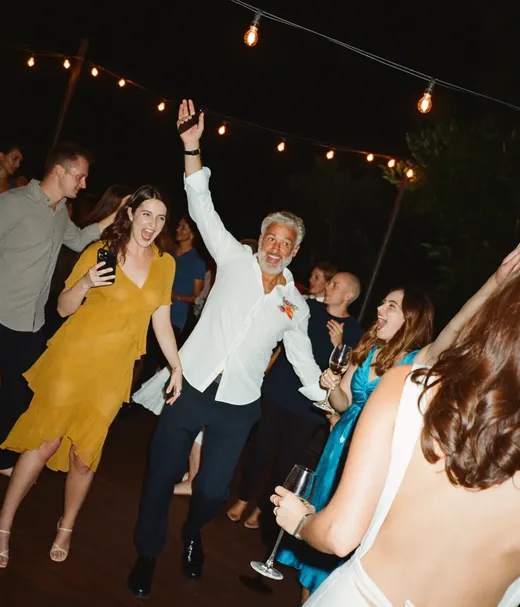
Where can guests share their photos?
Three photo questions belong on the page: where to share, whether phones are allowed during the ceremony, and whether there is a hashtag. Answer all three together so the rules and the album sit side by side.
Ava & Theo
June 12, 2027 · Example site
Questions & answers
Scan the QR code on your table, or the one below, and add photos and videos from your phone browser. No app and no account.
Opens in the browser
Illustrative screen. The QR code opens the Pix demo album
Where can we share our photos?
“Scan the QR code on your table, or the one on this page, to add photos and videos to our shared album from your phone browser. You can keep adding them after the wedding.”
Put the album link or QR code right in the answer, so guests can bookmark it before the day.
Can I take photos during the ceremony?
“Our ceremony is unplugged, so please keep phones away until we walk back down the aisle. After that, snap away and share them with us.”
Pair the unplugged rule with the sharing answer, so guests know when phones are welcome.
Is an unplugged wedding rude?Is there a wedding hashtag?
“Yes, tag your posts with [#YourHashtag]. If you would rather not post publicly, the shared album keeps everything in one private place.”
A hashtag only finds public posts, so give guests a private option too.
Free hashtag generator82%
of guest uploads arrive after the wedding day
In our data from 203 real weddings on Pix, about 82% of guest uploads came in after the wedding day, 39.3% of them the day after. That is why the answer should say guests can keep adding photos later, and why the FAQ link matters as much as the table sign. Details in what building a wedding photo app taught me and when guests take the most photos.
Pix numbers from 203 weddings and 40,531 guest photos and videos. Other options: Joy's companion app lets guests upload photos to a shared gallery (Joy). The phone screen and the hashtag are illustrative. Checked 4 October 2026.
One link in your FAQ.
Every guest photo in one album.
Paste the album link into your Q&A page and print the same QR code for the tables. Guests open it in the phone browser and add photos and videos before, during and after the day, no app and no account.
WEDDING ALBUM
Ava & Theo
Example album
Ava & Theo
Shared from the FAQ link
Give your photo question a real answer
Make a shared album, paste its link into your FAQ and put the same QR code on the tables. Guests upload from the phone browser, no app and no account. Start free with 20 uploads, no card.
From the dance floor
Scan to join the album
No app, no account
UPLOADING
Saving your moment
THE ALBUM
Ava & Theo
Example album
186 photos · 27 guests
SCAN TO TRY
pix.wedding/
your-wedding
Zola, The Knot and Joy: what each gives your FAQ
All three are free to publish and all three have a ready-made FAQ or Q&A page. The differences are in how much they write for you and what extras cost.
| Builder | Cost to publish | Q&A help | Custom domain | Worth knowing |
|---|---|---|---|---|
| Zola | Free to create and publish | FAQ idea guide with sample answers, including plus ones and kids | Custom URL from $17.99, or redirect your own domain | Optional password protection, over 600 templates |
| The Knot | Free | A "Q + A" page: pick from common questions and edit the answers | $19.99 for 1 year or $39.98 for 2 years | Common questions include the weather plan, dress code and children |
| Joy | Free | Q&A page with pre-written questions, an FAQ Bank and your own questions, reorder or remove any | Paid extra | Password-protect single pages, the Joy app has a shared photo gallery |
Swipe to compare
Prices and features from each company's own pages and help center. Checked 4 October 2026.
Zola: website page and FAQ guide. The Knot: FAQ article and custom domain help. Joy: website page, Q&A guide and Q&A setup. Not sure you need a site at all? Read should I have a wedding website. Checked 4 October 2026.
Accessibility and a second language
An FAQ only works if every guest can read it. These six additions take about an hour.
Step-free route
Say whether there are stairs, ramps, grass or gravel, and where the accessible parking and entrance are. Offbeat Wed lists wheelchair access as a guest question. (source)
Alt text on maps
A parking map as an image says nothing to a screen reader. Describe it in words or add alt text, as the W3C images tutorial explains. (source)
Captions on video
If you post a venue walkthrough or a save-the-date video, turn on captions so guests can watch it on mute.
A second language
If part of the family reads another language better, translate the top five answers. Time, address, dress code, kids and RSVP cover most of it.
A paper version
Some guests will never open the site. Print the key answers on an invitation insert, or ask a relative to call them.
Plain words
Explain any ritual or term guests may not know, from a tea ceremony to a hora. Offbeat Wed suggests explaining rituals ahead of time. (source)
Sources linked on the cards. Checked 4 October 2026.
What not to put on your wedding website FAQ
The FAQ is a logistics page that every guest can read. Anything you would not say to the whole guest list at once does not belong on it.
Six things that backfire
- Family drama. "Because of a situation with one side of the family" belongs nowhere near a public page.
- Passive-aggressive lines. "If you had read the invitation" is read by the guests who did, too.
- Gift amounts or pressure. One registry link and one warm sentence. No suggested sums.
- Walls of text. A 300-word parking answer will not get read on a phone.
- Vendor plugs. The FAQ is for guests, not for your caterer's packages.
- Stale dates. An RSVP deadline that already passed makes every other answer look old.
Six things that help
- One or two sentences per answer. Exact time, exact place, exact rule.
- Links instead of paragraphs. Map pin, hotel booking page, RSVP page.
- The same tone as your invitation. Formal invite, formal answers. Playful invite, playful answers.
- A "Last updated" date. Guests trust an answer they know is fresh.
- A password for private details. Zola and Joy both offer password protection if your site lists the hotel or after-party address.
- A day-of contact. A friend or planner who answers the phone so you do not have to.
Three weddings, three different FAQ pages
The right FAQ depends on the venue and the guest list. These three are illustrative examples, not real couples, to show how the order changes.
Travel first
Flights, passports and the hotel block go at the top, because guests book months ahead. Dress code comes second with a footwear line: the ceremony is on sand, so no stilettos. About 14 questions in total, since the resort handles most of the day.
Parking first
Street parking is tight, so the first answer is where to park when the block fills up, with a map in words and an image. Second is a jacket note for an evening outdoors. About 10 questions, because most guests are close family.
All 25 questions
All five groups, with valet, garage and street parking, shuttle times from two hotels and an accessible entrance note. A question on when the reception ends gets added after parents with babysitters start asking. The photo album QR code sits in the last group.
Plus ones are therefore by invitation only and we ask other guests to please not bring a plus one.
Wedding Website FAQ: Common Questions
Quick answers on what to include, Q&A examples, no plus ones, kids, order and photos.
Answer the questions guests would otherwise text you: ceremony time and when to arrive, the venue address and parking, the dress code with an example outfit, whether kids and plus ones are invited, the RSVP deadline, the hotel block, food allergies, the registry and where to share photos. Keep each answer to one or two sentences with the exact time, place or rule.
Good examples are short and specific. "The ceremony starts at 4:00 PM, please arrive 20 to 30 minutes early." "Our dress code is cocktail attire: a knee-length dress, a dressy jumpsuit, or a suit and tie." "We can only host the guests named on your invitation." This page has 12 copy-paste examples and a builder that fills in your own details.
Give it its own question, keep it to one or two sentences and point back to the invitation. For example: "We are keeping the day small, so we can only host the guests named on your invitation. Thank you for understanding." Zola's sample says: "Due to space constraints, we can only accommodate named guests on the invitation." Back it up by addressing each invitation by name and printing the seat count on the RSVP card.
Most couples need 10 to 25. A small wedding where guests know the venue can stop at about 10. A big or destination wedding can use all 25. WeddingWire's list has 25 questions and Offbeat Wed's has 28, so pick the ones your guests would ask and skip the rest.
Say it once, kindly and without a long explanation. For example: "We love your little ones, and we have decided to keep the day adults only so every parent gets a night off too. Thank you for planning ahead." If children in the family or wedding party are the exception, name that rule clearly, such as "children named on your invitation".
Put day-of logistics first (time, address, parking), then the dress code, then guest-list rules (RSVP, plus ones, kids), then travel and the hotel block, and finish with food, the registry, photos and a contact. Joy lets you reorder questions on its Q&A page, and most builders let you drag them.
Yes. Add a question like "Where can we share our photos?" with the shared album link or QR code in the answer. Guests can bookmark it before the day, and most guest photos come in afterwards: on Pix, about 82% of guest uploads arrive after the wedding day (39.3% the day after).
Leave out family drama, passive-aggressive lines, gift amounts, vendor promotions, long paragraphs and dates that have already passed. If your site lists private details like the after-party address, use the password option that Zola and Joy offer.
Related guides
Decide on the website, word the guest-list rules and set up the photo album.
Sources, checked 4 October 2026
- Zola: wedding website FAQ ideas
- Zola: free wedding websites
- The Knot: wedding website FAQ page
- The Knot help: custom domain
- Joy help: your go-to Q&A guide
- Joy help: setting up your Q&A page
- Joy: free wedding website
- WeddingWire: 25 wedding website FAQs
- Offbeat Wed: wedding FAQ questions
- Riley & Grey: how to say no plus ones
- Emily Post: attire guide
- Emily Post: black tie dress code
- W3C: images tutorial
- WedEverything: wedding website tips with Zola (YouTube)
Ava & Theo, the date, the answers in the phone mockups, the bracketed details in the templates and the three wedding examples are illustrative. Answer templates without a named source are our own wording. Pix numbers come from 203 weddings on Pix. Photos are from our own library.
More free wedding planning tools
Free tools for RSVPs, the guest list, invitation wording and the guest photos that follow.
QR Sticker Designer
Design custom print-ready stickers.
Hashtag Generator
Create unique wedding hashtags.
How to Collect Guest Photos
5 methods ranked by participation rate and ease.
Share Wedding Photos with Guests
Compare every sharing platform by ease and participation.
Best Way to Get Guest Photos
The single method with the highest participation rate.
How to Make a Shared Wedding Album
Step-by-step setup for every platform.
Alternative to Disposable Cameras
Better, cheaper options than disposable cameras.
Alternative to Wedding Photo Booth
5 cheaper alternatives to a $1,000+ photo booth rental.